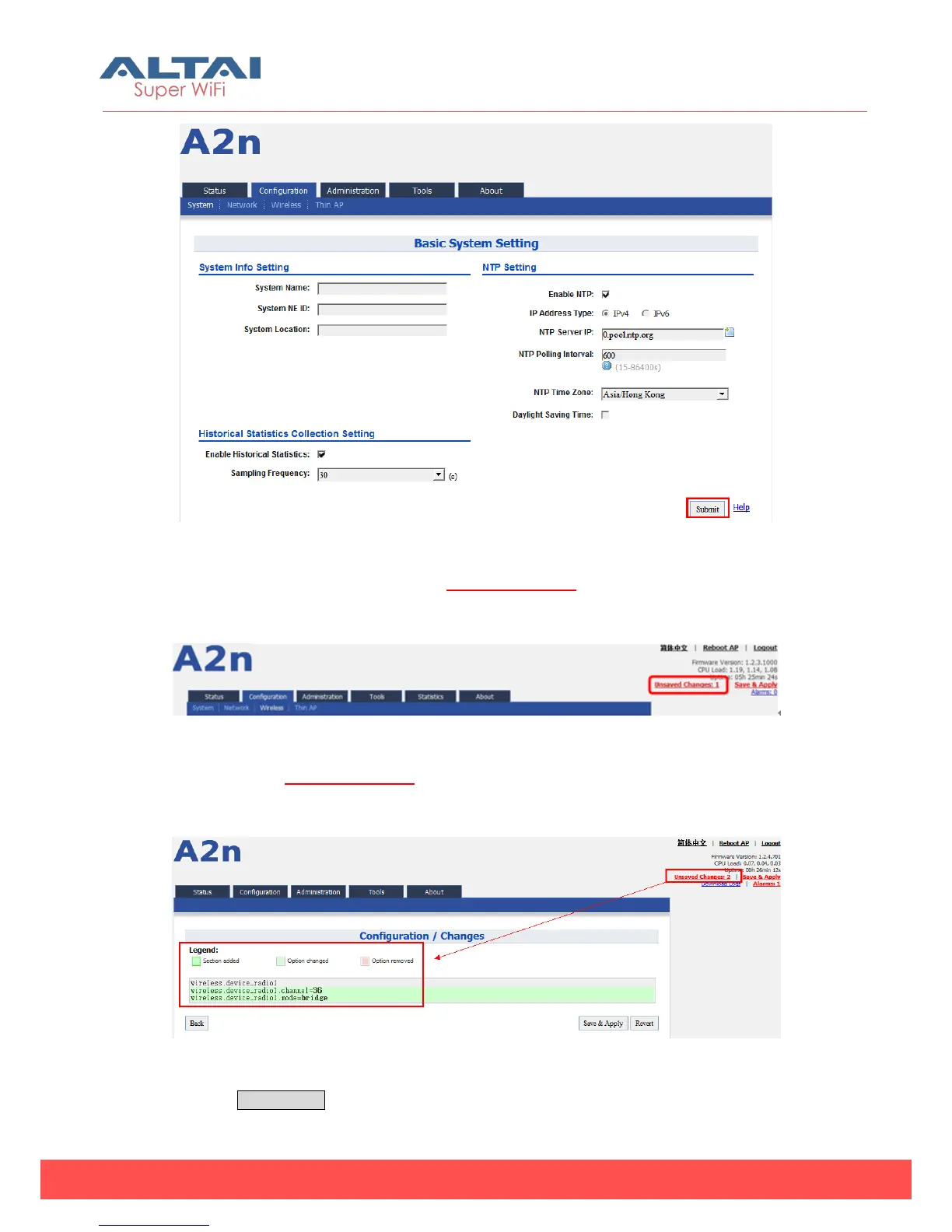
Figure 5-1 Submit changes
1. On the right top corner, there is an Unsaved Changes button; you can click it to
check submitted items.
Figure 5-2 Unsaved changes
2. Please click Unsaved Changes button to check changed setting detail
information.
3.
Figure 5-3 Unsaved changes detail
4. Click Save&Apply button to perform all submitted changes:



 To Next Page