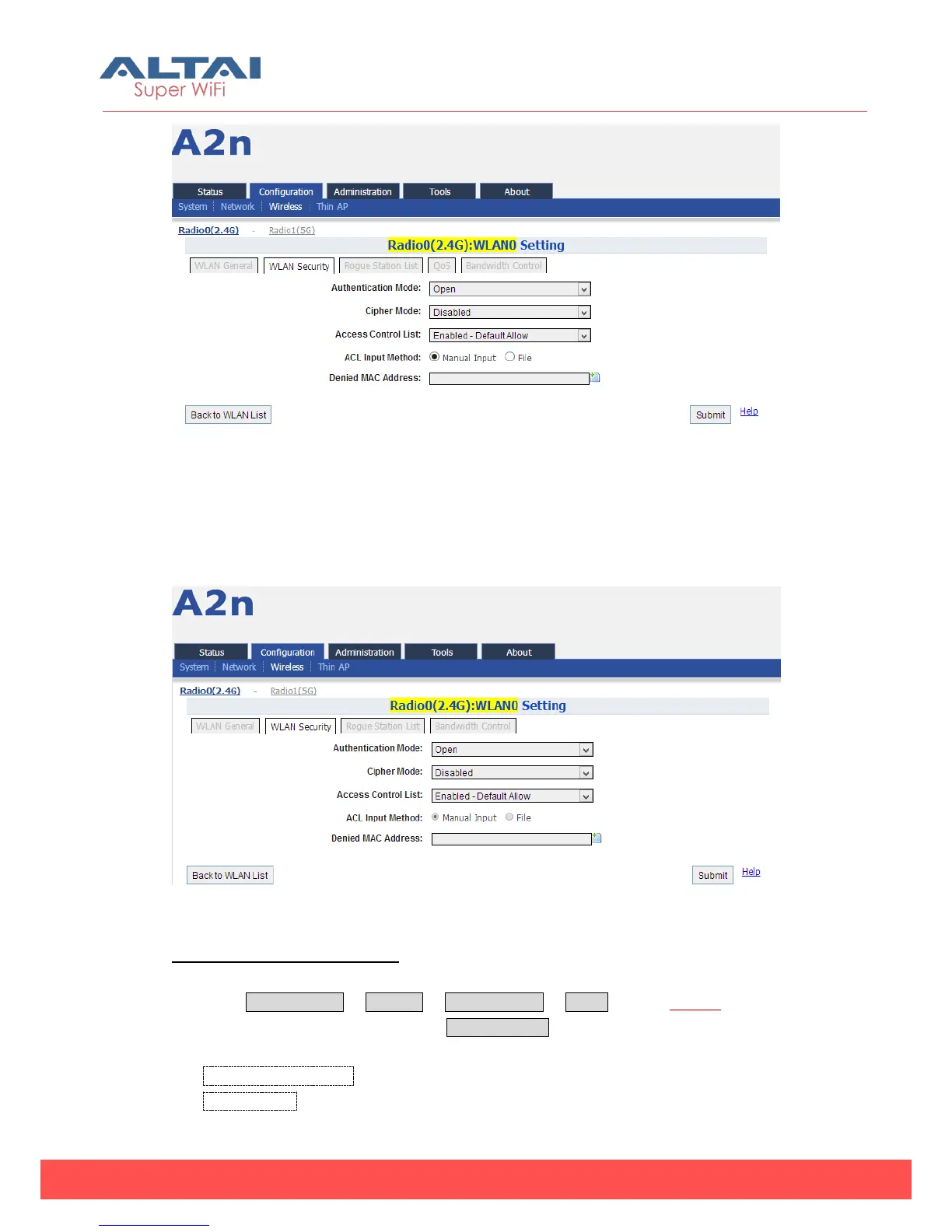
Figure 5-26 WLAN security setting
1) Open
After selecting Open, you can select Disabled or WEP:
Figure 5-27 Open & No security
Open & No security procedures:
1. Select Configuration -> Wireless -> Radio0 (2.4G) -> WLAN to edit “More…”
behind the WLAN, and then select WLAN Security to access to security
configuration page.
2. Authentication Mode choose Open
3. Cipher Mode choose Disabled



 To Next Page