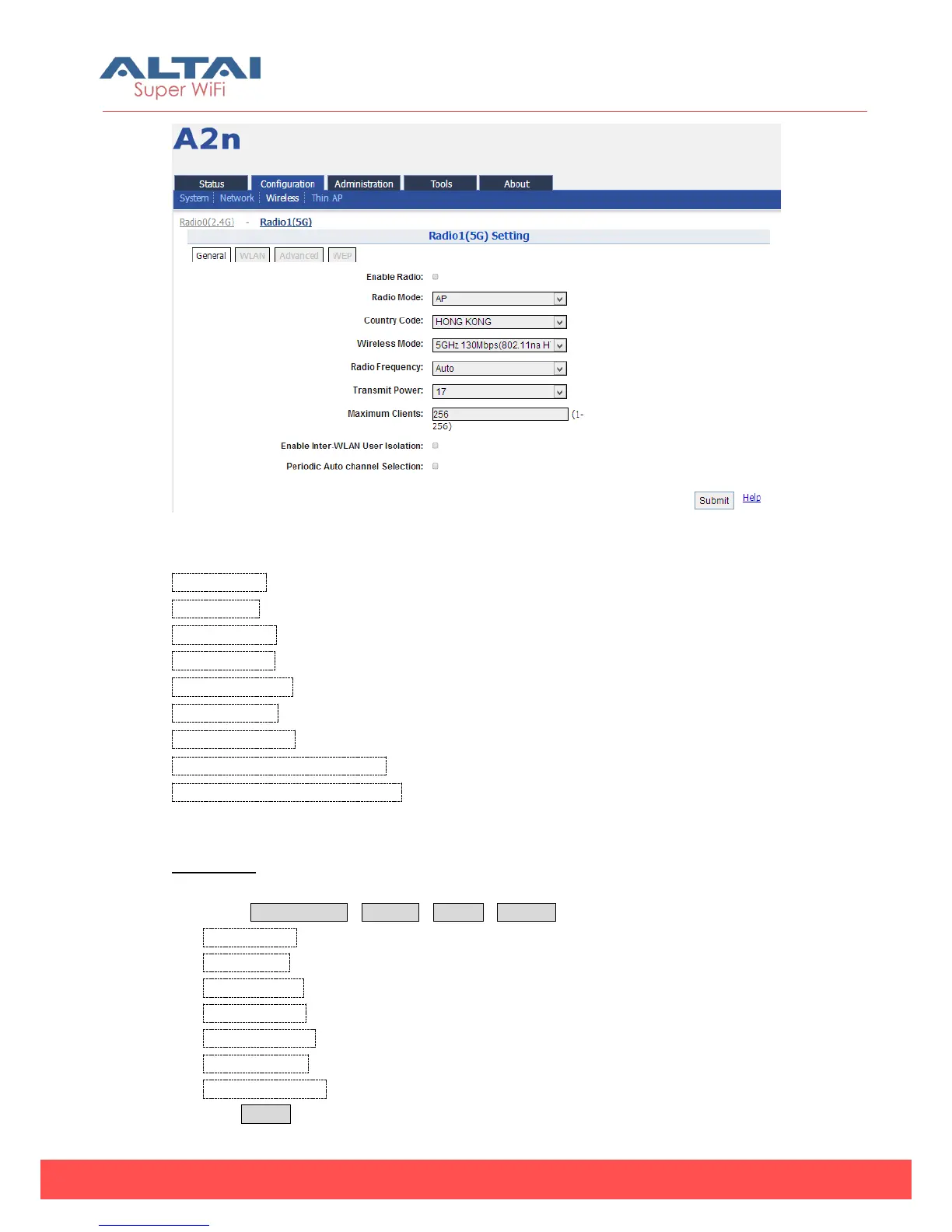
Figure 5-48 5G General setting
Enable Radio:Enable or disable 5G radio, by default it is disabled.
Radio Mode: You can choose AP, station, repeater or bridge mode.
Country Code: HONG KONG is default setting.
Wireless Mode:By default, it is 5GHz 130Mbps (802.11na HT20)
Radio Frequency:By default, it is Auto
Transmit Power:By default, it is 17
Maximum Clients:By default, it is 256
Enable Inter-WLAN Forwarding:By default, it is allowed.
Periodic Auto Channel Selection:Repeatedly select the best channel at regular
intervals. By default, it is disable.
Procedures:
1. Select Configuration->Wireless->Radio1->General
2. Enable Radio: Select to enable 5G Radio
3. Radio Mode: Select to AP mode
4. Country Code: Select your country code
5. Wireless Mode Select wireless mode
6. Radio Frequency select the radio frequency.
7. Transmit Power Set transmit power
8. Maximum Clients Set 5G maximum clients
9. Click Submit



 To Next Page