APPENDIX D: RS-485 COMMUNICATION
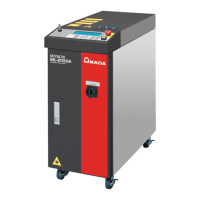
LW500A/LW600A PULSED Nd:YAG LASER
990-539 D-9
89 Schedule Settings for FLEX mode – Power (11 – 20)
DATA No. ITEM DATA RANGE
01 Set [POINT 11] Power on the [SCHEDULE] screen 0000 – 2000 (x 0.1%)
02 Set [POINT 12] Power on the [SCHEDULE] screen 0000 – 2000 (x 0.1%)
03 Set [POINT 13] Power on the [SCHEDULE] screen 0000 – 2000 (x 0.1%)
04 Set [POINT 14] Power on the [SCHEDULE] screen 0000 – 2000 (x 0.1%)
05 Set [POINT 15] Power on the [SCHEDULE] screen 0000 – 2000 (x 0.1%)
06 Set [POINT 16] Power on the [SCHEDULE] screen 0000 – 2000 (x 0.1%)
07 Set [POINT 17] Power on the [SCHEDULE] screen 0000 – 2000 (x 0.1%)
08 Set [POINT 18] Power on the [SCHEDULE] screen 0000 – 2000 (x 0.1%)
09 Set [POINT 19] Power on the [SCHEDULE] screen 0000 – 2000 (x 0.1%)
10 Set [POINT 20] Power on the [SCHEDULE] screen 0000 – 2000 (x 0.1%)
11*
Reads approximate Laser Output Energy [REFERENCE VALUE] or
[~] on the [SCHEDULE] screen (can be read but not set).
0000 – 9999 (x 0.1J)
75 SEAM Weld Setting – ON / OFF
DATA No. ITEM DATA RANGE
01 Turn ON/OFF the [SEAM] Weld function (fade IN / OUT) 0: OFF 1: ON
76 SEAM Weld Settings – Shot (01 – 10)
DATA No. ITEM DATA RANGE
01 Set [POINT 01] Shot on the [SEAM] screen 0000 – 9999
02 Set [POINT 02] Shot on the [SEAM] screen 0000 – 9999
03 Set [POINT 03] Shot on the [SEAM] screen 0000 – 9999
04 Set [POINT 04] Shot on the [SEAM] screen 0000 – 9999
05 Set [POINT 05] Shot on the [SEAM] screen 0000 – 9999
06 Set [POINT 06] Shot on the [SEAM] screen 0000 – 9999
07 Set [POINT 07] Shot on the [SEAM] screen 0000 – 9999
08 Set [POINT 08] Shot on the [SEAM] screen 0000 – 9999
09 Set [POINT 09] Shot on the [SEAM] screen 0000 – 9999
10 Set [POINT 10] Shot on the [SEAM] screen 0000 – 9999


 To Next Page