3.6 Simultaneous Use With Other Applications
3-69
3
Measurement
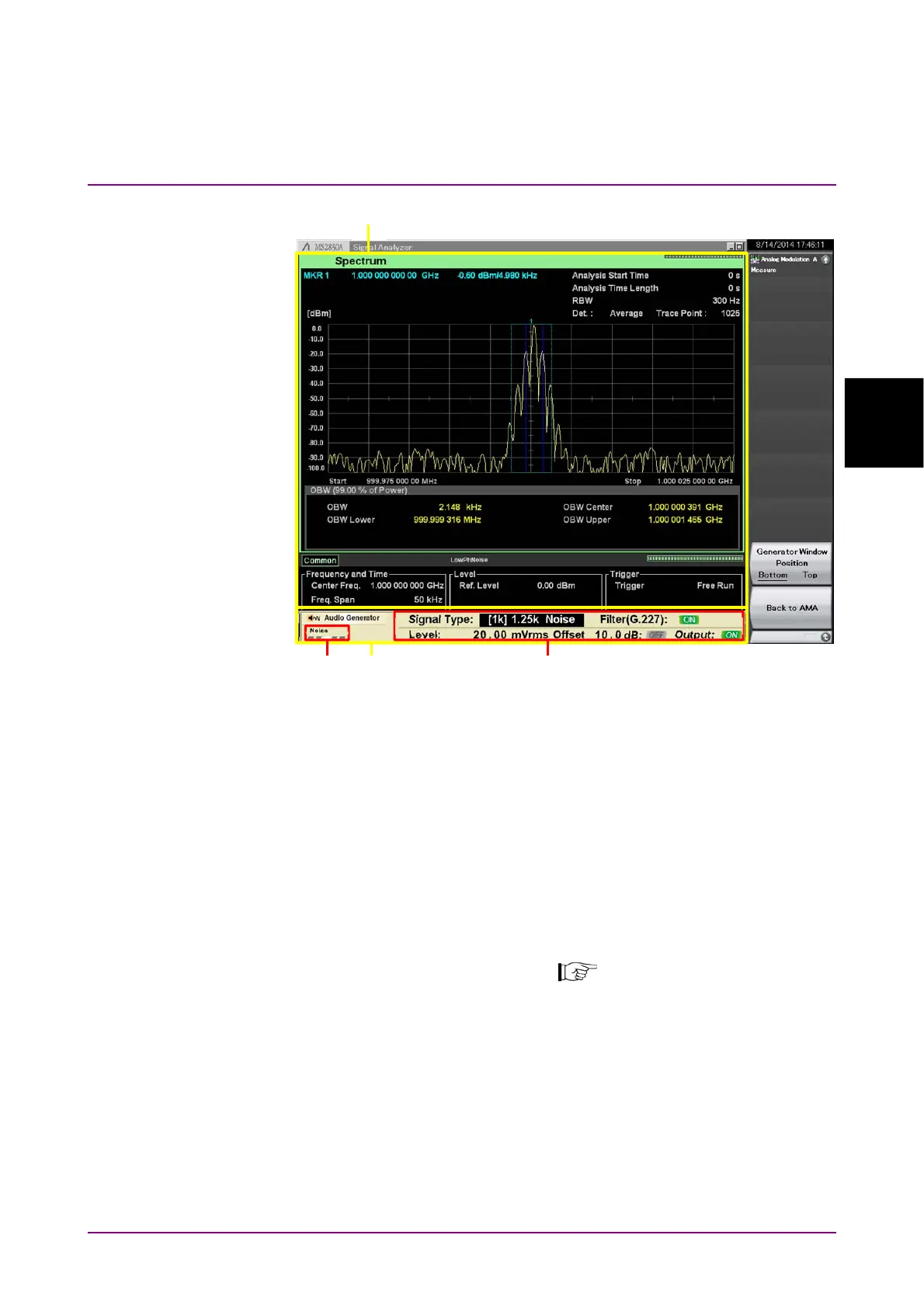
Figure 3.6-1 Simultaneous Use with Other Applications
(Downsized Audio Generator Window)
[1] Other application window
Displays the application previously used.
[2] Audio Generator window
Displays the downsized Audio Generator window.
The display can be changed and the parameters can be set by using
the rotary knob, Cursor key, Enter key, and Cancel key. Operate the
downsized window in the same manner as the standard size
window.
3.5.3 “Audio Generator Window”
[2]-1 Selecting Output/Common/Waveform
[2]-2 Parameter setting
[1]
[2]
[2]-1
[2]-2



 To Next Page