Chapter 3 Measurement
3-42
3.4.5 Setting demodulation monitor
3.4.5.1 When USB audio device is connected
This section describes the settings for the demodulation monitor. Pressing
(Monitor Out) in the main function menu starts outputting the
demodulated AF signal.
When MS2830A-018/118 Audio Analyzer is not installed or MS2840A,
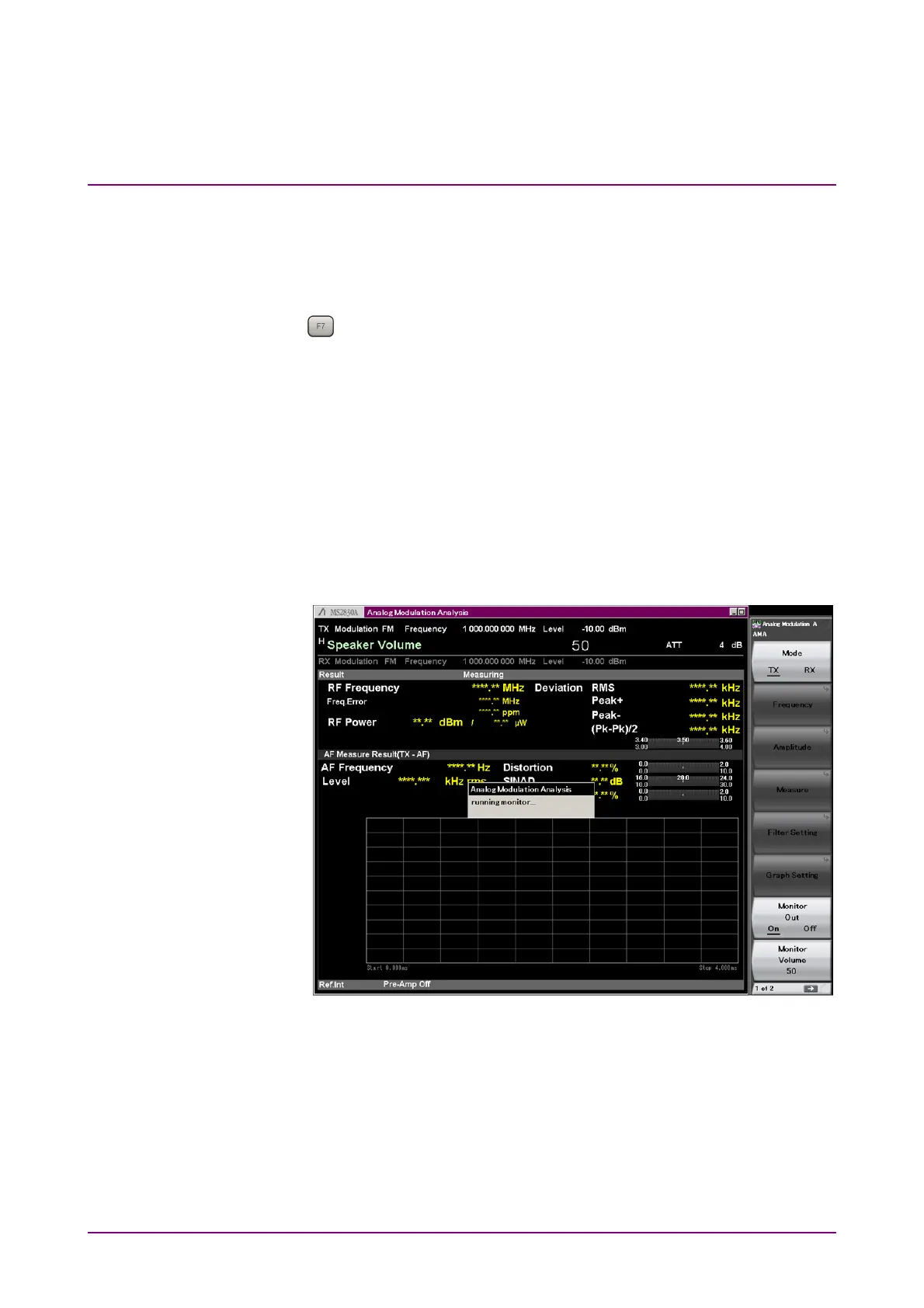
"running monitor…" is displayed on the screen while the demodulation
monitor is running, and operations other than Mode, Monitor Out, and
Monitor Volume are disabled.
When MS2830A-018/118 Audio Analyzer is installed, "running monitor…"
is displayed on the screen while the demodulation monitor is running,
and the operations of only Mode, Monitor Out, Monitor Volume, Audio
Generator Setting, PTT, and Audio Func. Setting are enabled until the
demodulation monitor is stopped.
Figure 3.4.5.1-1 Screen When Demodulation Monitor is Running
Monitor Out
■
Summary
Outputs the demodulated AF signal. Enabled when
Speaker/Headphone Out is set to Off.
■
Options
Off Stops the demodulation monitor.
On Starts the demodulation monitor.



 To Next Page