3.2 Basic Operation
3-15
3
Measurement
Table 3.2.2.1-1 Main Function Menu (TX Mode) Explanation (Cont’d)
Menu Display Function
Average
Sets whether to set averaging.
3.4.6 “Setting averaging”
Marker
Sets marker.
3.4.7 “Setting marker”
Accessory
Performs settings for other functions.
5.1
“Selecting Other Functions”
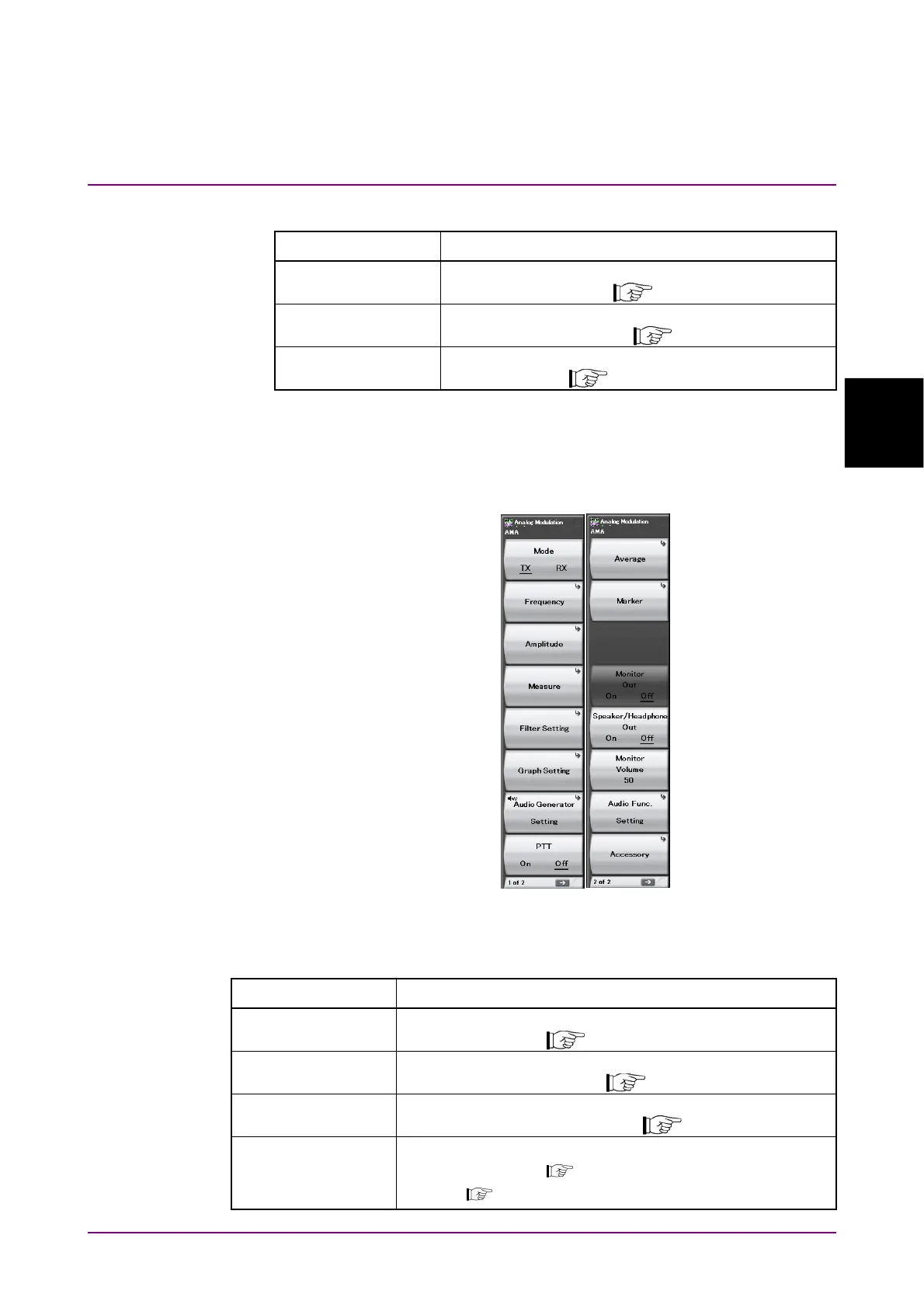
3.2.2.2 TX mode + Audio Generator screen
This section explains the main function menu when the
MS2830A-018/118 Audio Analyzer is installed.
F1
F2
F3
F4
F5
F6
F7
F8
Figure 3.2.2.2-1 Main Function Menu (TX Mode + Audio Generator)
Table 3.2.2.2-1 Description of Main Function Menu (TX Mode + Audio Generator)
Menu Display Function
Mode
Sets the measurement mode.
3.3 “Setting Measurement Mode”
Frequency
Sets the frequency.
3.4.1 “Setting frequency”
Amplitude
Sets the level.
3.4.2 “Setting level”
Measure
Sets measurement items.
3.4.3 “Setting measurement items”
3.6 “Simultaneous Use With Other Applications”



 To Next Page