Chapter 4 Performance Test
4-14
4.3.5 Output level accuracy
(1) Measuring instrument for tests
Audio Analyzer: U8903A
(2) Setups
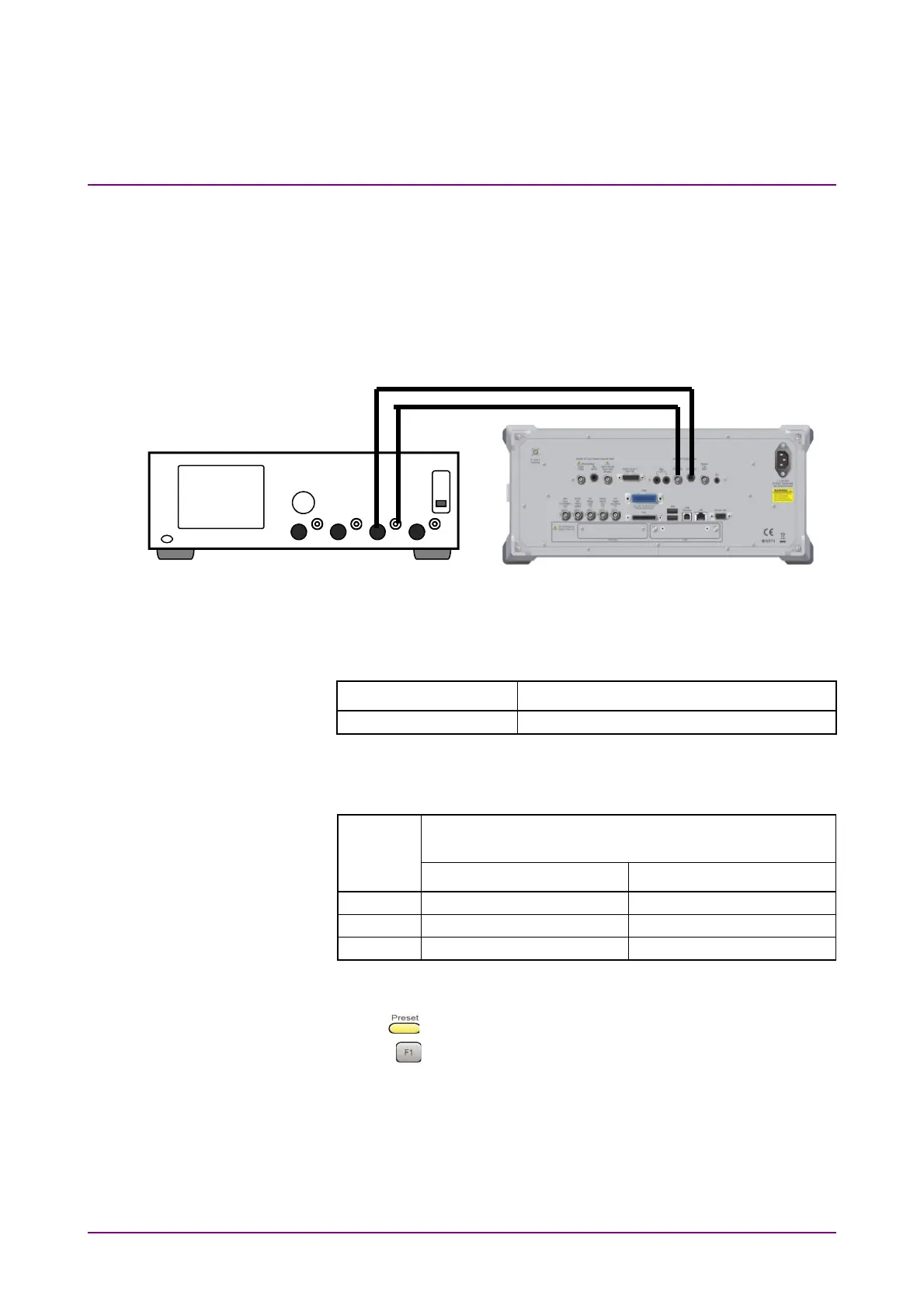
Below is the connection when the U8903A is used as Audio Analyzer.
Figure 4.3.5-1 Connection for Output Level Accuracy Test
(3) Test target standards
Table 4.3.5-1 Standard
Standard Condition
±0.3 dB 1 kHz, 100 k
termination, 18 to 28°C
(4) Test Procedure
Table 4.3.5-2 Setting Level
No.
MS2830A Audio Generator Output Level
(mV rms)
Output Type: Unbal. Output Type: Bal.
1 3500
7000
2 350.0
700.0
3 7.000
7.000
1. Connect the devices according to Figure 4.3.5-1.
2. Press
.
3. Press
(Preset) to initialize the MS2830A.
4. Perform the Audio Generator setting on the MS2830A as below.
Output Type: Unbal.
5. Initialize the U8903A.
6. Turn Off the LPF of the U8903A analyzer.
U8903A
MS2830A
Coaxial Cable



 To Next Page