Chapter 3 Measurement
3-80
3.8 Digital Code Squelch Data Setting
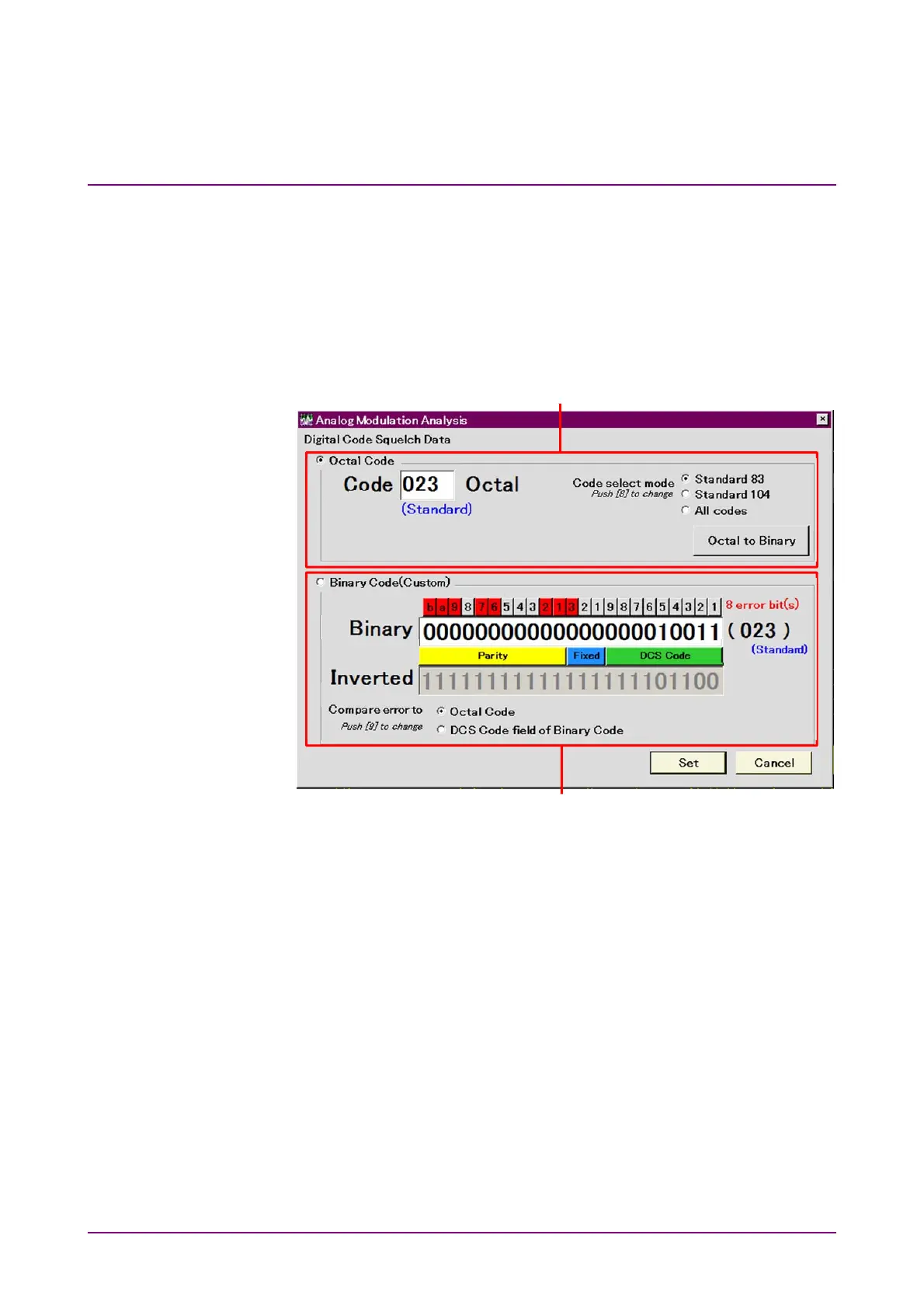
When pressing Digital Code Squelch Data in the AF Setting function
menu, the Digital Code Squelch Data dialog box is displayed. Digital Code
Squelch Data (DCS Code) can be set to Binary or Octal Code.
Set DCS Code to Octal Code usually, but set to Binary Code for adding
errors to DCS Code.
Figure 3.8-1 Digital Code Squelch Data Setting Dialog Box
[1] Octal notation setting area
[2] Octal Code
Waveforms are generated by a set value in octal notation. Octal Code
is used in most cases.
[3] Octal text field
Input DCS Code by numerical keypad or rotary knob in octal
notation.
[4] Standard/Non-Standard display
This indicates whether or not the input DCS Code is defined in
Standard 83 or Standard 104.
Standard: Defined
Non-Standard; Undefined
[7]
[1]
[3]
[2]
[4]
[5]
[6]
[8]
[9]
[11]
[12]
[10]
[13]



 To Next Page