13
Status Indicator Lights
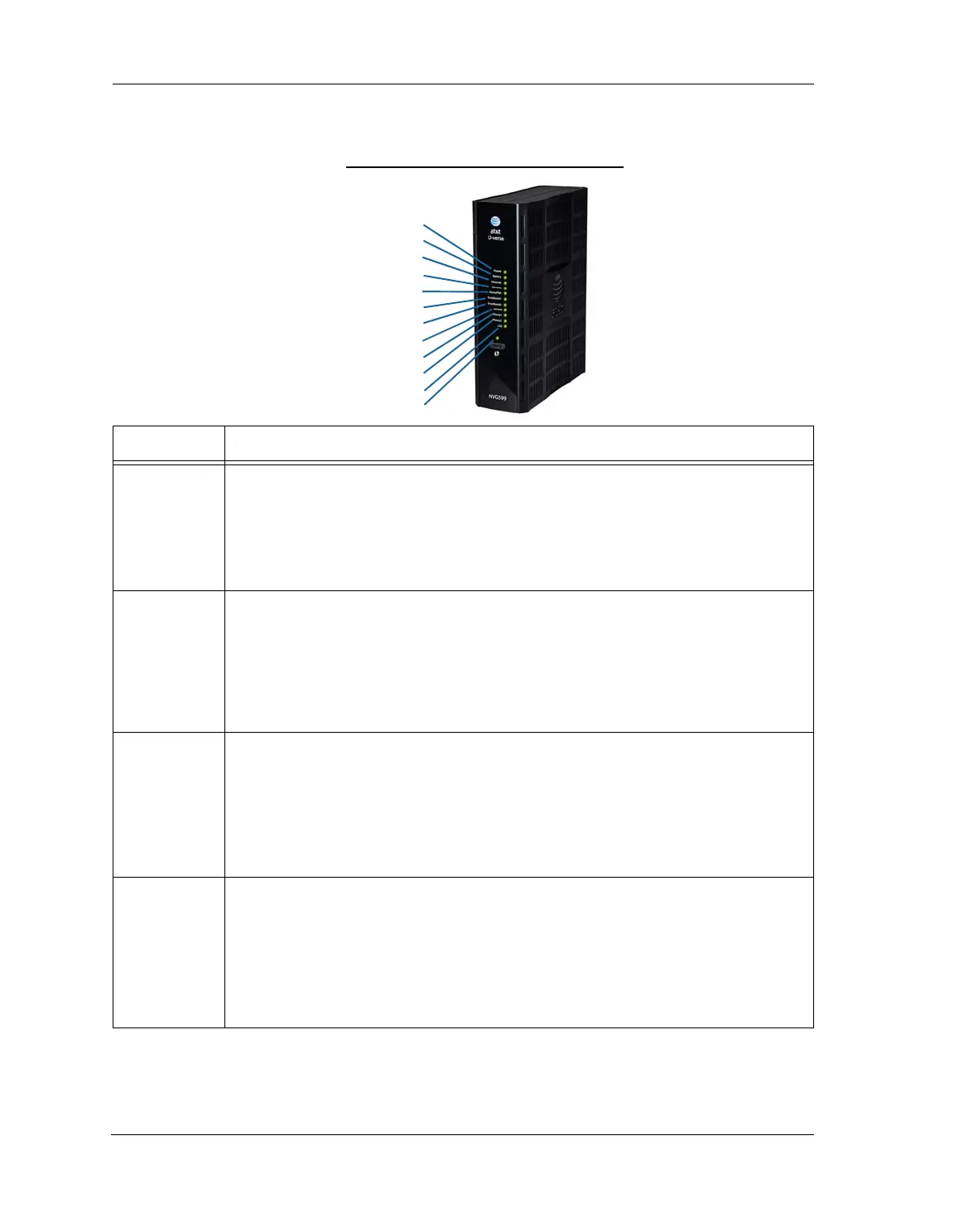
Colored LEDs on your NVG599 indicate the activity status of various ports.
ARRIS NVG599 Status Indicator Lights
LED Activity
Power
Solid Green = The device is powered.
Flashing Green = A power-on self-test (POST) is in progress
Flashing Red = A POST failure (not bootable) or device malfunction occurred.
Flashing Amber = Firmware upgrade in progress (see below)
Off = The unit has no AC power. If the battery is in use, the Battery LED will indicate battery status,
and all other LEDs will be off.
Power during
Firmware
Upgrade
During the software installation, you will lose Internet and phone service. The LEDs will function as
follows:
1. As firmware is being loaded into flash, the LEDs operate normally.
2. During the firmware upgrade, which takes a few minutes, the Power LED will flashes amber
(flash writing to memory), and all other LEDs are off.
3. The NVG599 restarts automatically.
As the device reboots, the LEDs display power-on behavior.
All during
Boot process
• Power LED = Flashing Green
• All other LEDs = Off
If the device does not boot and fails its self-test or fails to perform initial load of the bootloader:
• Power LED = Flashing Red
• ALL other LEDs = Off
If the device boots and then detects a failure:
Power LED = Flashing Green starting POST, and then all LEDs will flash red, including Power LED.
Battery
Solid Green = Battery in place but not being used.
Flashing Green = Battery charging.
Solid Red = Battery backup mechanism has a fault.
Flashing Red = Battery needs to be replaced.
Solid Amber = Battery in use.
Flashing Amber = Low battery.
Off = No battery, or battery has no charge.
Side View
Power
Battery
Ethernet
WiFi
HomePNA
USB
Broadband 1
Broadband 2
Service
Phone 1
Phone 2
WPS















 To Next Page