29
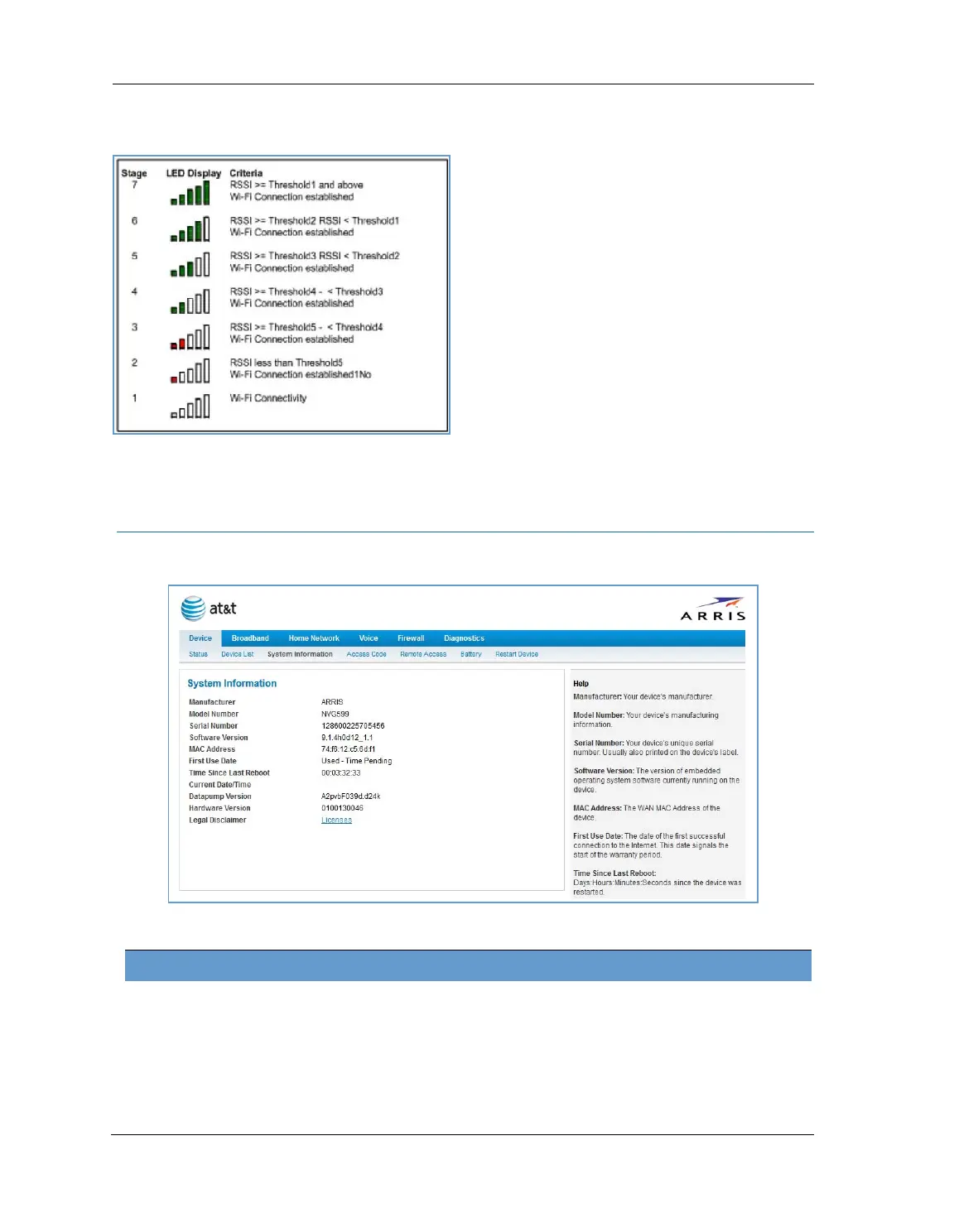
For WiFi client connections, the Device List page displays the familiar bars indicating signal strength, as
follows:
Click the
Clear Device List button to update the Home Network Devices summary.
Click the
Scan for Devices button to seek out other devices that have been connected since the last Home
Network Devices summary update.
Link: System Information
When you click the System Information link, the System Information page appears.
The page displays the following information:
System Information
Manufacturer Manufacturer’s identifier name.
Model Number Manufacturer’s model number.
Serial Number Unique serial number of your device.
Software Version Version number of the current embedded software in your device.
MAC Address Unique hardware address of this NVG599 unit.






 To Next Page