59
Firewall
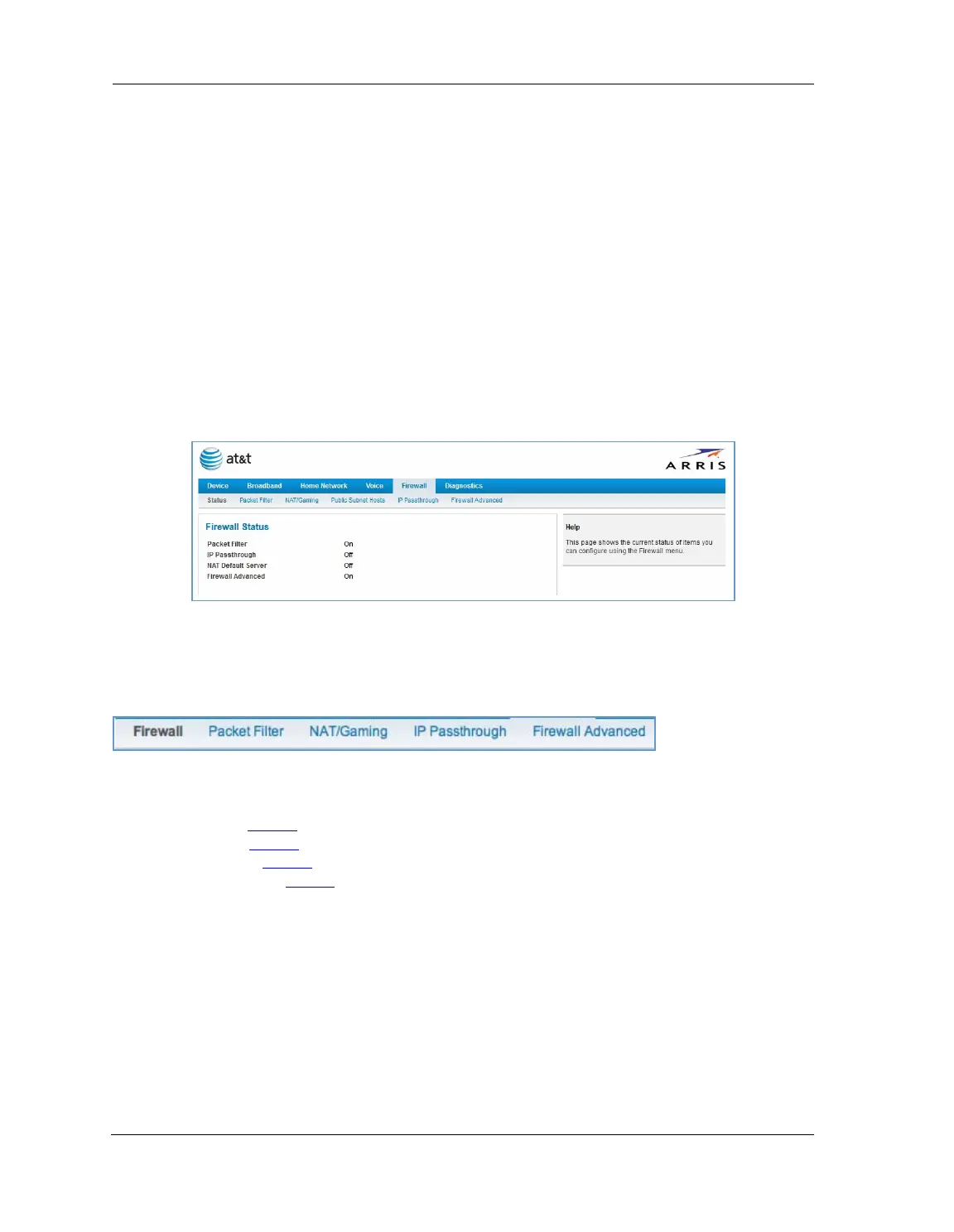
When you click the Firewall tab, the Firewall Status page appears. The Firewall page displays the status of your
system firewall elements.
All computer operating systems are vulnerable to attack from outside sources, typically at the operating
system or Internet Protocol (IP) layers. Stateful Inspection firewalls intercept and analyze incoming data
packets to determine whether they should be admitted to your private LAN, based on multiple criteria, or
blocked. Stateful inspection improves security by tracking data packets over a period of time, examining
incoming and outgoing packets. Outgoing packets that request specific types of incoming packets are tracked;
only those incoming packets constituting a proper response are allowed through the firewall.
Stateful inspection is a security feature that prevents unsolicited inbound access when network address
translation (NAT) is disabled. You can configure UDP and TCP “no-activity” periods that will also apply to NAT
timeouts if stateful inspection is enabled on the interface. Stateful Inspection parameters are active on a WAN
interface only if enabled on your system. Stateful inspection can be enabled on a WAN interface whether NAT
is enabled or not.
The Firewall Status page shows whether the each firewall feature is On or Off.
The links at the top of the Firewall page provide access to series of pages that allow you to configure security
features of your device.
The links bar on the Firewall page includes the following links. For more information about each link, see the
related section in this guide.
Packet Filter (see page 60
)
NAT/Gaming (see page 67
)
IP Passthrough (see page 73
)
Firewall Advanced (see page 76
)















 To Next Page