49
DHCPv4 End Address: Last IP address in the range being served from a DHCP public pool.
Primary DHCP Pool: Choose the source of the DHCP pool IP address assignment by selecting either Private
(local to your LAN) or Public (assigned remotely).
Cascaded Router
Cascaded Router Enable: If you have another router behind this device, choose On from the drop-down
menu.
Cascaded Router Address: If you chose On from the drop-down menu, enter the IP address of the router
you are using behind this device in the LAN private IP subnet range.
Network Address: If you chose On from the drop-down menu, enter the Network Address that defines the
range of IP addresses available to clients of the router you are using behind this device.
Subnet Mask: If you chose On from the drop-down menu, enter the subnet mask for the network address
that defines the range of IP addresses available to clients of the router you are using behind this device.
If you make any changes here, click the
Save button, and if prompted, restart the NVG599 device.
Link: IP Allocation
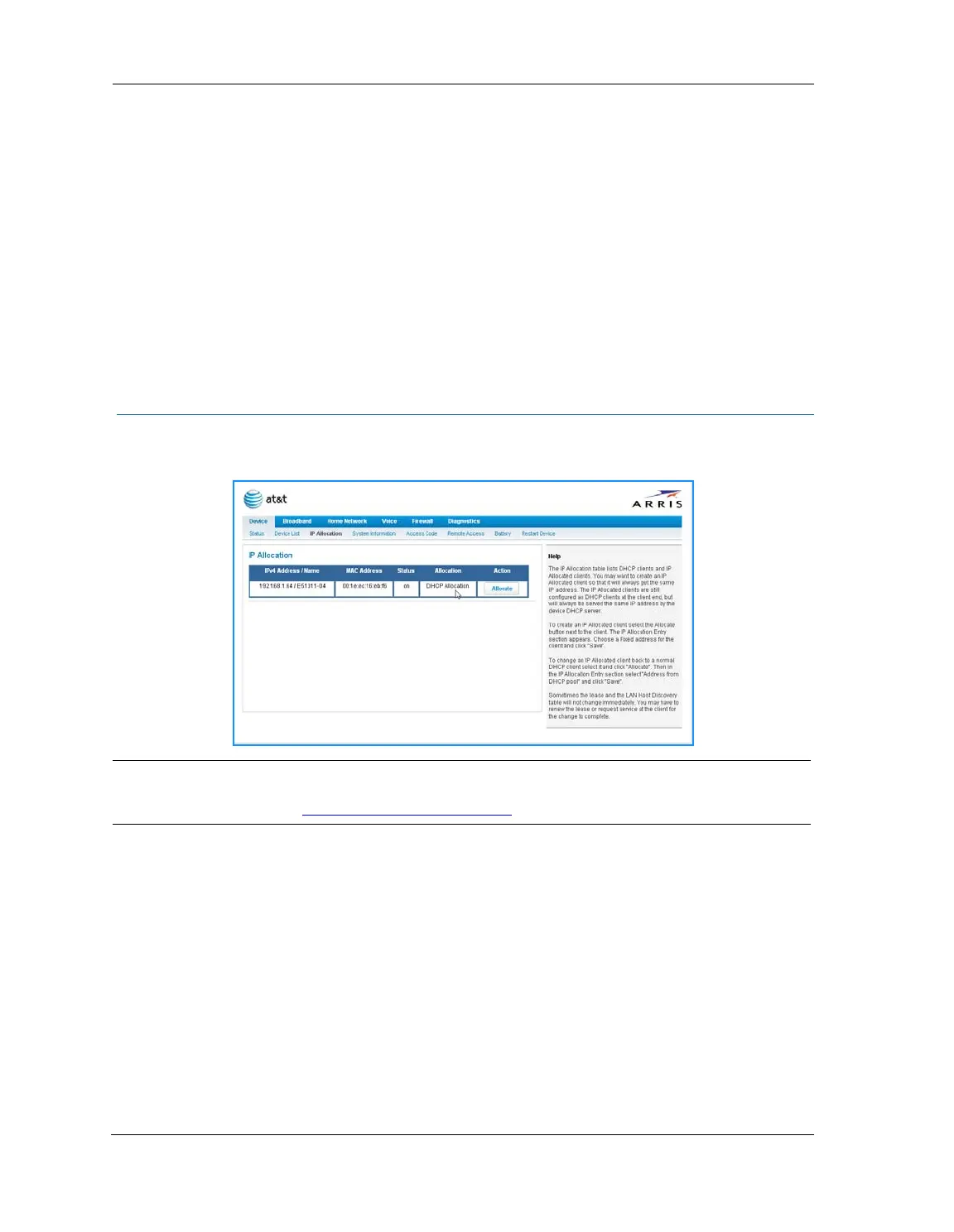
When you click the IP Allocation link, the IP Allocation page appears.
The IP Allocation page lets you set aside or assign IP addresses to client devices on your network. With IP
allocation, you can configure known devices to either use DHCP for dynamic IP address assignment, or set
aside a specific IP address for a client device. When IP allocation is enabled for a client, that device is assigned
a pre-determined IP address by the DHCP server of the NVG599. IP allocation lets you set up client devices as
common DHCP systems, but ensures that they always receive the same IP address from the gateway.
The IP Allocation table shows a list of all identified and active client devices the NVG599 is serving.
To change the allocation method used by a client:
1. Locate the client in the IP Allocation table. The client may be identified by the Name value (in the IPv4
Address/Name column) or the device MAC address.
2. Click the
Allocate button associated with the client entry.
NOTE:
IP Allocation functions require you to enter your NVG599 Gateway’s access code. Information on the device
code is provided in
“Device Access Code” on page 24















 To Next Page