41
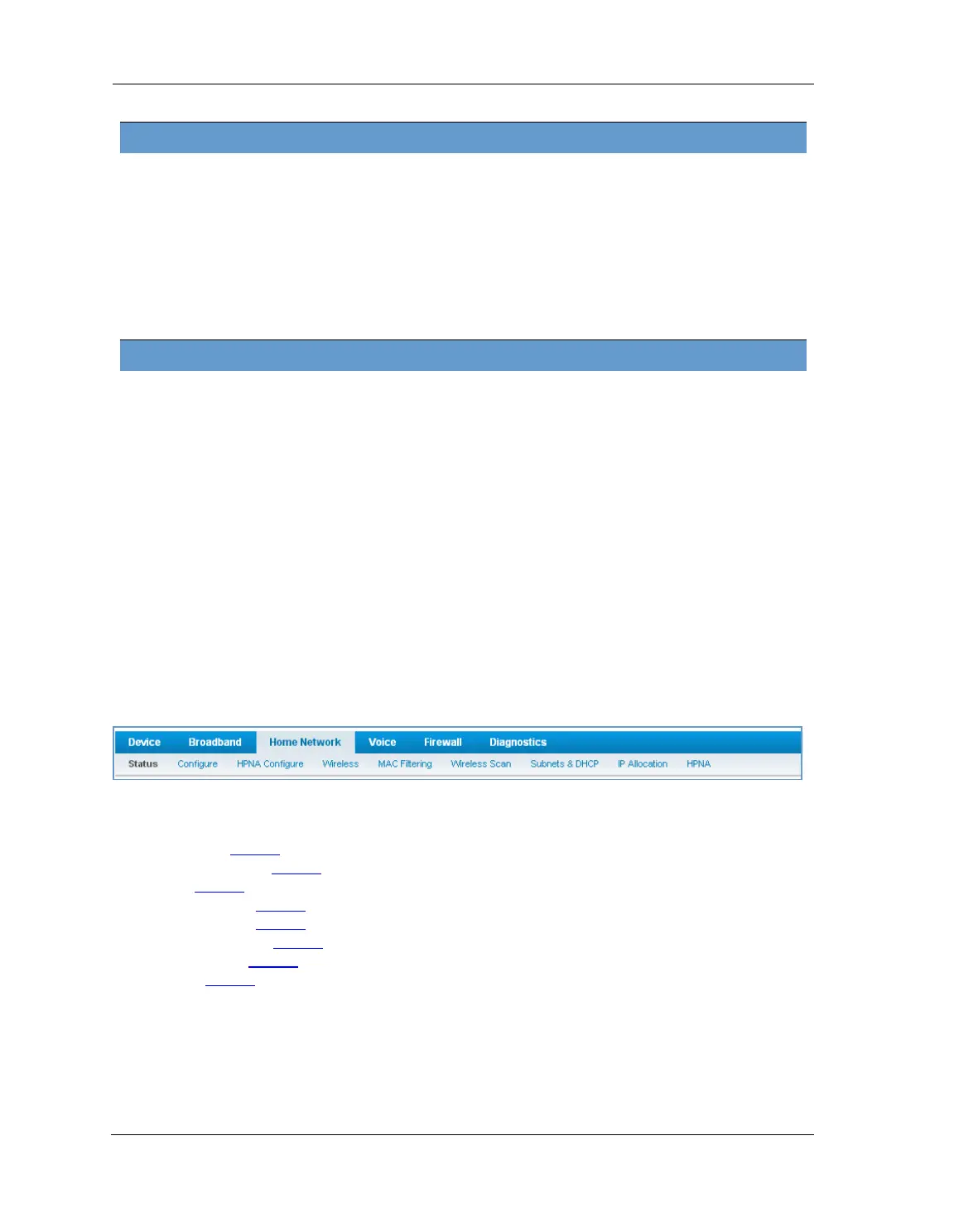
The links at the top of the Home Network page provide access to a series of pages that allow you to configure
and monitor features of your device.
The links bar on the Home Network page includes the following links. For more information about each link,
see the related section in this guide.
Configure (see page 42
)
HPNA Configure (see page 42
)
Wifi (see page 43
)
MAC Filtering (see page 46
)
Wireless Scan (see page 47
)
Subnets & DHCP (see page 47
)
IP Allocation (see page 49
)
HPNA (see page 51
)
Password Shows the information of the security encryption key in use.
WiFi Network Statistics
Transmit Bytes Number of bytes transmitted on the Wi-Fi network.
Receive Bytes Number of bytes received on the Wi-Fi network.
Transmit Packets Number of packets transmitted on the Wi-Fi network.
Receive Packets Number of packets received on the Wi-Fi network.
Transmit Error Packets The number of errors on packets transmitted on the Wi-Fi network.
Receive Error Packets The number of errors on packets received on the Wi-Fi network.
Transmit Discard Packets The number of packets transmitted on the Wi-Fi network that were dropped.
Receive Discard Packets The number of packets received on the Wi-Fi network that were dropped.
LAN Ethernet Statistics
State May be Up or Down.
Transmit Speed The maximum speed of which the port is capable.
Transmit Packets The number of packets sent out from the port.
Transmit Bytes The number of bytes sent out from the port.
Transmit Dropped The number of packets sent out from the port that were dropped.
Transmit Errors The number of errors on packets sent out from the port.
Receive Packets The number of packets received on the port.
Receive Bytes The number of bytes received on the port.
Receive Unicast The number of unicast packets received on the port.
Receive Multicast The number of multicast packets received on the port.
Receive Dropped The number of packets received on the port that were dropped.
Receive Errors The number of errors on packets received on the port.















 To Next Page