Administrator’s Handbook
20
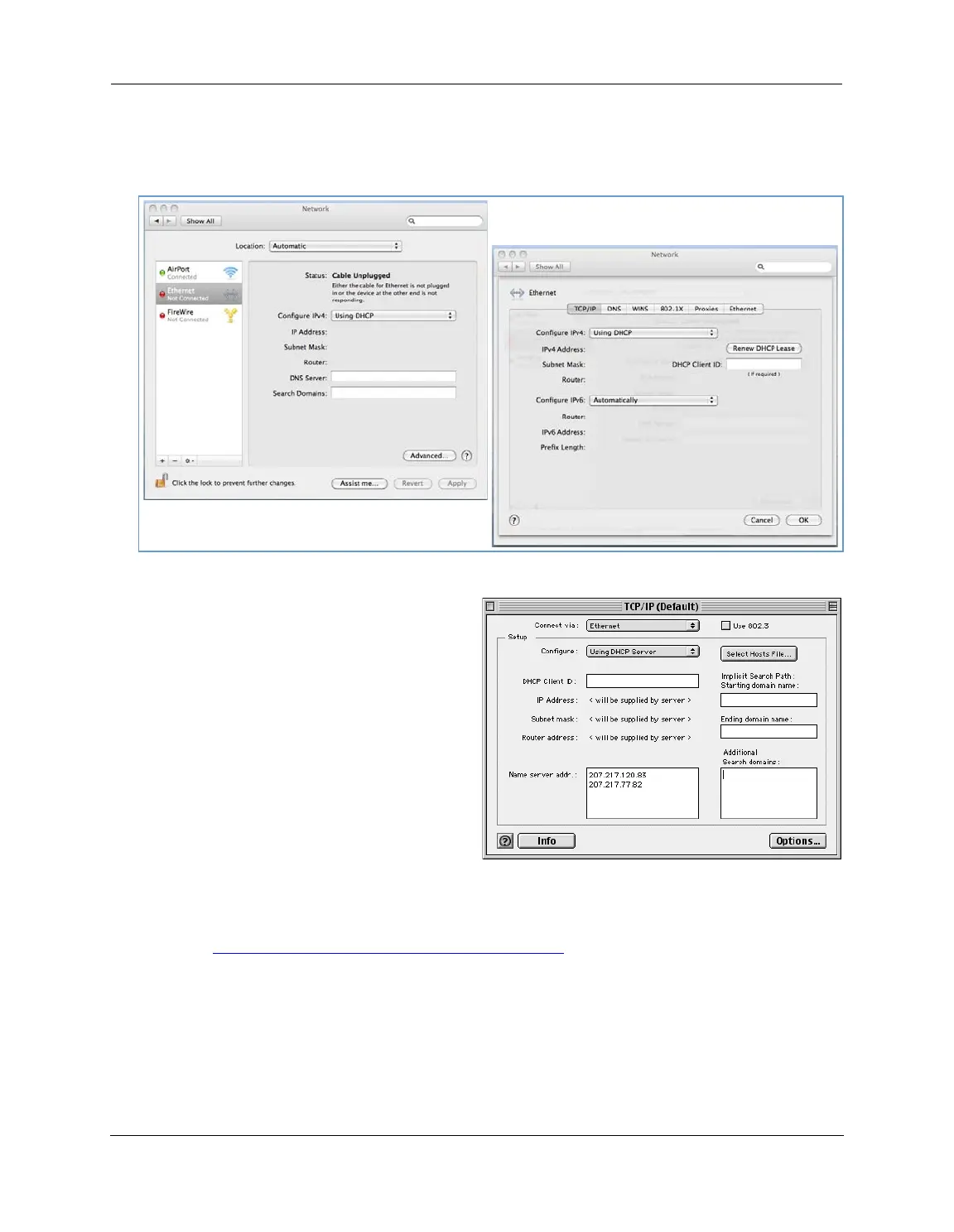
Macintosh MacOS 8 or higher or Mac OS X:
1. Access the TCP/IP or Network control panel.
Mac OS X follows a path like this:
Apple Menu -> System Preferences -> Network
MacOS Classic follows a path like this:
Apple Menu -> Control Panels -> TCP/IP Control
Panel
2. Select Ethernet.
3. Select Configure Using DHCP.
4. Close and save, if prompted.
Proceed to “
Accessing the Web Management Interface” on page 21.




 To Next Page