Administrator’s Handbook
54
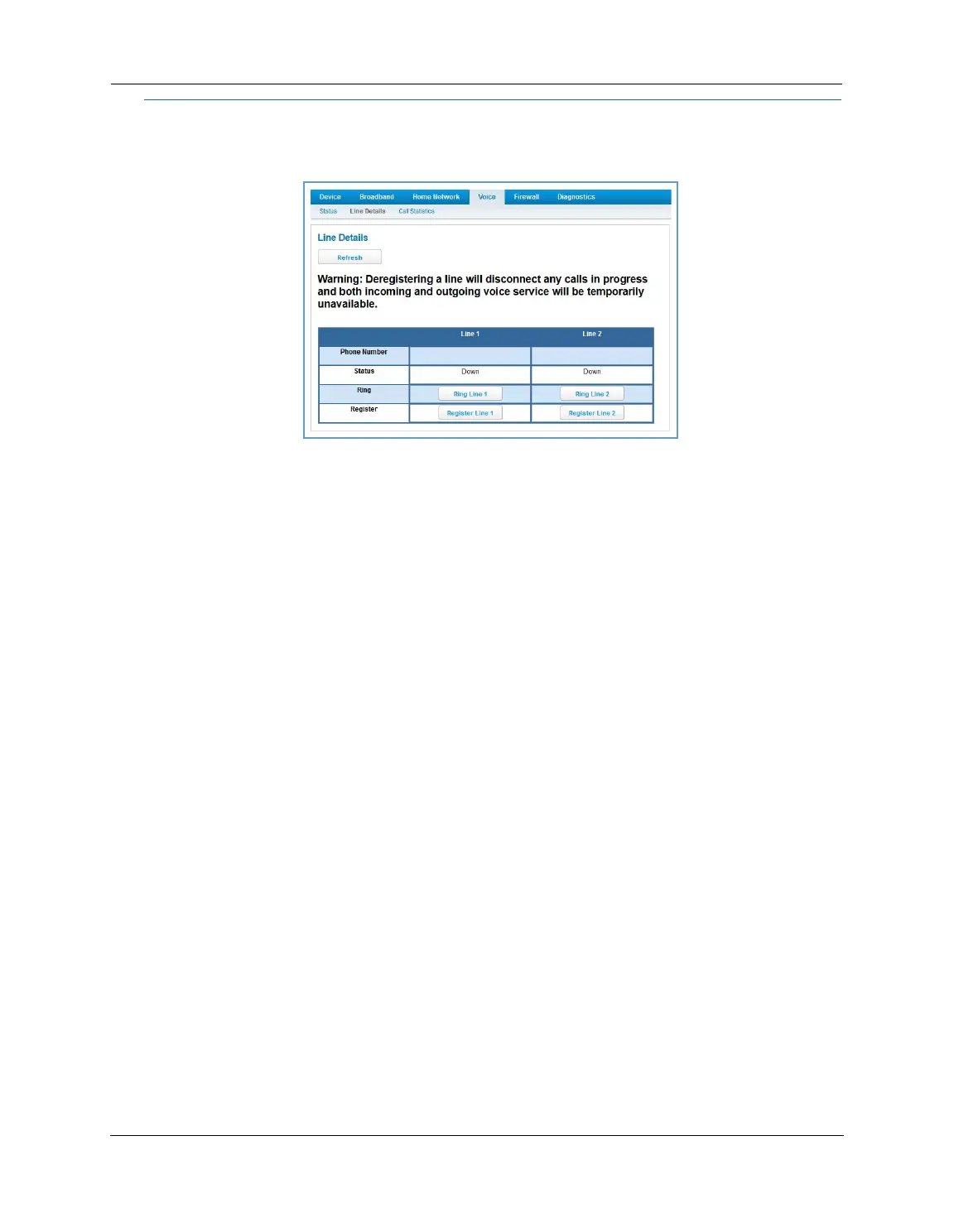
Link: Line Details
When you click the Line Details link, the Line Details page appears.
If your service provider has enabled your VoIP phone lines, you can register them by clicking the
Register
Line 1
or Register Line 2 button.
To test if the lines are enabled, click the
Ring Line 1 or Ring Line 2 button. If enabled and registered, the
respective phone will ring for 30 seconds.
To clear the current state of each phone line, click the
Reset Line 1 or Reset Line 2 button. This will disconnect
any calls currently in progress as well.
To update the display, click the
Refresh button.






 To Next Page