Administrator’s Handbook
42
Link: Configure
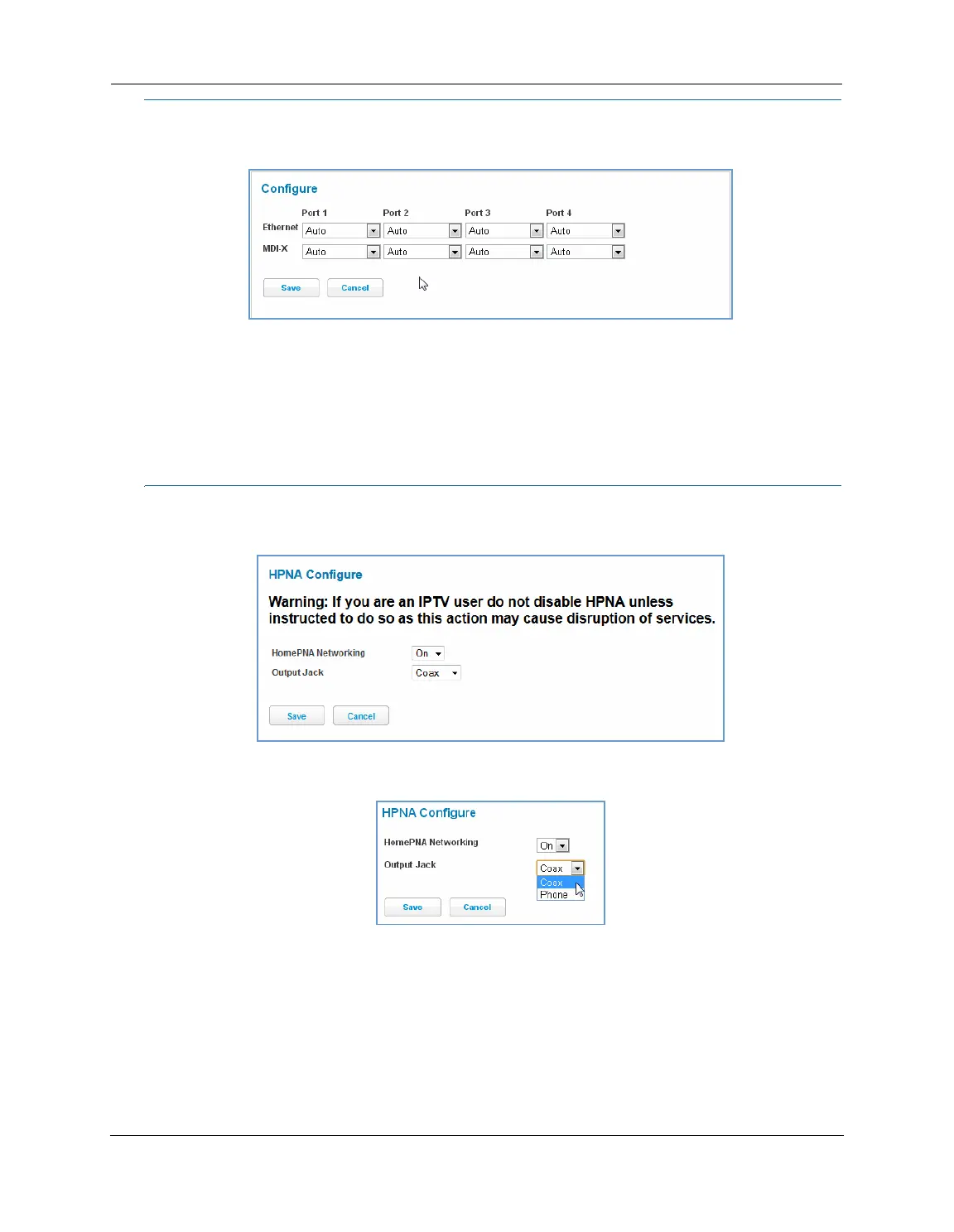
When you click the Configure link, the Configure page for the Ethernet LAN appears.
For each Ethernet Port, 1 through 4, you can select:
Ethernet – Auto (the default self-sensing rate), 10M full- or half-duplex, 100M full- or half-duplex, or 1G
full- or half-duplex.
MDI-X – Auto (the default self-sensing crossover setting), Off, or On.
Click the
Save button.
Link: HPNA Configure
When you click the HPNA Configure link, the HPNA Configure page for the HomePNA network appears.
Here you can set HomePNA Networking
On or Off.
If desired, you can also set the Output Jack, as either the
Coax jack or the Phone jack.
Click the
Save button.






 To Next Page