Administrator’s Handbook
46
Key: You must enter a key using hexadecimal digits. For 40/64-bit encryption, you need ten digits; 26 digits for
128-bit WEP. Hexadecimal characters are 0 – 9, and a – f.
Examples:
40 bits: 02468ACE02
128 bits: 0123456789ABCDEF0123456789
Any WEP-enabled client must have an identical key of the same length as the router, in order to successfully
receive and decrypt the traffic. Similarly, the client also has a default key that it uses to encrypt its
transmissions. In order for the router to receive the client’s data, it must likewise have the identical key of the
same length.
Click the
Save button.
Link: MAC Filtering
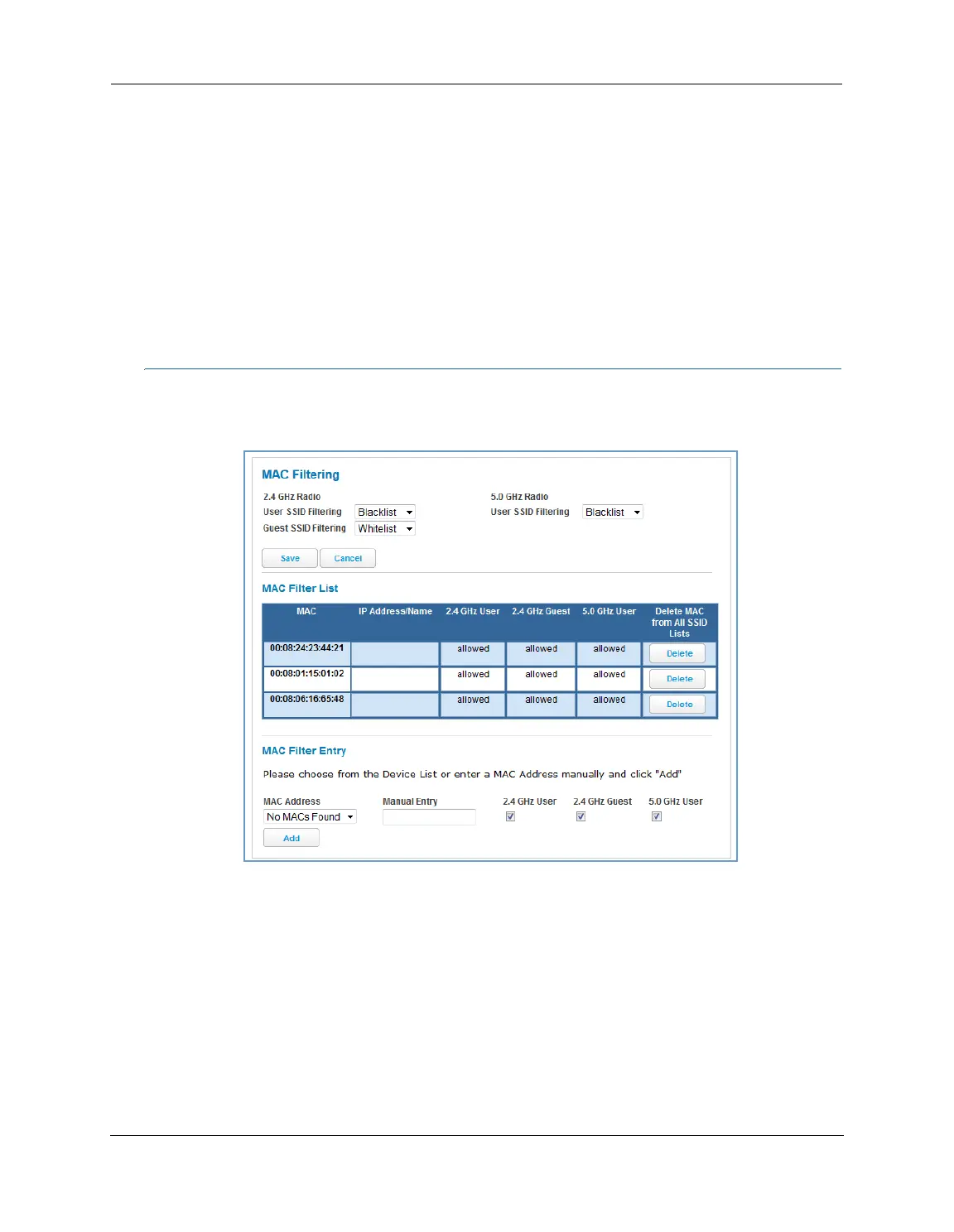
When you click the MAC Filtering link the MAC Filtering page appears.
MAC filtering allows you to specify which client PCs are allowed to join the wireless LAN by unique hardware
(MAC) address.
To enable this feature, select Blacklist or Whitelist from the MAC Filtering Type menu. Blacklist means that
only MAC addresses you specify will be denied access; Whitelist means that only MAC addresses you specify
will be allowed access.
You add wireless clients that you want to whitelist or blacklist for your wireless LAN by selecting them from
the MAC Address drop-down list or by entering the MAC addresses in the Manual Entry field provided.
Click the
Add button.
Your entries will be added to a list of clients that will be either authorized (whitelisted) or disallowed
(blacklisted) depending on your selection.















 To Next Page