85
Link: Syslog
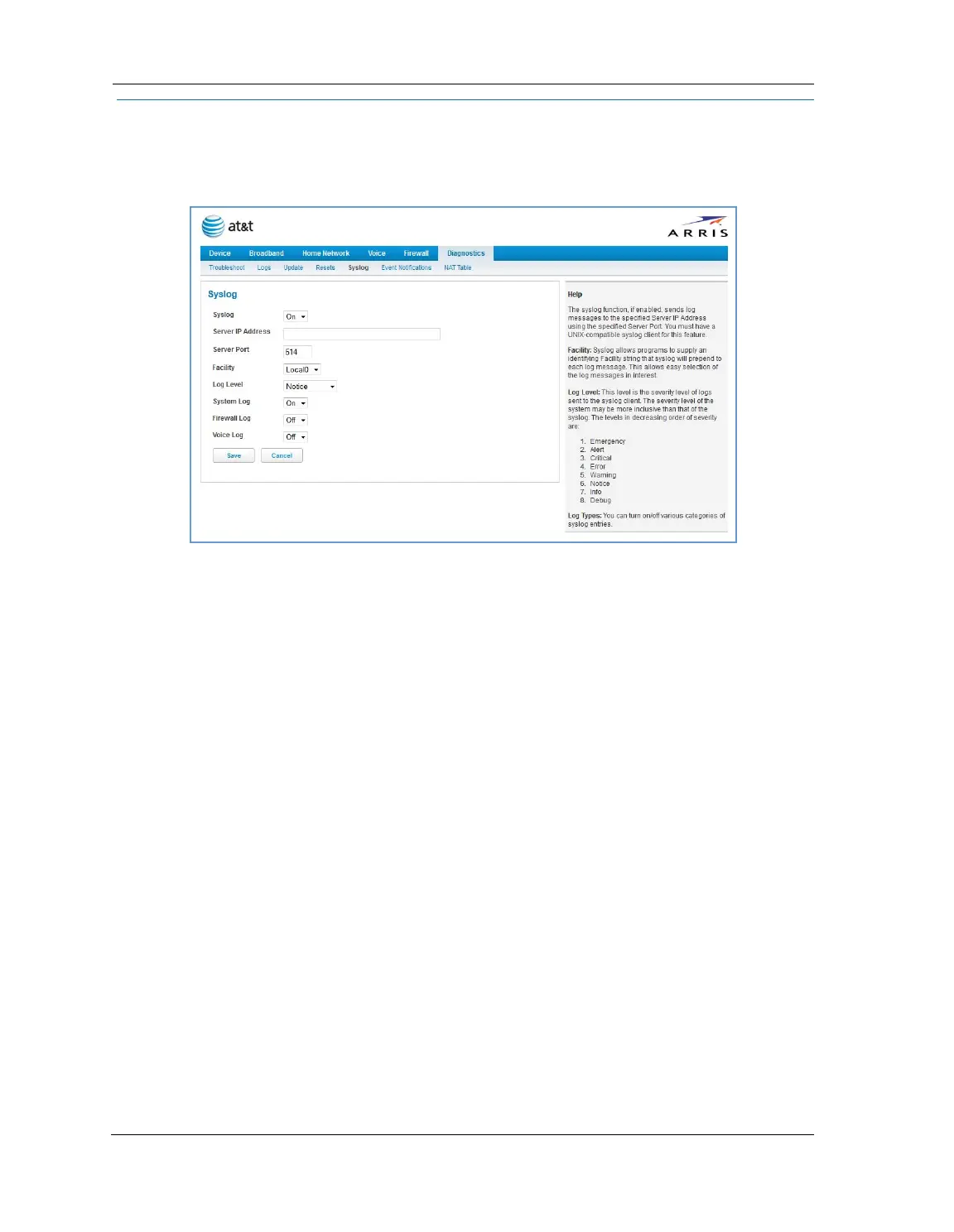
When you click the Syslog link the Syslog configuration page appears. You can configure a UNIX-compatible
(BSD Syslog protocol - RFC 3164) Syslog client to report a number of subsets of the events entered in the device
logs.
You can enable or disable the Syslog client dynamically. When enabled, it will report any appropriate and
previously unreported events.
You can specify the Syslog server’s address and port, if required, either in dotted decimal format or as a DNS
name of up to 63 characters.
You can specify the UNIX Syslog facility to use by selecting from the Facility drop-down menu.
From the Log Level drop-down menu, you can select a level from a list organized in decreasing severity level:
Emergency, Alert, Critical, Error, Warning, Notice, Info, or Debug.
By toggling each event descriptor to either On or Off, you can determine which ones are logged and which
are ignored.
You will need to install a Syslog client daemon program on your PC and configure it to report the events you
specified in the Syslog configuration screen.
Click the
Save button.















 To Next Page