43
Link: WiFi
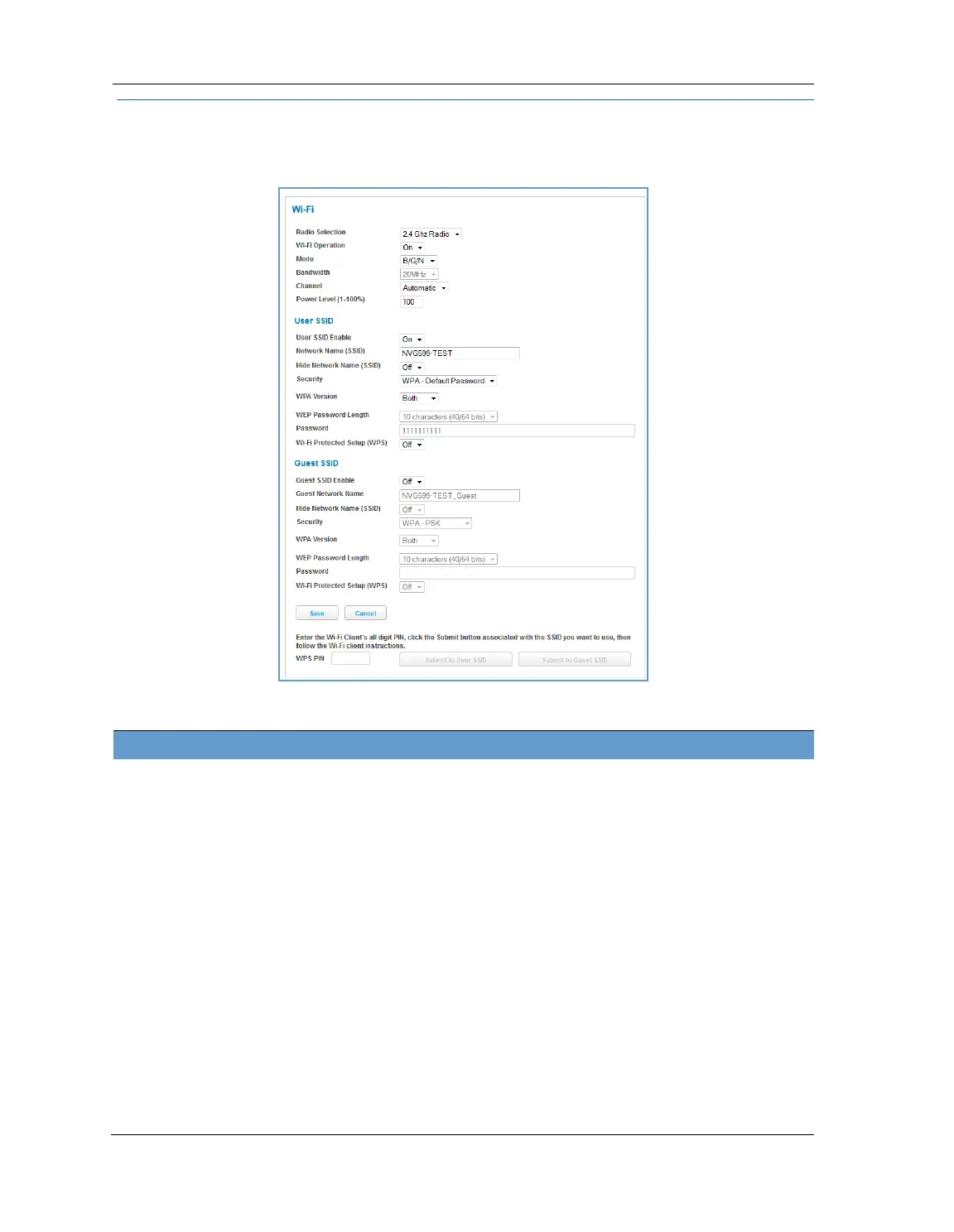
When you click the WiFi link, the WiFi page appears. The WiFi page displays the status of your wireless LAN
elements.
The WiFi page center section contains a summary of the configuration settings and operational status for the
wireless access point.
Summary Information
Field Status and/or Description
Radio Selection Display the settings for either the 2.4 Ghz or the 5.0 Ghz frequency radio.
WiFi Operation May be either On or Off.
Mode Wireless transmission mode. For the 2.4 Ghz radio, may be 802.11B only, 802.11G only,
802.11N only, 802.11 B/G or 802.11 B/G/N. For the 5.0 Ghz radio, may be 802.11AC as
well.
Bandwidth The capacity of the wireless LAN to carry traffic in megahertz, 20 or 40.
Channel The radio channel on which your Wi-Fi network is broadcasting.
Power Level May be adjusted up to 100%, lower if multiple wireless access points are in use, and
might interfere with each other.
User SSID Enable May be either On or Off for either frequency.
Guest SSID Enable May be either On or Off for the 2.4 Ghz radio only.
Network Name (SSID) The name or ID that is displayed to a client scan. The default SSID for the NVG599 is
attxxx where xxx is the last 3 digits of the serial number located on the side of the
device.
Hide SSID May be either Off or On. If On, your SSID will not appear in a client scan.
Security The type of wireless encryption security in use. May be OFF-No Privacy, WPA-
PSK, WEP, Default Key or Manual.















 To Next Page