Administrator’s Handbook
32
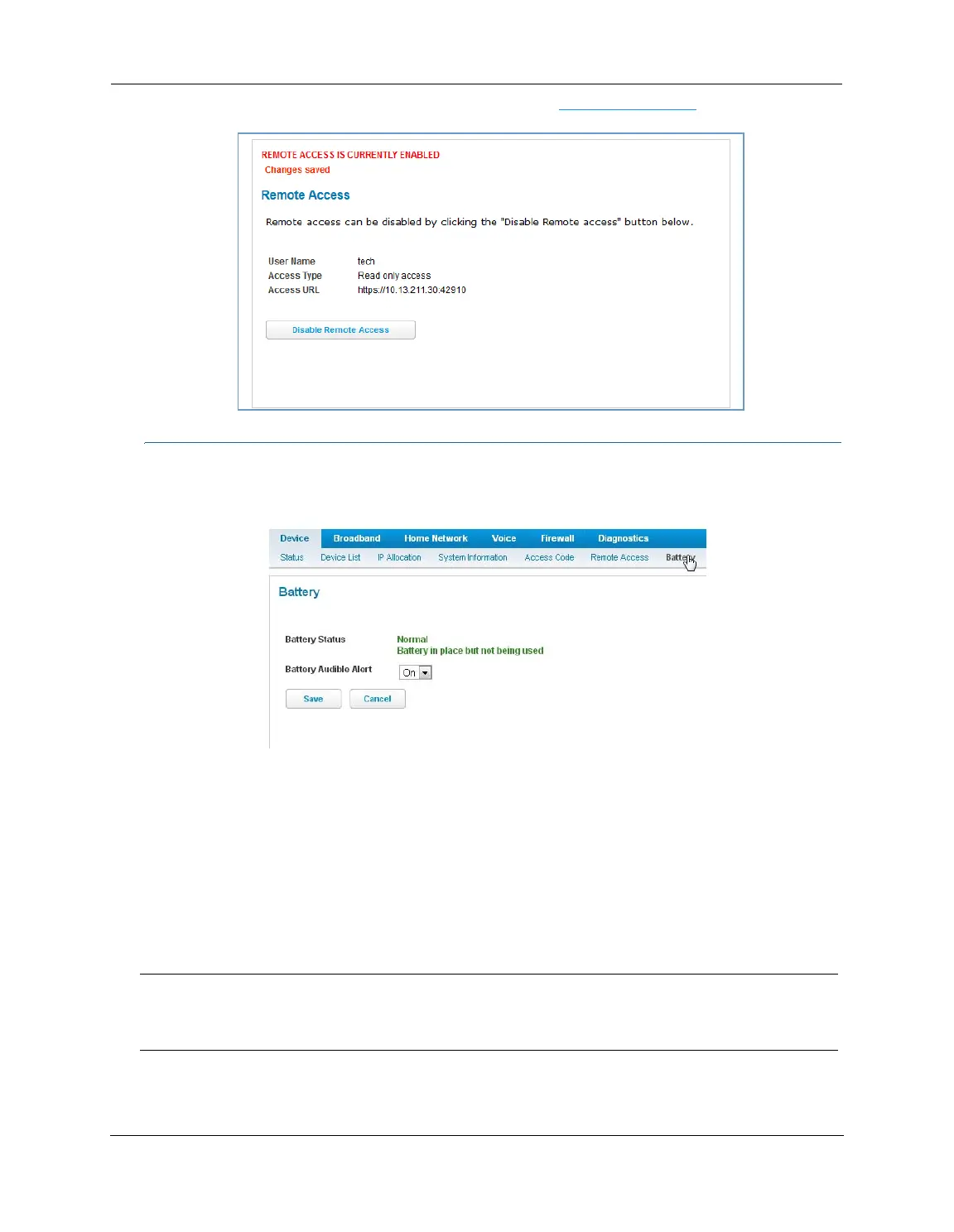
To end (disable) an existing remote access configuration, click the Disable Remote Access button, as shown
below:
Link: Battery
The Battery page shows the condition and status of the NVG599 internal battery, and provides control over the
battery condition audible alarm.
The battery condition audible alarm provides an on-hook ringing signal on a connected telephone if the
NVG599 battery needs recharging or replacing. This alarm uses a distinctive “splash” ring pattern and a battery
notification message on phones with caller ID displays or announcers. Additionally, the NVG599 provides an
off-hook voice notification to the subscriber if the NVG599 battery is low (and needs recharging) or faulty (and
needs replacing). After playing the recorded voice notification, the NVG599 provides a dial tone.
The alarm is triggered when the NVG599 determines that the installed battery is:
Below 35% charge and in need of recharging, or
Unable to charge past 80% of capacity and in need of replacing.
To change the alarm setting, click the Battery Audible Alert drop-down menu, and select the setting (On or Off)
for the alarm. Click the
Save button to save the new settings, or Cancel to discard them.
Note:
A subscriber may interrupt the voice notification by dialing. The voice notification may be turned off by a
subscriber phone dialing “*#103”. This capability is included in the VOIP digit map with the parameter
*#103<:@C06>















 To Next Page