39
Home Network Tab
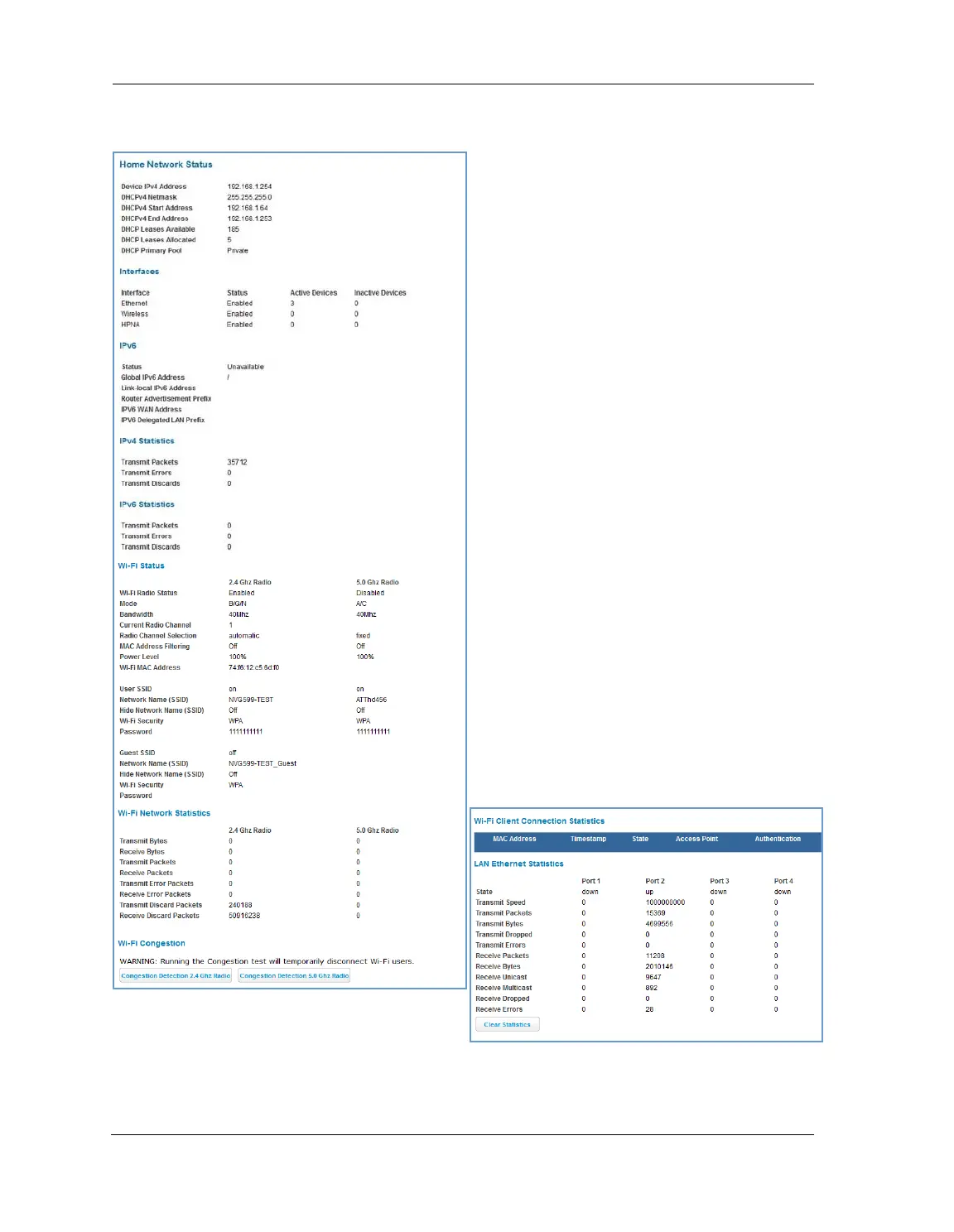
When you click the Home Network tab, the Home Network Status page appears.
The Home Network Status page displays information
about the NVG599 device’s local area network.
If you click the
Run Congestion Detection button, the
device will generate statistics for each of the 11
channels available, displaying:
Channel number
AP (access point) count
Congestion score (1 - 10) - Note that higher val-
ues mean lower congestion.
The wireless congestion feature provides simple data
to the user to show the level of network congestion
in each wireless channel. This data can be used to
determine router placement or to determine which
channels to avoid.
The display tells the user how many access points
(APs) are active within each channel, and provides a
score of 1 - 10 to indicate how clear the channel is. A
higher score indicates less congestion in a channel;
thus, a 10 indicates a channel extremely clear of
wireless traffic and noise. Alternatively, a score of 1
indicates more severe congestion in a channel.
You can clear the current statistics information by
clicking the
Clear Statistics button.















 To Next Page