Administrator’s Handbook
48
The server configuration determines the functionality of your DHCP settings. This functionality enables the
NVG599 to assign your LAN computer(s) a “private” IP address and other parameters that allow network
communication. This feature simplifies network administration because the NVG599 maintains a list of IP
address assignments. Additional computers can be added to your LAN without the need to configure an IP
address. This is the default mode for your NVG599 device.
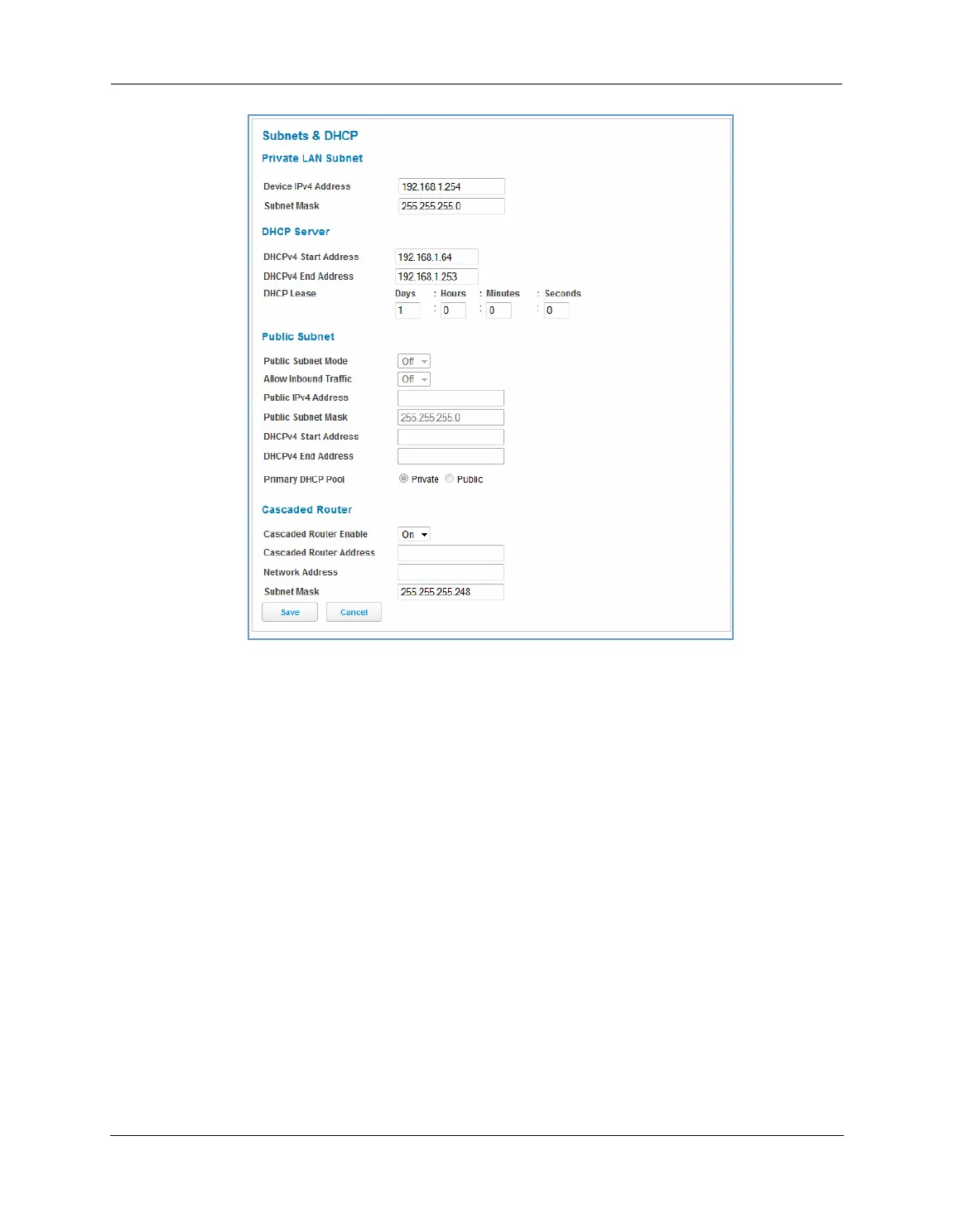
Private LAN Subnet
Device IPv4 Address: The IP address of your device as seen from the LAN.
Subnet Mask: Subnet mask of your LAN.
DHCP
DHCPv4 Start Address: First IP address in the range being served to your LAN by the NVG599 DHCP server.
DHCPv4 End Address: Last IP address in the range being served to your LAN by the NVG599 DHCP server.
DHCP Lease: Specifies the default length for DHCP leases issued by the router. Enter lease time in
dd:hh:mm:ss (days/hours/minutes/seconds) format.
Public Subnet
Public Subnet Enable: If you select On from the drop-down menu, you can enable a second subnet to dis-
tribute public addresses to DHCP clients; this means that IP addresses assigned to LAN clients will be public
addresses.
Public IPv4 Address: The IP address of your NVG599 device as seen from the WAN.
Public Subnet Mask: Public subnet mask.
DHCPv4 Start Address: First IP address in the range being served from a DHCP public pool.















 To Next Page