Administrator’s Handbook
174
set system scheduler enable [ off | on ]
Turns the system scheduler feature on or off. The default is off.
set system scheduler enable-time hr:min
Specifies a time at which to turn the system on. Default is midnight (00:00). The enable-time parameter must
be supplied in 24-hour military time, colon separated, for example “05:21”.
set system scheduler disable-time hr:min
Specifies a time at which to turn the system off. Default is 5 o’clock (05:00). The disable-time parameter must
be supplied in 24-hour military time, colon separated, for example “21:44”.
set system calendar-update enable [ on | off ]
Turns the calendar update feature on or off. The device will periodically poll the update server for new
operating system software. The default is on.
set system calendar-update interval [ monthly | biweekly ]
Specifies how often the device should poll the update server, monthly or biweekly. The default is monthly.
set system calendar-update protocol [ http | https | tftp ]
Specifies the protocol for accessing the update server. The default is http.
set system calendar-update server server_address
Specifies the address of the update server by name or IP address. The default is "cpems.bellsouth.net".
set system calendar-update username string
Specifies the user name for the update server. The default is anonymous.
set system calendar-update password string
Specifies the password for the update server. The default is guest.
set system calendar-update fwverfile filename
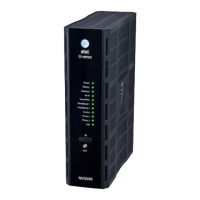
Specifies the firmware version filename to the update server. For the AT&T NVG599 the file is
netopiaNVG599_64.txt.
set system calendar-update day day_of_month
Specifies the numerical day of the month for the update server to be polled, for example, 21.
set system calendar-update time hr:min_AMPM
Specifies the time of day for the update server to be polled, in the format HOUR:MINUTEAM/PM. For example:
06:00AM.






 To Next Page