Administrator’s Handbook
26
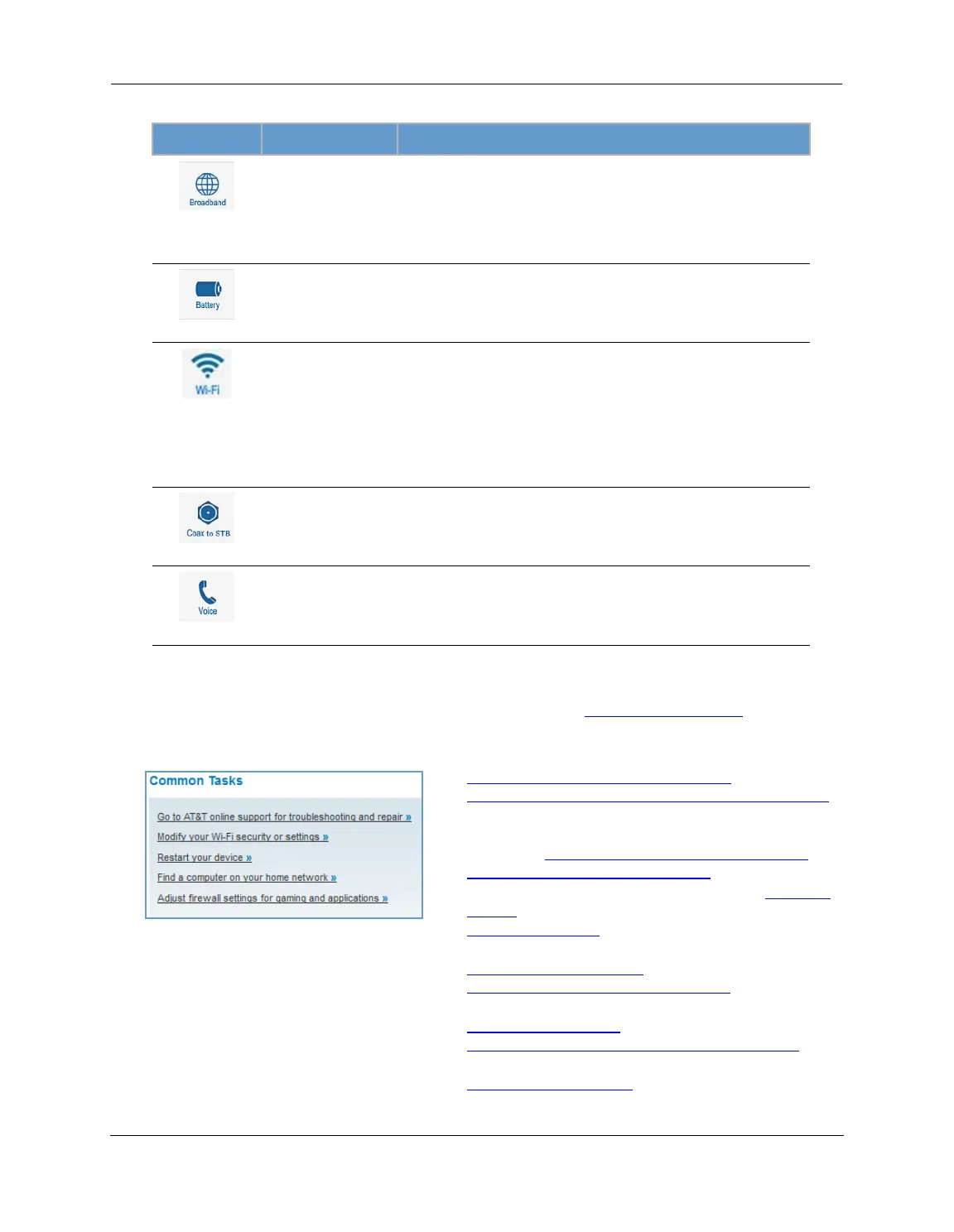
The Device Status page displays the following information in the center section:
Some fields may or may not be displayed, depending on your particular setup.
The
Diagnostics button will connect you to the Troubleshoot page. See “Diagnostics” on page 78.
The frame at right displays some links to commonly performed tasks for easy access.
(icon) Field Description
(Broadband)
Broadband
Connection
Waiting for DSL is displayed while the NVG599 is training. This
should change to Up within two minutes.
Up is displayed when the ADSL line is synched and the session is
established.
Down indicates inability to establish a connection; possible line fail-
ure.
(Battery)
Status May display any of these values: Normal, Low Battery,
Charging, Warning: No battery or battery has no
charge or Warning: Battery backup mechanism has a
fault.
(WiFi)
Status Your wireless signal may be On or Off.
Network ID (SSID) The name or ID that is displayed to a client scan. The default SSID for
the NVG599 is attxxx where xxx is the last 3 digits of the serial
number located on the side of the NVG599.
Authentication Type The type of wireless encryption security in use. May be Disabled,
WPA, WEP, Default Key, or Manual.
Network Key Wireless network encryption key in use.
(Coax to STB)
Status Off or On.
(Voice)
Line 1 Indication of VoIP or other phone connection.
Line 2 Indication of VoIP or other phone connection.
Display additional troubleshooting steps » - OR -
Go to AT&T online support for troubleshooting and repair
This link will connect you to the IP Diagnostics page with
help for troubleshooting and the AT&T Help Desk infor-
mation. See “
IP Diagnostics Page Redirect” on page 23.
Modify your WiFi security or settings »
This link will connect you to the WiFi page. See “WiFi” on
page 43.
Restart your device »
This link will connect you to the Restart Device page. See
“
Restart Device” on page 33.
Find a computer on your home network »
This link will connect you to the Device List page. See
“
Device List” on page 28.
Adjust firewall settings for gaming and applications »
This link will connect you to the NAT/Gaming page. See
“
NAT/Gaming” on page 67.



 To Next Page