Administrator’s Handbook
90
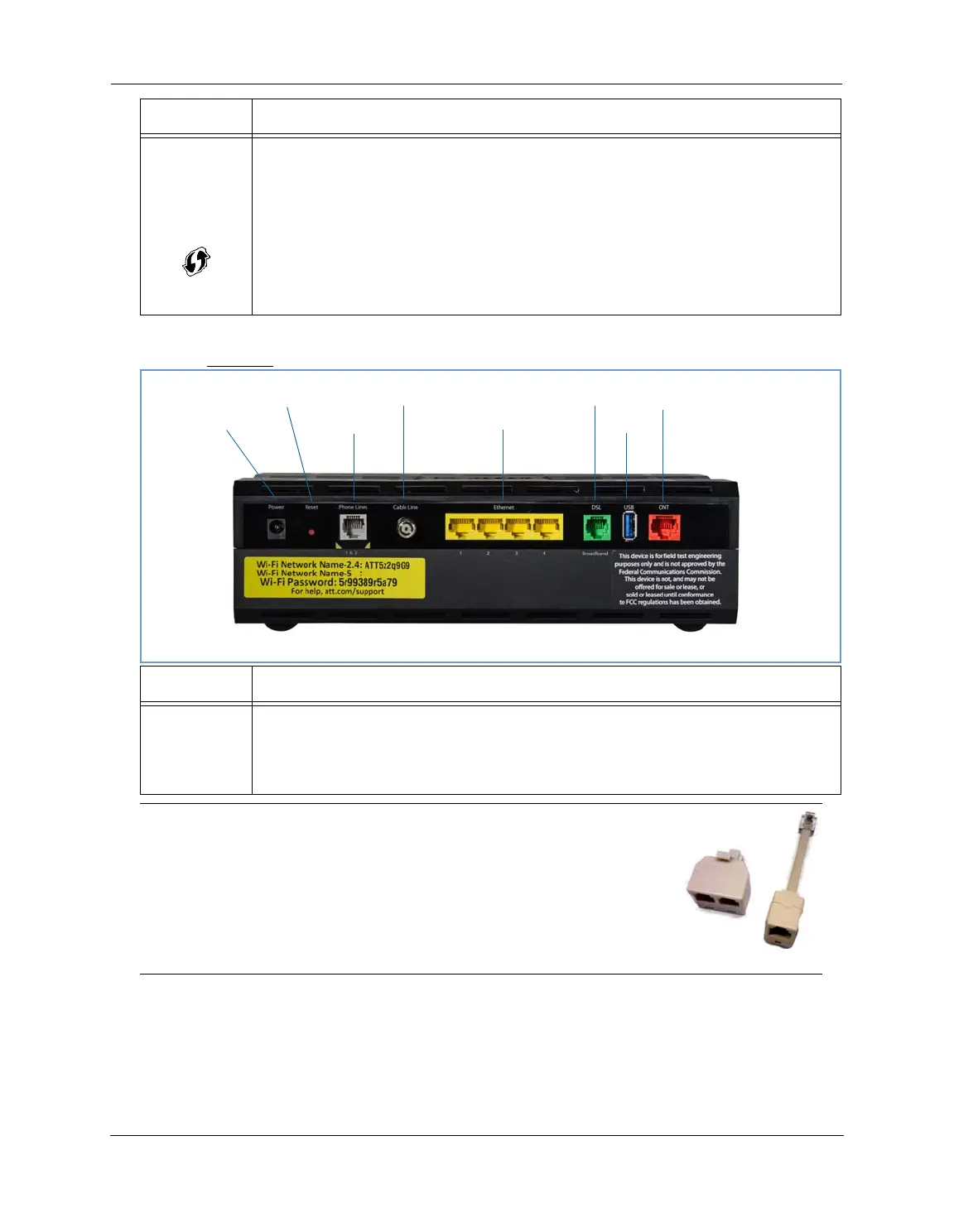
Rear View
WPS
(appears after
using WPS
button)
Solid Green = Wi-Fi Protected Setup has been completed successfully. LED should stay on for 5 min-
utes or until push button is pressed again.
Flashing Green = Continues for 2 minutes, indicating when WPS is broadcasting.
Flashing Red = Continues for 2 minutes, indicating a Session overlap was detected (possible security
risk).
Solid Red = Error unrelated to security, such as failure to find a partner, or WPS is disabled. LED
should stay solid red for 5 minutes or until push button is pressed again.
Off = The device is not powered, or no cable or no powered devices are connected to the associated
ports.
LED Action
Ethernet
1,2 3,4
Flashing Amber = A Gigabit Ethernet device is connected to each port.
Solid Green = A 10/100 Ethernet device is connected.
Flickering Green = Ethernet traffic activity.
Off = The device is not powered, or no powered devices are connected to the associated ports.
NOTE:
The NVG599 supports two VoIP lines over one RJ11 VoIP port. In order to con-
nect two phone lines the supplied inner/outer pair splitter adapters must be
attached to the RJ11 VoIP port in order to terminate both lines. This is a spe-
cial-purpose splitter. You must only use the inner/outer pair splitter adapters
supplied by AT&T.
LED Activity
Gigabit Ethernet (WAN)
USB
DSL (WAN)
Ethernet (LAN)
F-Connector (HPNA)
RJ14 (FXS)
Reset
Power Jack















 To Next Page