iHP Manual 22 | P a g e
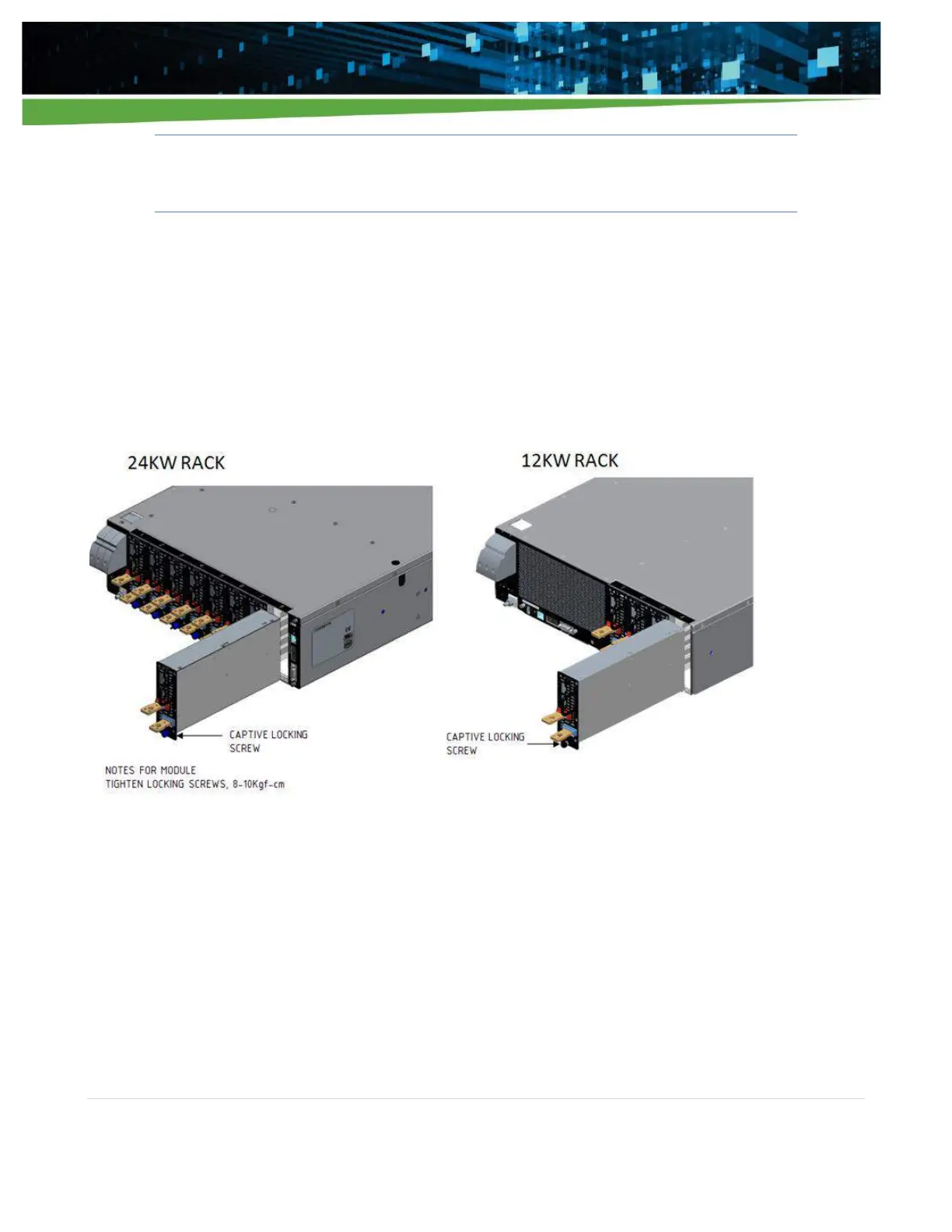
Caution! - Observe proper orientation of the module during insertion (output busbars at the
bottom) to prevent damage to the module and rack connectors.
Note: The input AC should be turned off for 5 minutes before inserting or removing modules from the rack.
1. Insert, slide, and push the modules until its back panel is flushed to the back of the rack.
2. Tighten the module locking screws.
3. Attach blank fillers to all empty slots as shown in Figure 2-4 of the rack to ensure proper airflow
distribution within the rack.
Figure 2-3 Module insertion into system


 To Next Page