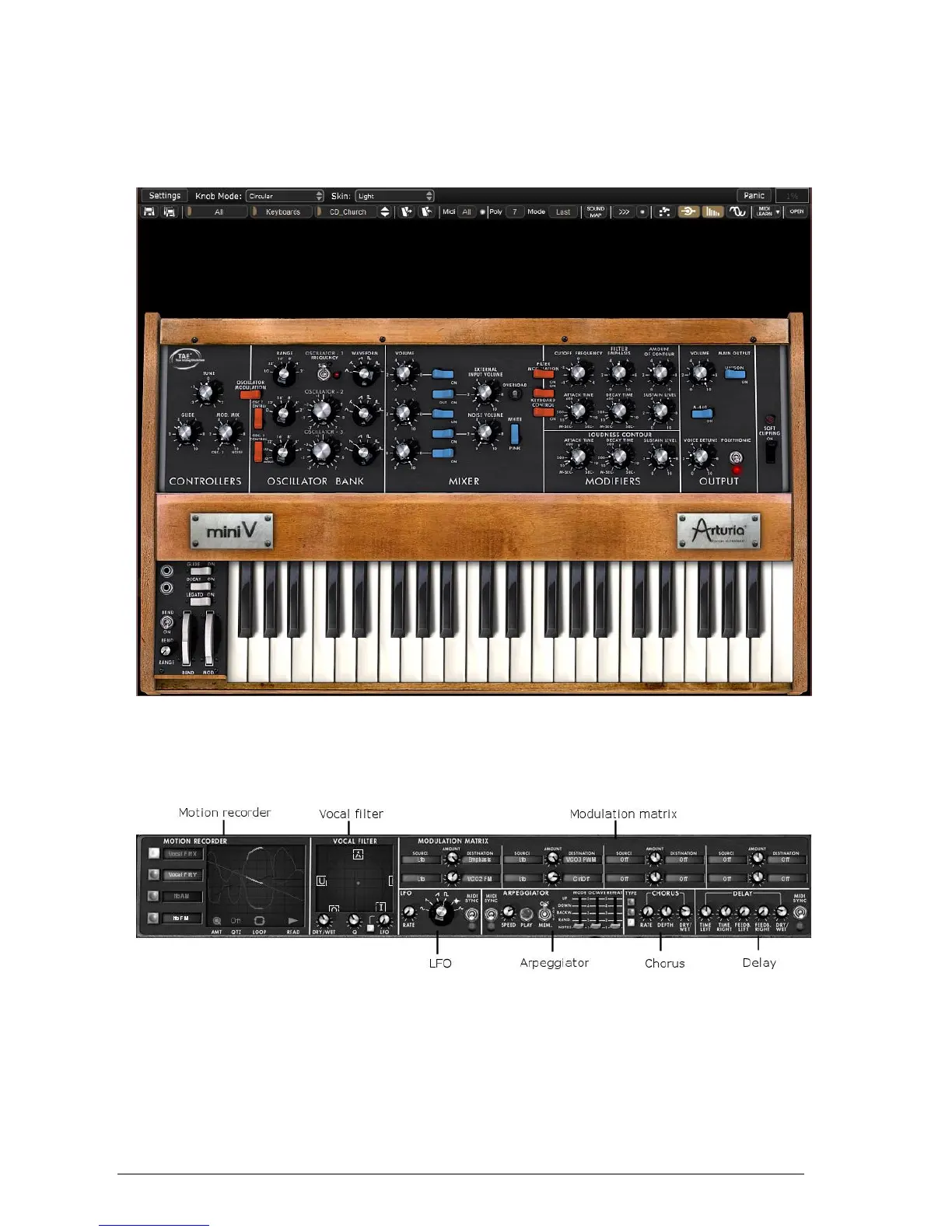
The “Classic” mode allows using the original configuration of the original model. Some
additional features: the oscillator 2 can be synchronized to the oscillator1, the oscillator 2 can
be disconnected to the keyboard following circuit, poly/mono/unison switches have also been
added.
The Classic mode (same as the original)
The “Extended” interface gives access to a motion recorder, a vocal filter, a LFO, a modulation
matrix, an arpeggiator and two effects. These different functions will enrich the basic settings
of the Mini V.
The panel of the “Extended” mode
To access the “Extended” mode, click on the wooden crosspiece situated above the
synthesis settings or on the “Open” button on the right of the toolbar.
To return to the “Classic” mode, simply click again on the wooden crosspiece or on the
“Close” button.












 To Next Page