The choice of range for these oscillators can be set with “Range” knobs on the left. From
the left to right are the positions: Low, 32, 16, 8, 4, and 2, the third oscillator adds the
“LowMono” position at the extreme left.
The “Low” position corresponds to a very low frequency mode, the position “LowMono”
on the third oscillator adds a monophonic function. In this mode, the oscillator will
generate the same signal irrespective of the note played, unlike the “Low” mode where it
generates a different signal for each of the notes in polyphonic mode.
The other positions of this knob correspond to the range, the 8 position being the
position without transposition, positions 4 and 2, respectively 1 and 2 octaves above,
positions 16 and 32 respectively 1 and 2 octaves below.
Oscillators 2 and 3 can equally be fine tuned with the central “Frequency” knob. By left-
clicking with the mouse on the knob, the setting is done by semi-tone, by up or down an
octave, while when right-clicked, it is possible to tune it in a continuous manner, by more
or less a semi-tone. By double clicking on this knob, it is possible to set it to its default
value, which is to say tuned.
The “Sync” switch synchronizes oscillator 2 with oscillator 1. In this position, it is
the tuning of oscillator 1 which will be evident while oscillator 2 will bring and
modify the harmonics heard.
The “Osc. 2 Control” switch allows to activate and deactivate the command of
oscillator 2 by the keyboard.
The “Osc. 3 Control” switch is for activating and deactivating the command of
oscillator 3 by the keyboard.
The “Oscillator Modulation” switch modulates oscillators 1,2 and 3 via oscillator
3 with an amplitude depending on the modulation wheel. If we don’t want to have
oscillator 3 modulate itself, we need to deactivate the switch.
5.2 THE MIXER
The section situated on the right of the “Oscillator Bank” sub-group mixes the different
signals available before applying the filtering.
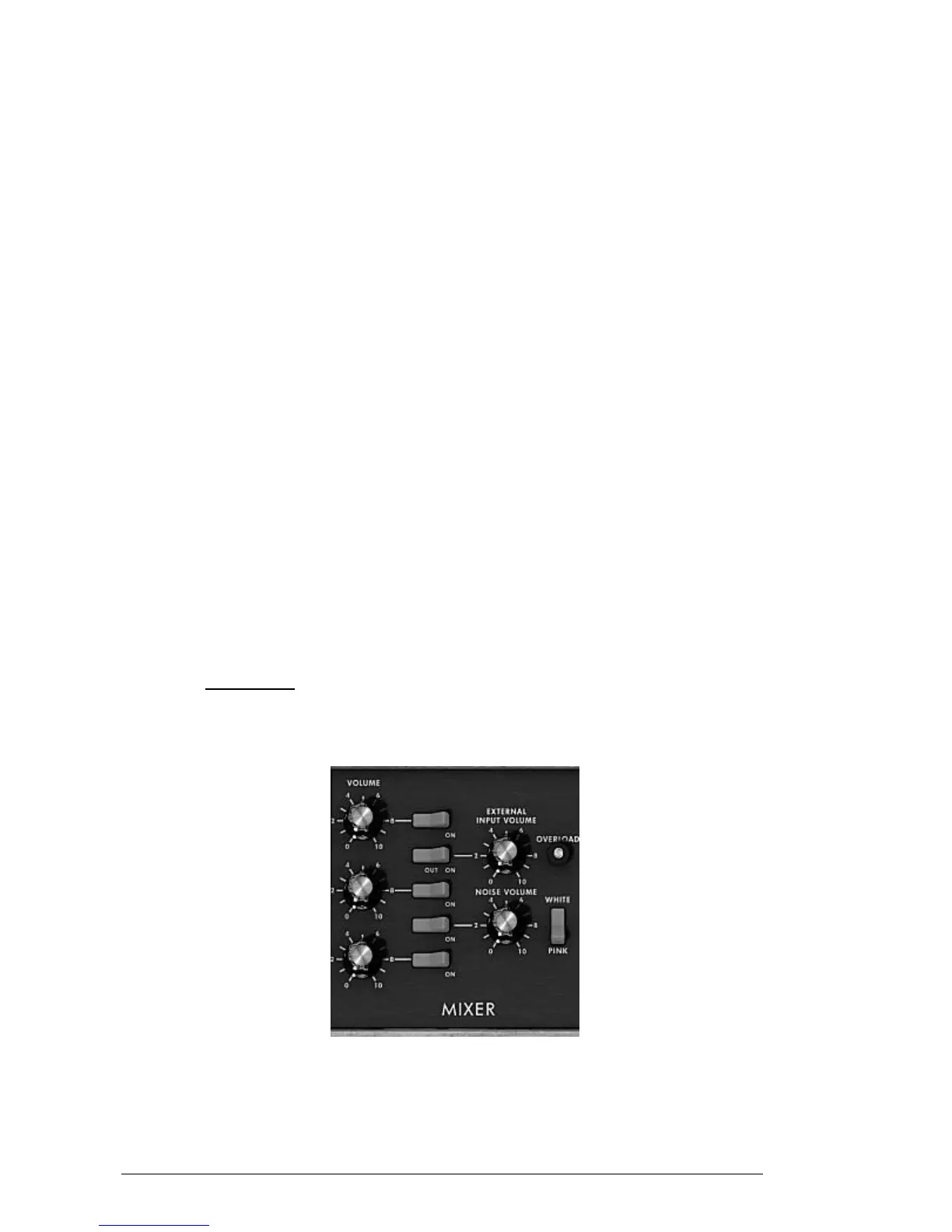
Mixer
There are five sound sources available: the three oscillators, a noise generator and
external audio in. The level of the three oscillators is set with each of the “Volume”
knobs, the external signal level with the “External Input Volume” knob, the noise level
with the “Noise Volume” knob. The five vertically aligned switches allow the quick












 To Next Page