deactivation of a given sound source, while the “White/Pink” switch selects a white or
pink noise.
When the “Overload” indicator lights up, this indicates an overload of the external audio
in.
The mixer possesses two modes of functioning, with or without the emulation of the
overload circuit. In the first case, the sound signals are not modified regardless of their
level. In the second, the overload circuit limits the amplitude and thus allows a
modification of the tone typical of the original model.
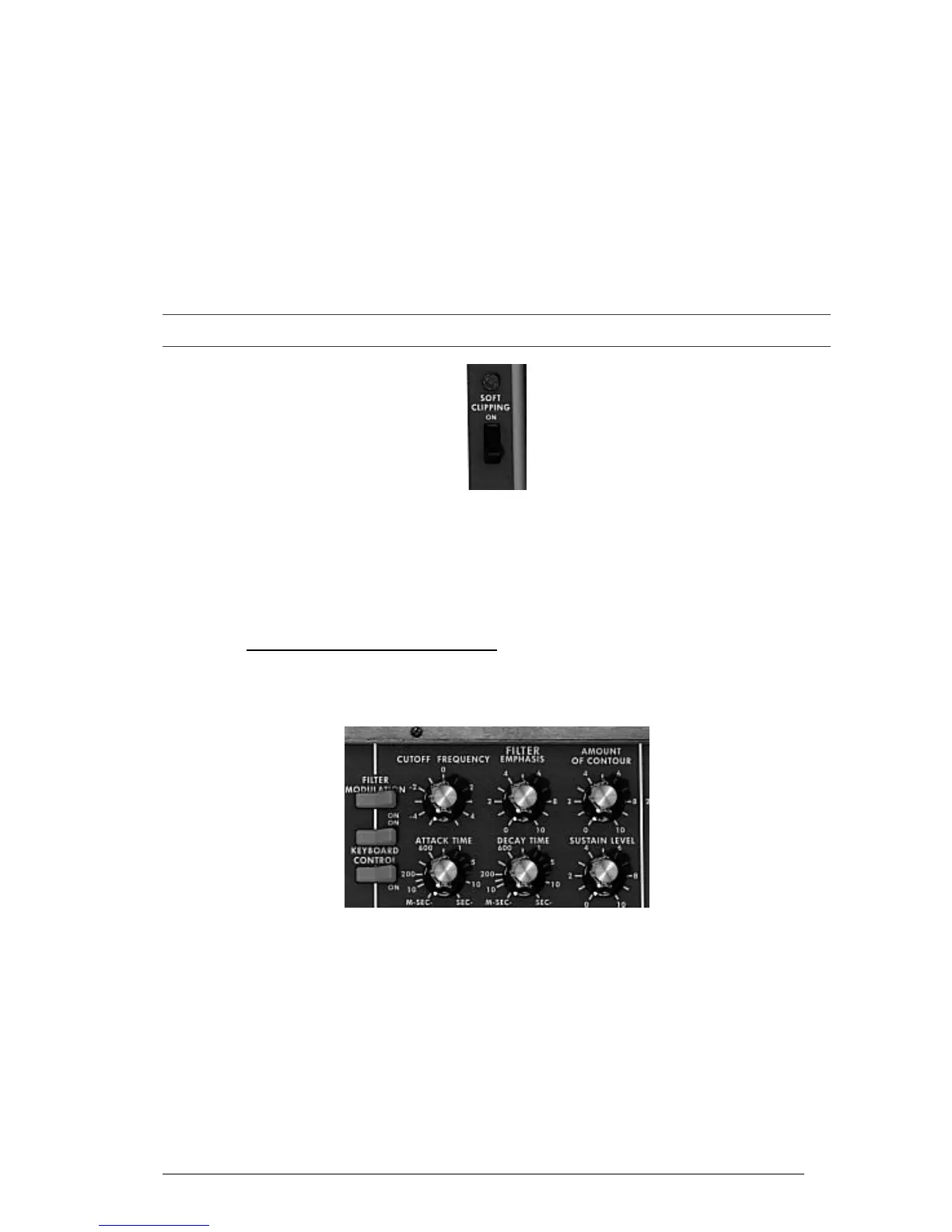
The mixer mode change is done with the “Soft Clipping” switch on the extreme right of
the synthesis panel.
It should be noted that the emulation of the overload circuit is heavy on calculation power, and using it should
be avoided with heavy polyphony or unison.
Activation of the overload circuit (soft clipping)
The switch corresponding to the external signal has three positions. The first disconnects
this input from the mixer. The second position connects the output of the Mini V to the
mixer. This allows, thanks to the particular distortion brought by the overload circuit, to
obtain a typical sound. The third connects the external input to the mixer.
5.3 THE FILTER AND ITS ENVELOPE
The result of the mixing of different sources of sound is directed towards a resonant filter
with a slope of 24dB per octave.
Filter parameters
The “Cutoff frequency” knob sets the cut-off frequency. The “Emphasis” knob sets the
level of resonance and “Amount of Contour” the action of the envelope generator
associated to the filter.
It should be noted that this filter auto-oscillates, which is to say that when the resonance
is set to the maximum, the filter generates a signal close to sinusoid even in the absence
of an input signal. Nonetheless, a weak noise signal as filter input brings us a little closer
to the results obtained with the original synthesizer. In fact, electronics can never
guarantee a perfect zero level to the filter input as is the case with a virtual reproduction.












 To Next Page