“clicks” marking the oscillation cycle), it will be used to modulate the filter cut-off
frequency.
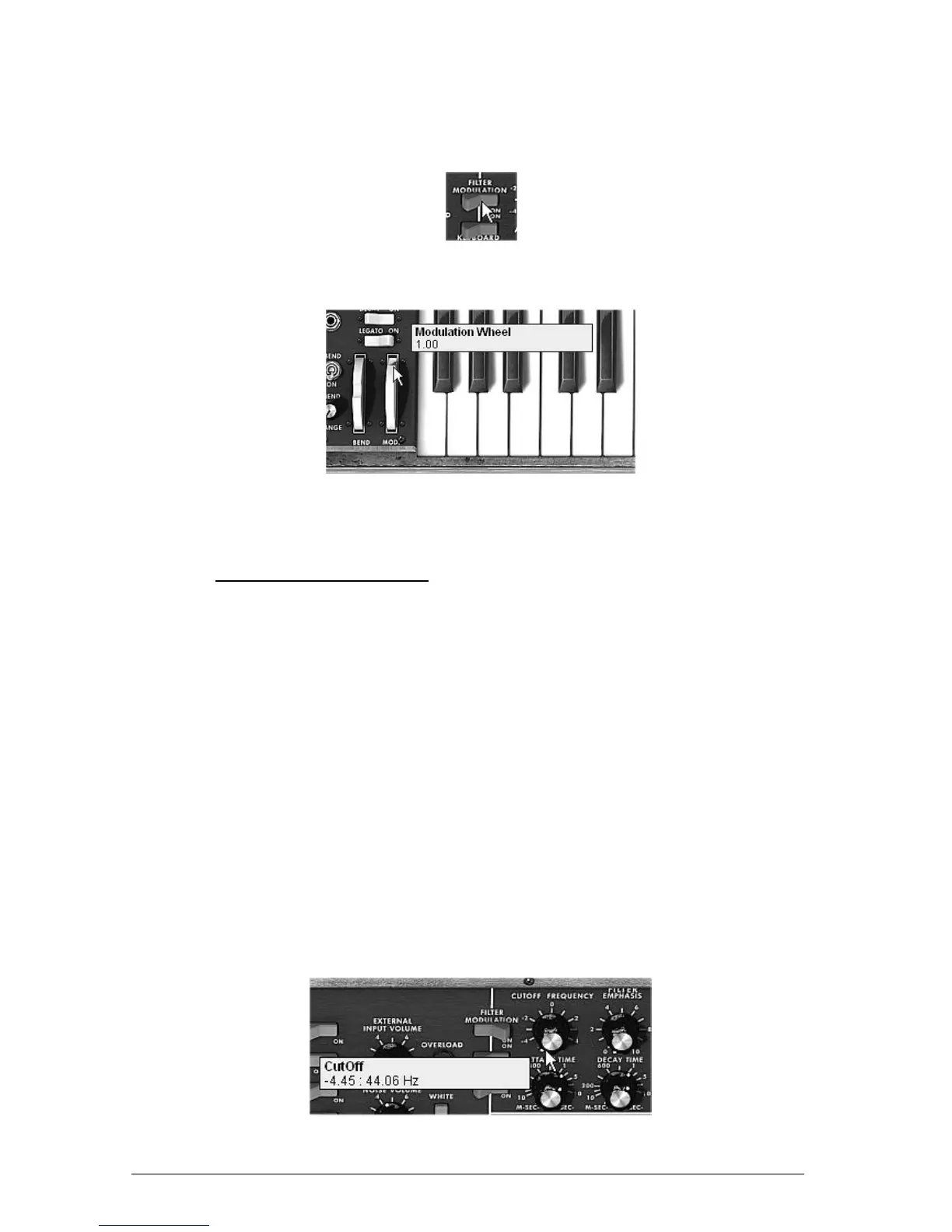
Click on the “Filter Modulation” switch to activate the filter cut-off frequency
modulation by oscillator3.
Click on the Filter Modulation switch
Raise the modulation wheel to maximum to set the modulation frequency.
Raise the value of the modulation wheel
You will obtain a rich accompaniment sound.
7.2 THE MODULATION MATRIX
We will discover a few of the many additions to the Mini V: the modulation matrix, the LFO
and the velocity.
For this, let’s again use the preset “Tp_EG_Ampl_Long” in the “Templates” bank, sub-bank
“Temp_Synth”. This preset offers an ideal starting point for an accompaniment sound (the
amplitude envelope is already calibrated for this type of use).
It will be composed of:
2 oscillators
1 lightly resonant low-pass filter
1 output VCA
The filter and VCA envelopes are active
Oscillator 3 modulates the 2 other oscillators for a vibrato effect brought by the action
of the modulation wheel.
The modulation matrix will be active for:
A modulation of the cut-off frequency by the velocity
A modulation of the width of the oscillator2 square by the LFO
To begin, lower the filter cut-off frequency to around “-4.46: 44.00 Hz”. This will make the
different modulations easier to hear.
Lower the filter cut-off frequency












 To Next Page