On pre-cabled synthesizers, the noise module is either integrated into the oscillator (its
audio output being placed to compliment the waveform outputs), or within the mixer
directing the signals towards the filter.
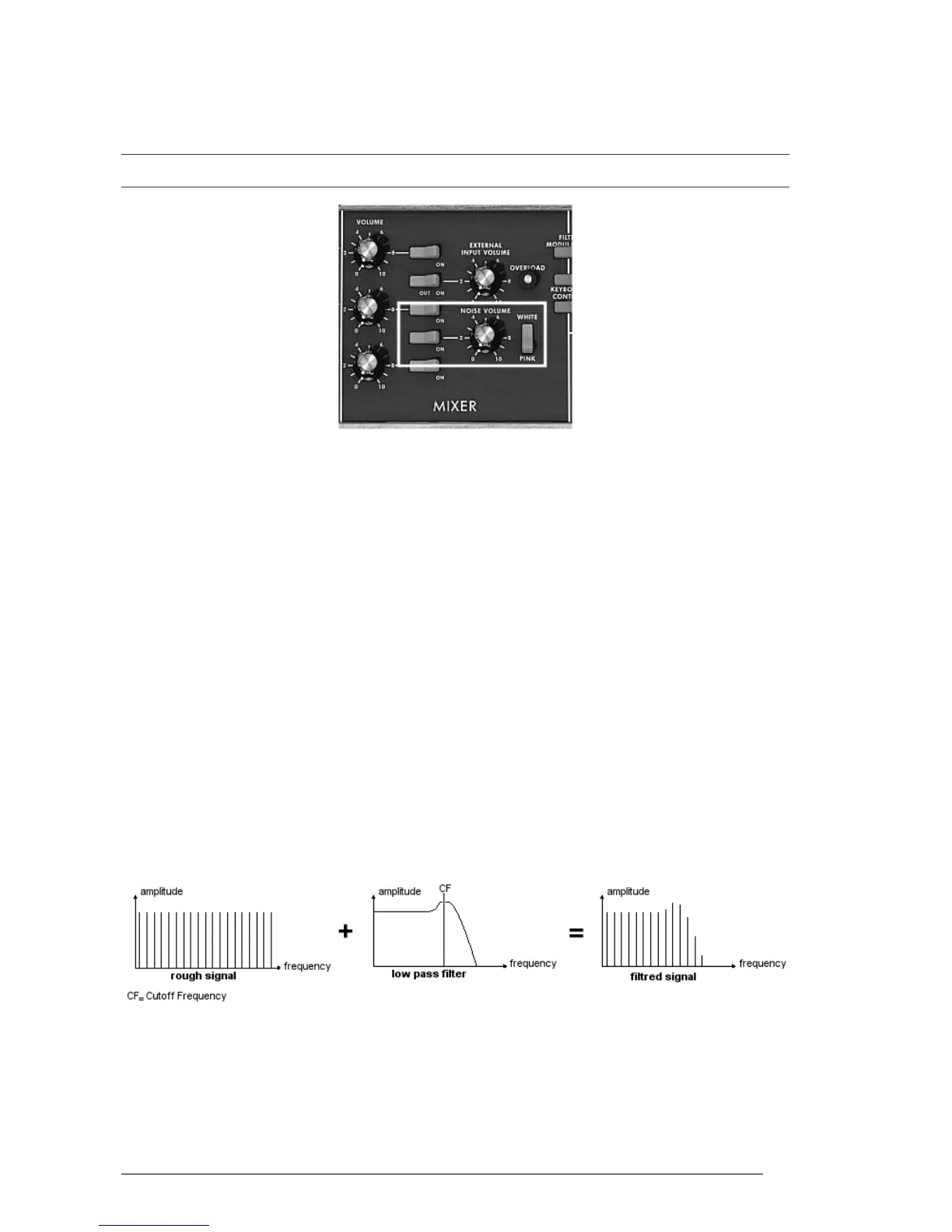
On the Mini V, you will find the noise generator amongst the settings in the mixer panel. A switch allows you to
choose between the white and the pink noise.
The noise generator set on the mixer
6.1.3 The Mixer
The audio signal generated from an oscillator is generally directed to a module filter
(VCF). It will be first useful to individually set the volume of each oscillator, external
audio source or noise, thanks to the “Mixer”.
The external audio signal could be, for instance, a recorded vocal track or a drums loop.
6.1.4 The filter or VCF
The audio signal generated by an oscillator (the waveform) is next generally directed to a
filter module (Voltage Controlled Filter). It is this module that we use to control the
sound by filtering (by subtraction, which explains the name given to this type of
synthesis) the harmonics situated around a cut-off frequency. It can be considered to be
a sophisticated equalizer that reduces, depending on the case, the high or low
frequencies of a sound.
6.1.4.1 The cut-off frequency
The removal of undesirable frequencies at the cut-off frequency is not done suddenly but
progressively, depending on the filtering slope. This filtering slope is expressed in
decibels per octave (or dB/Oct). The filters used in classic analog synthesizers have 24
dB/Oct or 12 dB/Oct slopes.
The Mini V offers 1 type of slope: 24 dB/Oct slope.
Spectral representation of a rough then 24dB LP filtered signal
On the Mini V, you have access to one type of filtering.
The low-pass filter (LPF) progressively removes high frequencies above the assigned
frequency limit (the cut-off frequency) and allows the sound below the cut-off to pass
through unchanged. Depending on the setting we will hear the sound becoming more or
less “brilliant”, more or less “dampened”.












 To Next Page