5.9 THE LOW FREQUENCY GENERATOR
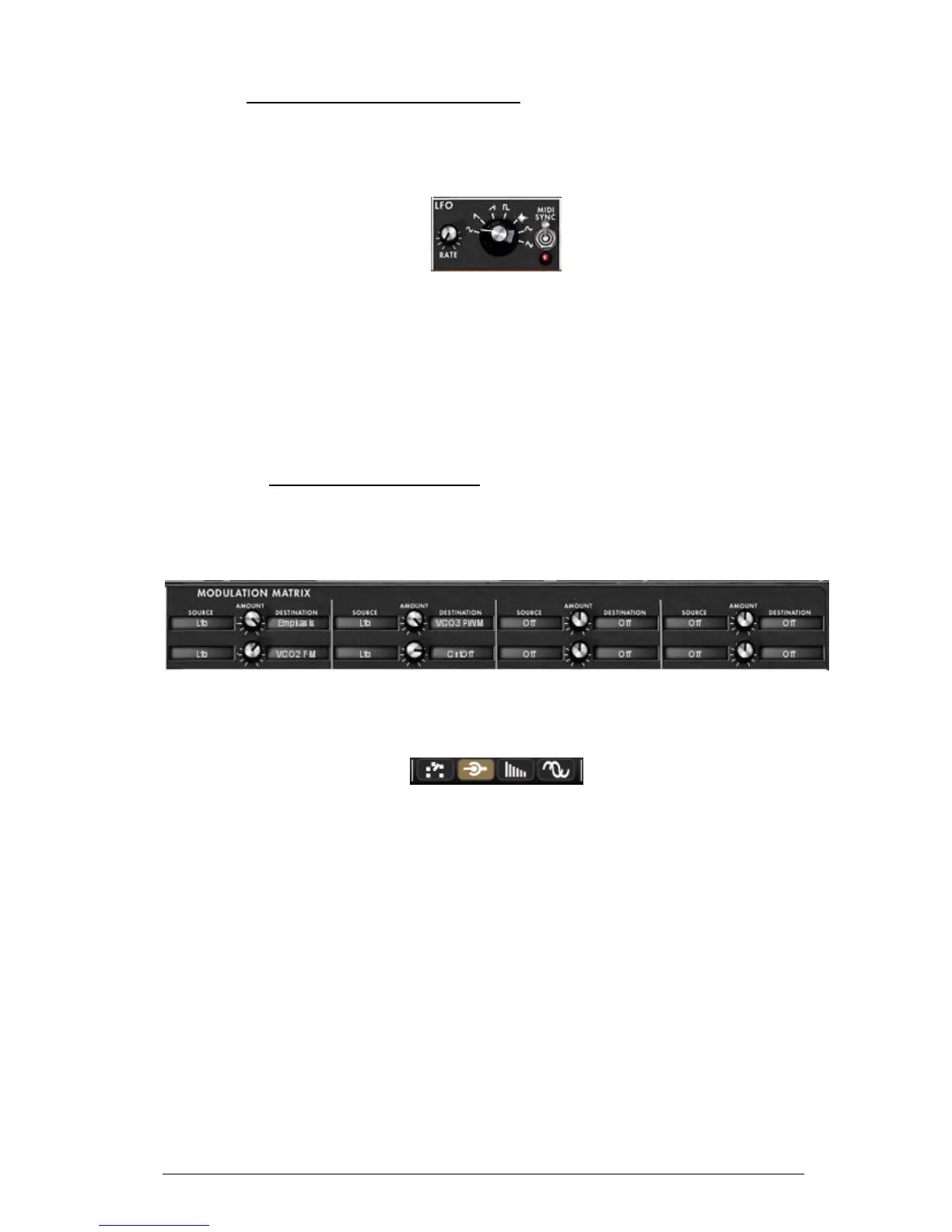
The Mini V brings a new module which allows the generation of a very low frequency to
modulate any off the synthesis parameters. It is situated in the extension panel which
appears the Mini V is in open position.
Low frequency generator
“Rate” knob ............ Sets the frequency, the “Waves” knob selects the waveform,
“Midi Sync” switch ... Synchronize the frequency of the generator to the tempo of
the host application.
Waveforms ............. Sinus, descending sawtooth, ascending sawtooth, square,
noise, random, triangle.
The modulation destinations for the LFO generator are selected exclusively through the
Modulation Matrix (see below)
5.10 THE MODULATION MATRIX
The Mini V increases the original possibilities of modulation thanks to the presence of the
modulation matrix in the extension panel. This panel appears when the Mini V is in open
position.
Modulation matrix
This matrix can be activated or deactivated with the selector in the task bar above the
synthesizer.
Activation of the modulation matrix
The matrix allows 8 modulation connections. To activate a connection, select a source of
modulation by clicking in the “source” zone, next select a parameter to modulate in the
“destination” zone, and set the rate of modulation with the “Amount” knob.
The sources of modulation are:
VCO3 ..................... Output of oscillator 3
EG VCF ................... Filter envelope output
EG VCA .................. VCA envelope output
P.Bend ................... Pitch Bend wheel
ModWheel ............... Modulation wheel
AfterTouch .............. Polyphonic aftertouch / Channel pressure
FootExp .................. Expression pedal
Velocity .................. Velocity
LFO ........................ LFO output
Kbd Follow .............. Key follow output
Ext. In ................... External input signal
VCA out .................. VCA output signal












 To Next Page