5.7.3 Recording a parameter motion curve in real time
Activate the live recording mode by clicking on the “ ” button, situated on
the Mini V tool bar. (This button is now highlighted).
Play a note on your MIDI keyboard and hold it during the recording time. The
recording is now starting.
Choose the parameter you wish to automate by clicking on the dedicated
potentiometer.
Tweak this potentiometer as you wish during the recording.
The motion recording stops by itself automatically after thirty seconds. (The “ ”
button switches off)
To stop the recording before its time limit, simply release the playing note.
The parameter you have automated is now selected on the LCD parameter screen of the
active track and the result of the recording curve is displayed on the Motion Recorder
main screen.
You can also change the parameter on the fly over the old one by clicking on
another potentiometer. You can also select a new parameter on the destination
parameter menu situated on the left of the Motion Recorder main screen.
5.7.4 Erasing a recorded automation in real time
Erasing a recorded automation is very easy:
You just have to record again new motion automation by the same way as
describe above. The new motion will automatically take the place of the old one
and will be displayed on the Motion Recorder main screen.
5.7.5 Quantizing a motion curve
The Motion Recorder allows you to quantize a recorded motion curve in relation to the
internal Mini V tempo or to a host MIDI tempo.
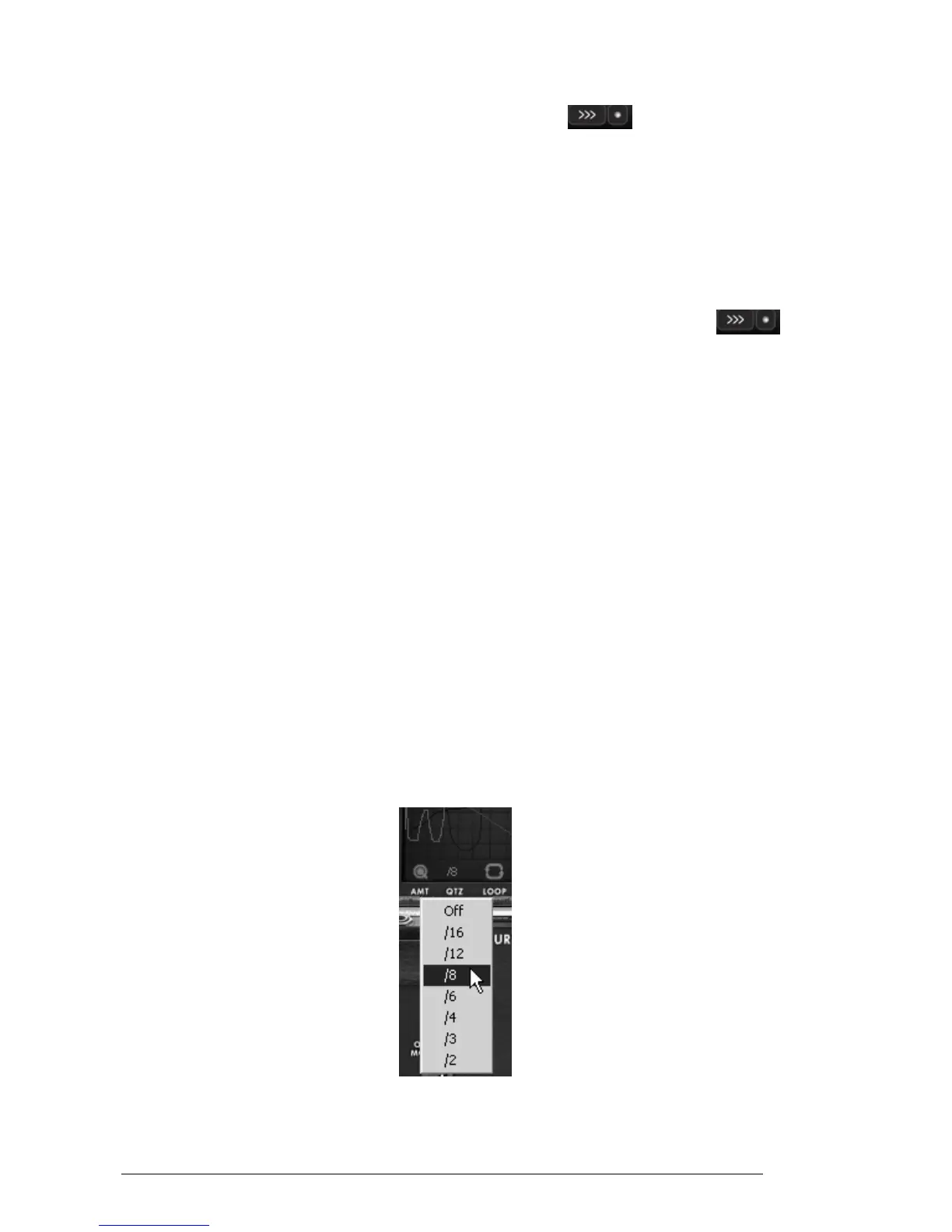
Click on the “QTZ” menu, situated under the Motion Recorder main screen and
select the quantization factor you wish on the dedicated menu.
Click on the “QTZ” menu
Some steps appear on the curve according to the chosen quantization.












 To Next Page