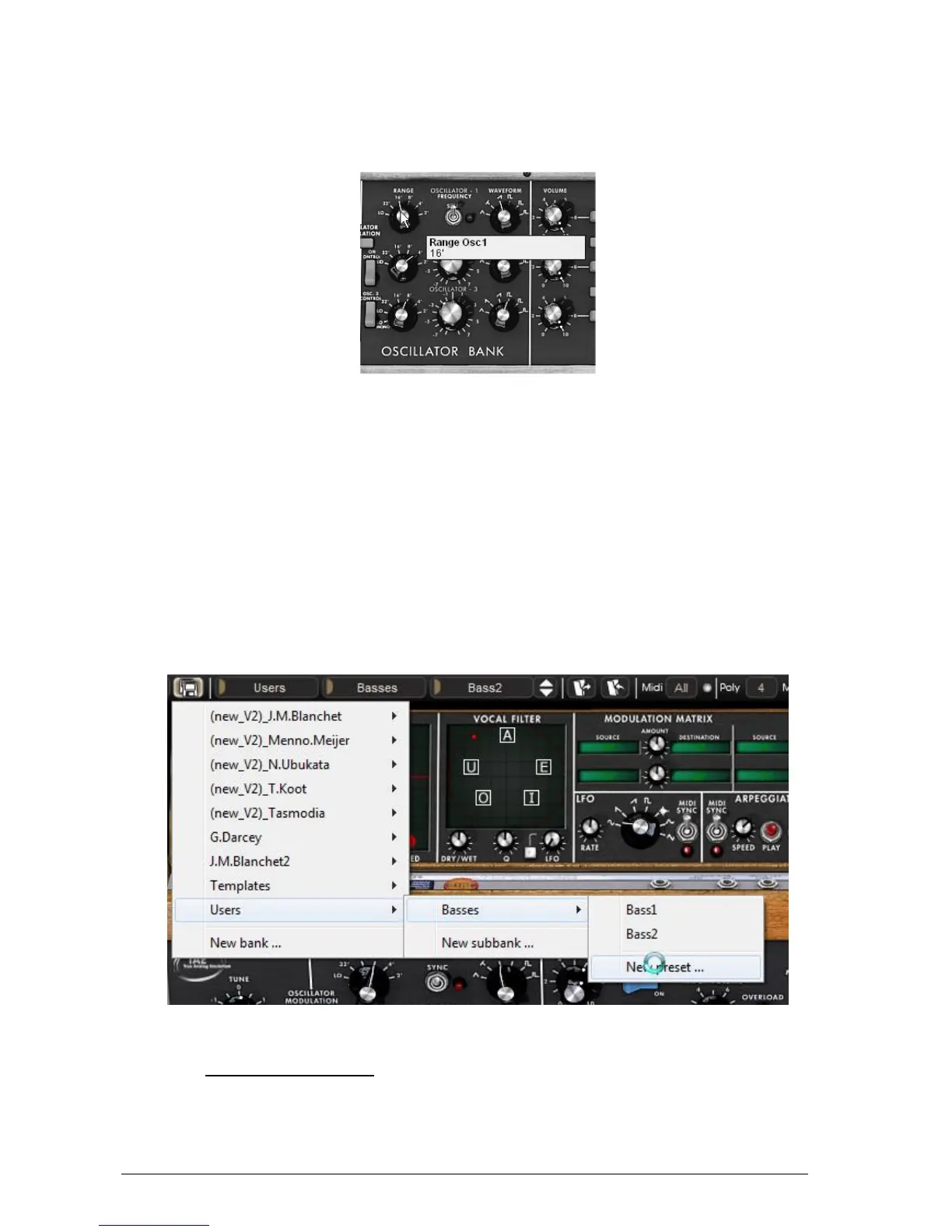
In the same manner, you can change the range of oscillator1 by turning the “Range”
potentiometer to one of the six values expressed in steps (like on organs). The lower
the number, the higher the pitch of the sound. (The standard tuning is found at the
value 8’)
Setting the range of oscillator 1(“Range”)
By performing these first settings, you have already modified the “JMB_Classic1” preset. You
can now save the sound that you have just created.
To save a “user” preset, click on the save icon on the toolbar: the settings of the current
sound will be saved in the selected preset without changing the name.
If the current preset is a “factory” preset, the factory preset will not be overwritten.
To choose another destination for this sound, click on the “Save as” icon and select a
destination. For example, select “New” in the choice of bank. 2 new emplacements for
bank and sub-bank and a new preset are immediately created. The names “new bank”,
“new sub bank…” and “new preset…” appear in their respective menu locations.
Click on each of them to change the names.
Saving a preset
3.2 THE PLAYING MODES
The Mini V offers 2 playing modes:












 To Next Page