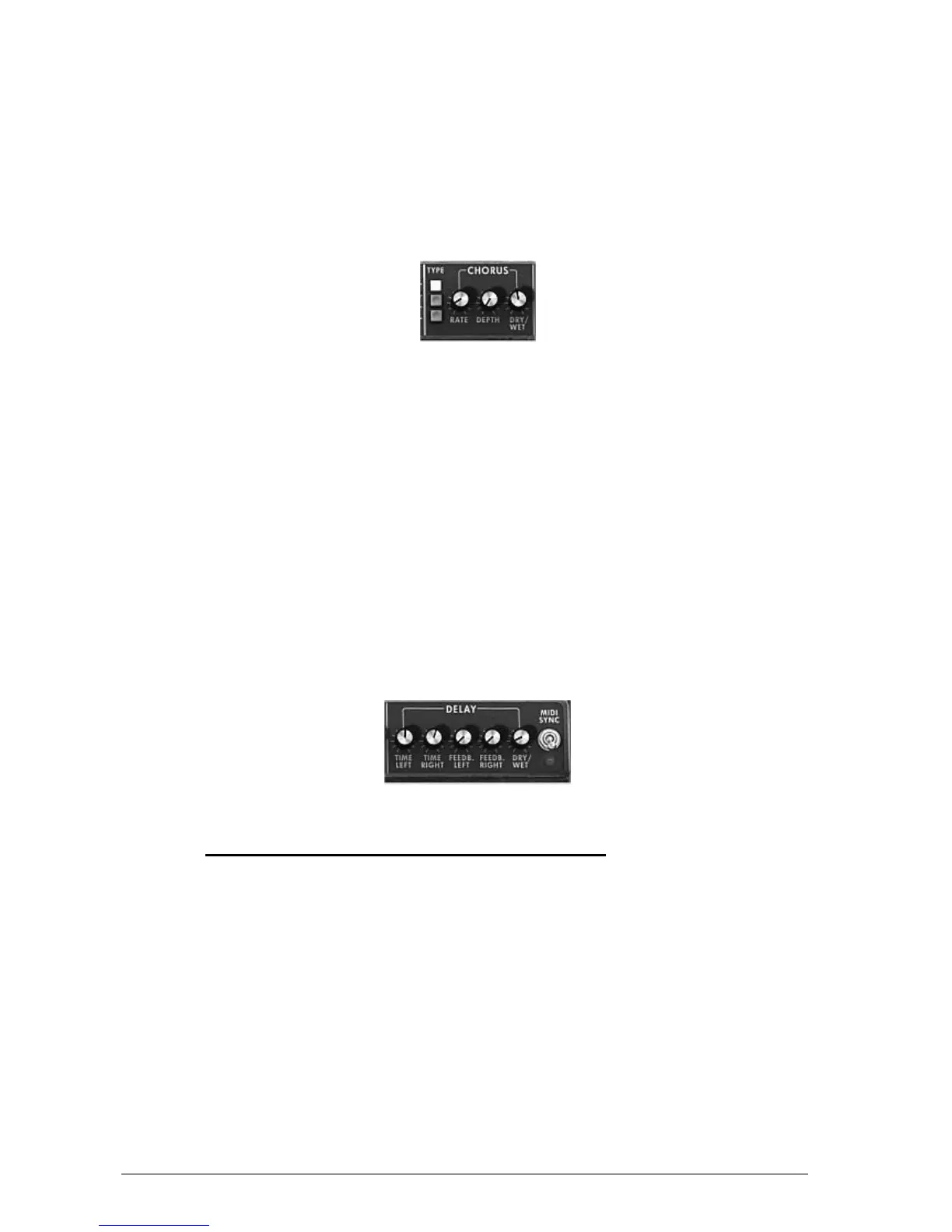
Set the “Dry/Wet” knob for Chorus in order to counterbalance the “raw” sound and the
feedback of the effect.
Next turn the “Rate” knob to set the speed of the oscillations.
Finally set the chorus depth by turning the “Depth” knob.
You can choose between 3 types of chorus: Chorus 1, 2 and 3, from the simpler version
to a more sophisticated chorus, designed for sharper detuning effects.
Le chorus
3.6.2 The delay
The delay effect adds stereo echoes to the sound.
It has independent settings for the speed and the number of echoes on the right and left sides.
It is also possible to create a great number of rhythmic combinations between the echoes. The
speed of the delay can also be synchronized with the MIDI tempo.
Let’s keep the “JMB_Classic1” preset and see how to use the delay with this sound:
Press the “DELAY” button on the toolbar. The effect is enabled.
Set the “Dry/Wet” knob of the Delay so as to balance the “raw” bass sound.
Next turn the 2 “Speed” knobs of the delay to set the speed of echoes for the right side
(Time Right) and left side (Time Left).
It is also possible to set the number of echoes on each side (“Feedb. Right” and “Feedb.
Left”)
Settings of the delay effect
3.7 THE REAL TIME CONTROLLERS AND MIDI ASSIGN
Mini V has been improved in order to provide easier access to MIDI assignment, possibility to
save and select multiple configurations.
A default configuration matching Arturia Analog Experience keyboards is loaded at startup.
Thus you can control Mini V from Analog Experience keyboards without any configurations.
If you own a non-recognized MIDI controller keyboard, configuration is pretty straightforward:
Check that your MIDI controller is recognized (in standalone, if not recognized, you can
click Settings to configure MIDI inputs)
Click on the button Learn in the toolbar












 To Next Page