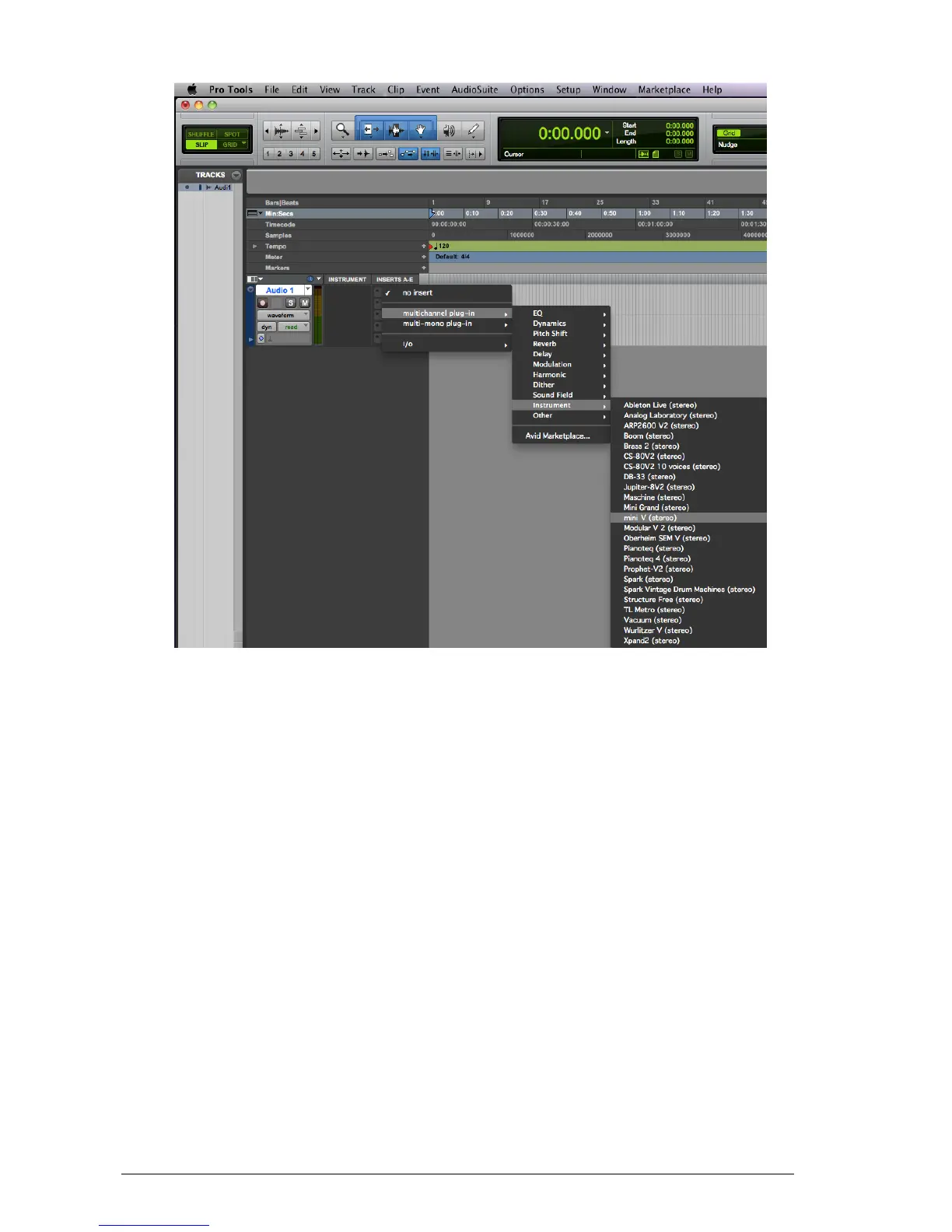
Mini V must be loaded on an instrument stereo track. We can now make Mini V sound by
playing with the mouse on the virtual keyboard.
8.8.2 Saving the presets
When the session is saved, the status of Mini V is saved as it is, even if its programming
does not correspond to the preset. For example, if you are working on a preset “P1” in
which you have modified the parameters (without saving them in the plug-in itself), the
next time you open the session, Mini V will load the “P1” preset plus the modifications you
made to it. The “Librarian Menu” of Pro Tools can be used with Mini V like with all other
plug-ins.
Nevertheless it is highly recommended to use the internal Mini V menu: with the presets
saved like this, they are usable no matter which mode is chosen (standalone or other
sequencer), and they can be exported, exchanged more easily, and will stay compatible
with future versions of Mini V.
8.8.3 Automation under Pro Tools
The automation function with Mini V functions like with all RTAS/HTDM plug-ins (check the
Pro Tools documentation for more details on plug-in automations).












 To Next Page