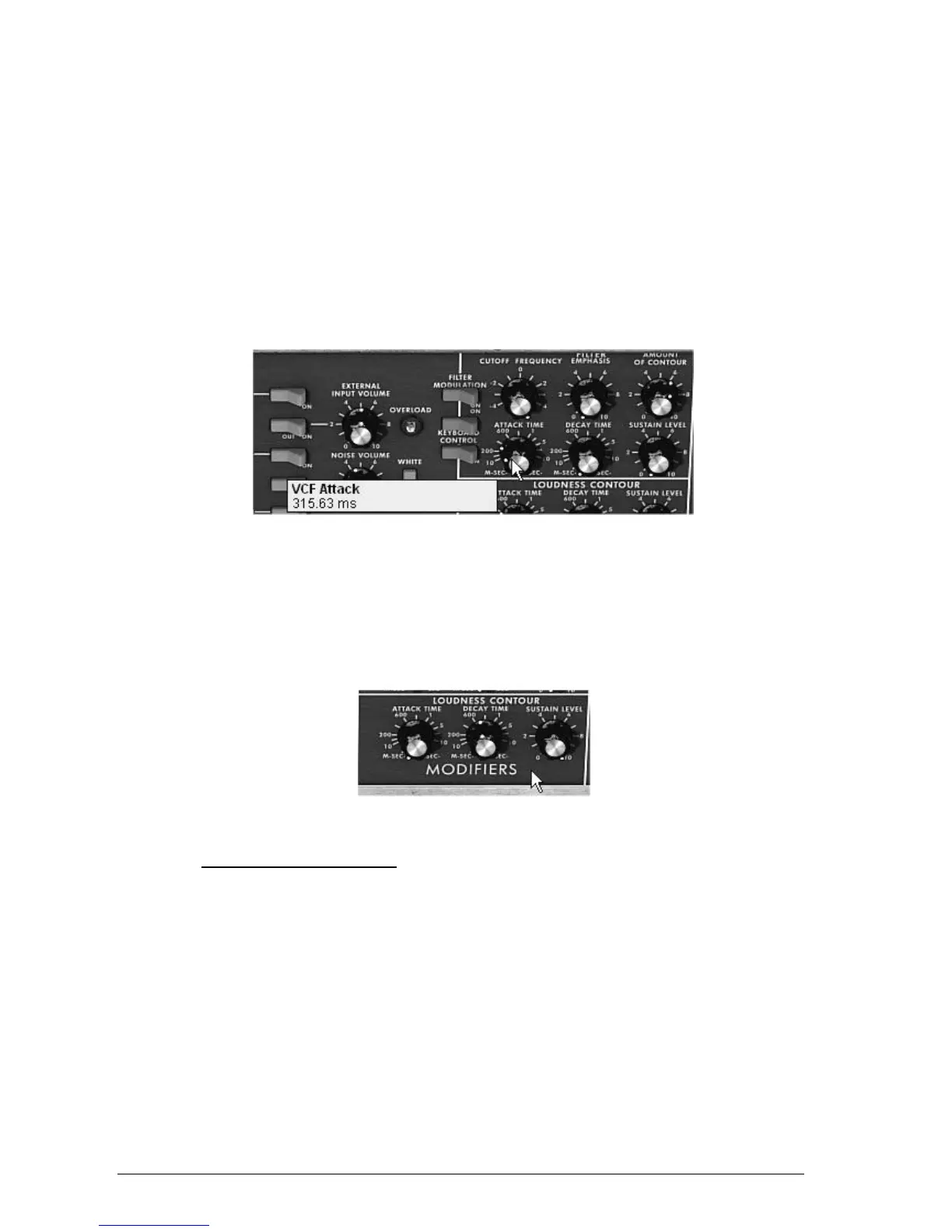
To do this, set the “Cutoff” frequency potentiometer. For fine-tuning, use the right
mouse button (this is valid for all potentiometers).
Notice that the filter cut-off is modulated by an ADS envelope (Attack, Decay and Sustain).
To clearly hear the effect produced by the ADR envelope on the filter cut-off frequency,
increase the resonance (“Emphasis”) value 5.00. This will amplify the filtering effect and
the sound will start to “whistle”.
Change the length of attack for this envelope (“Attack time”) so that the brightness
increases slower or faster when the note is sent.
In the same manner, change the value of decay (“Decay time”); the brightness will
diminish faster or slower as you hold the note.
The “Attack time” parameter of the filter envelope
You will probably have noticed that an envelope also modulates the amplitude of the sound –
“Loudness Contour”
Increase the “Attack time” so that the volume of the sound increases progressively.
Do the same with the “Decay time”; the volume will progressively decay when you hold
the note pressed down.
Amplitude envelope – “Loudness Contour”
3.4 THE “EXTENDED” MODE
When the Mini V is at the “Extended” position, you access an extension panel to the parameters
of synthesis. It is displayed in the form of a modulation matrix, a Low Frequency Oscillator
(LFO) which was brought in be substituted for oscillator 3 which was being used to this effect.
An arpeggiator, a chorus and stereo delay complete this extension.
3.4.1 The modulation matrix
The modulation matrix multiplies the possibilities for editing sound when compared to the
original instrument. You can choose 8 sources (sub osc., envelopes, etc.) to modulate 8
destinations (freq. Osc., freq. VCF, etc.).
The choice of source and destination is done via the LCD displays. The matrix offers 15 sources
of modulation and 35 destinations (compared to 2 on the original!).












 To Next Page