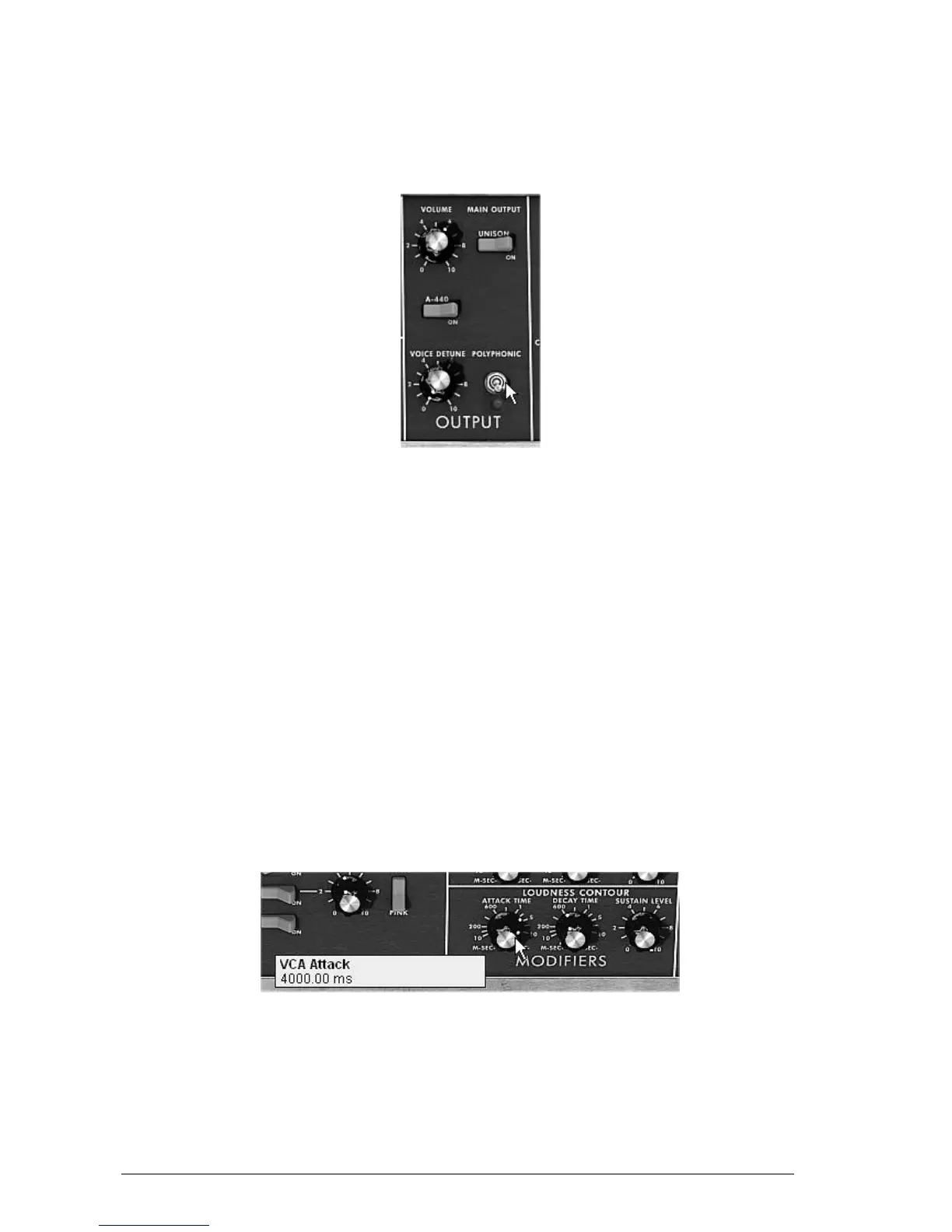
7.1.3 A polyphonic accompaniment
Unlike the original synthesizer which offered just a monophonic playing (one note at a time),
the Mini V allows you to play chords with the “Polyphonic” playing mode located in the
“Output” module on the right of the synthesizer.
Let’s see how to create a powerful evolving accompaniment.
The “Polyphonic” mode
This preset will be composed of:
2 oscillators
A low-pass filter (Filter)
An output VCA (Output)
The envelope corresponding to the filter
The envelope corresponding to the output amplifier (Loudness Contour)
Oscillator3 in low frequency modulating the filter cut-off frequency
Take the preset “Temp_2_Osc” in the “Templates” bank. This sound is already
composed of 2 active oscillators which you will use as a base sound.
Place the “Range” of oscillator2 to 8’ so that the 2 oscillators play in unison.
Slightly detune this same oscillator to obtain a richer sound: turn the central knob to
the right or left with a left click; take for example the value “fine tune” 1.0020.
Lower the filter cut-off frequency to make the sound less “bright”. Take for example a
value of -2.00 - 256.96 Hz.
Increase the amplitude envelope attack time (“Loudness Contour”) to around 4000ms.
Set the “Decay” time to around 700ms.
Increase the amplitude envelope attack time
Do the same with the filter envelope.
Place the “Range” knob of oscillator3 to Low mono (the last position on the left). It will
oscillate in low frequencies (like a LFO)
Lower the tuning to -48 (-4 octaves) by turning the central knob to the left with a
right click on the mouse. This oscillator will not produce audible sound (if only light












 To Next Page