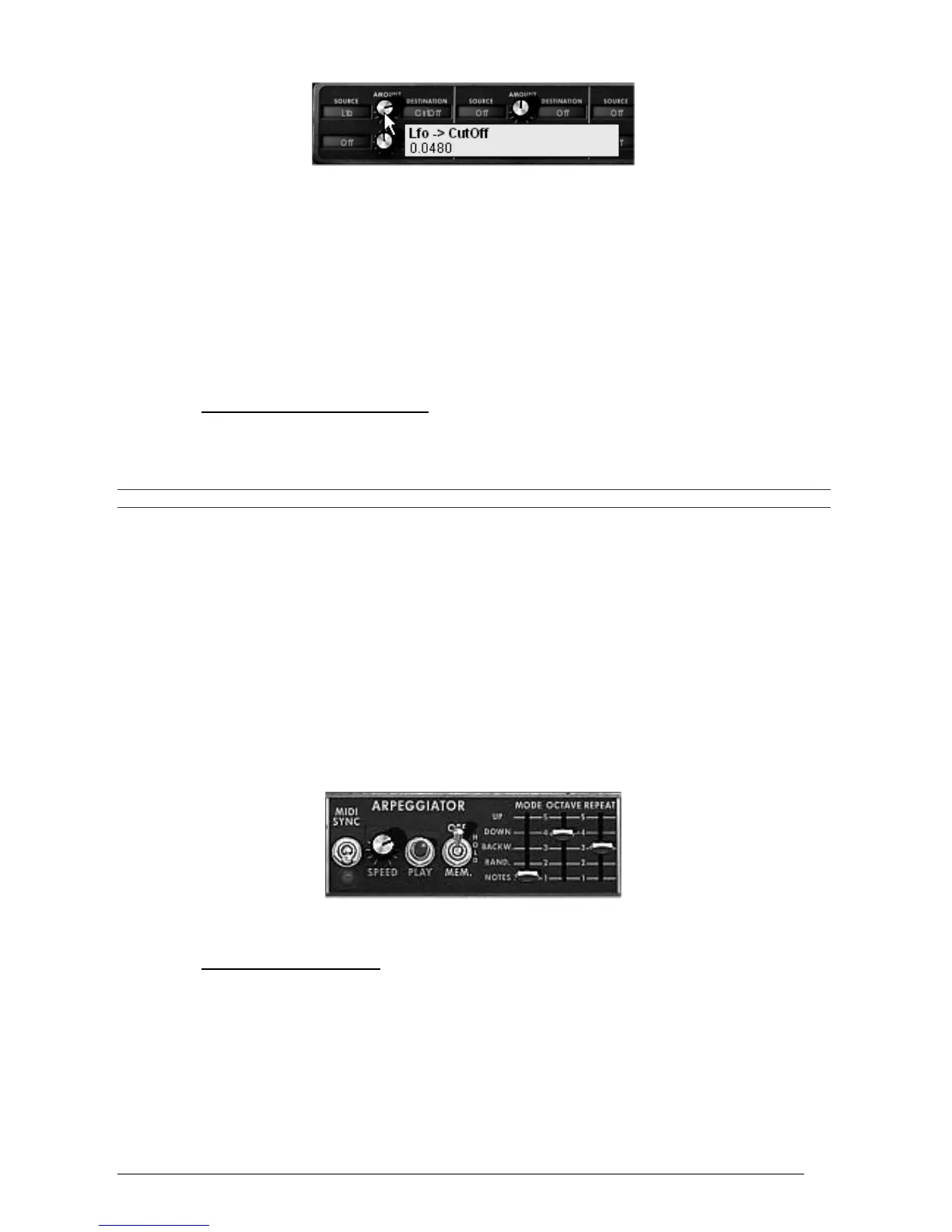
Turn the knob to the right to apply a positive value
Let’s delay the action of the LFO by applying modulation wheel on its amplitude:
Choose the modulation wheel (“Wheel”) among the sources.
Choose “LFO AM” among the destinations
Set the modulation level by applying a positive value of about 0.0193.
Set the modulation wheel up to 0.60.
3.5 THE ARPEGGIATOR SECTION
The “Arpeggiator” section lets you easily create an arpeggio from a chord played on the
keyboard.
An arpeggio is a series of single notes of the same length that spell out a chord, and play one after the other.
Arpeggiator settings are available on the right of the modulation matrix.
Let’s take the example the “JMB_Classic2” preset to see how to use the arpeggiator.
Click on the “PLAY” button of the arpeggiator.
Play a chord between C4 and C6; the notes will be played one after the other in the
order you placed them (it is possible to change the order by clicking on the “mode”
button).
It is also possible to keep the chord help down by clicking on the “HOLD” button.
To remove one or several notes, click again on the “HOLD” button and play the note you
want to remove.
The arpeggiator
3.6 THE EFFECTS SECTION
The effects section lets you add chorus or delay to your sound.
3.6.1 The chorus
The Chorus effect enables to double and slightly detune your sound in order to make it deeper
and livelier. 3 types of stereo chorus are available.
Activate the “ON/OFF” button for Chorus, on the right side of the menu bar.












 To Next Page