7.3.2 The stereo delay
This module allows you to repeat the incoming signal in an independent manner for the left
and right tracks so as to create stereo echo.
The speed of repetition is set for the left and the right with the “Time left & right” knobs, the number of repetitions
heard can be set with the “Feedback Left & Right” knobs and the mixing between the initial sound and the treated
sound with the “Dry/Wet” knob.
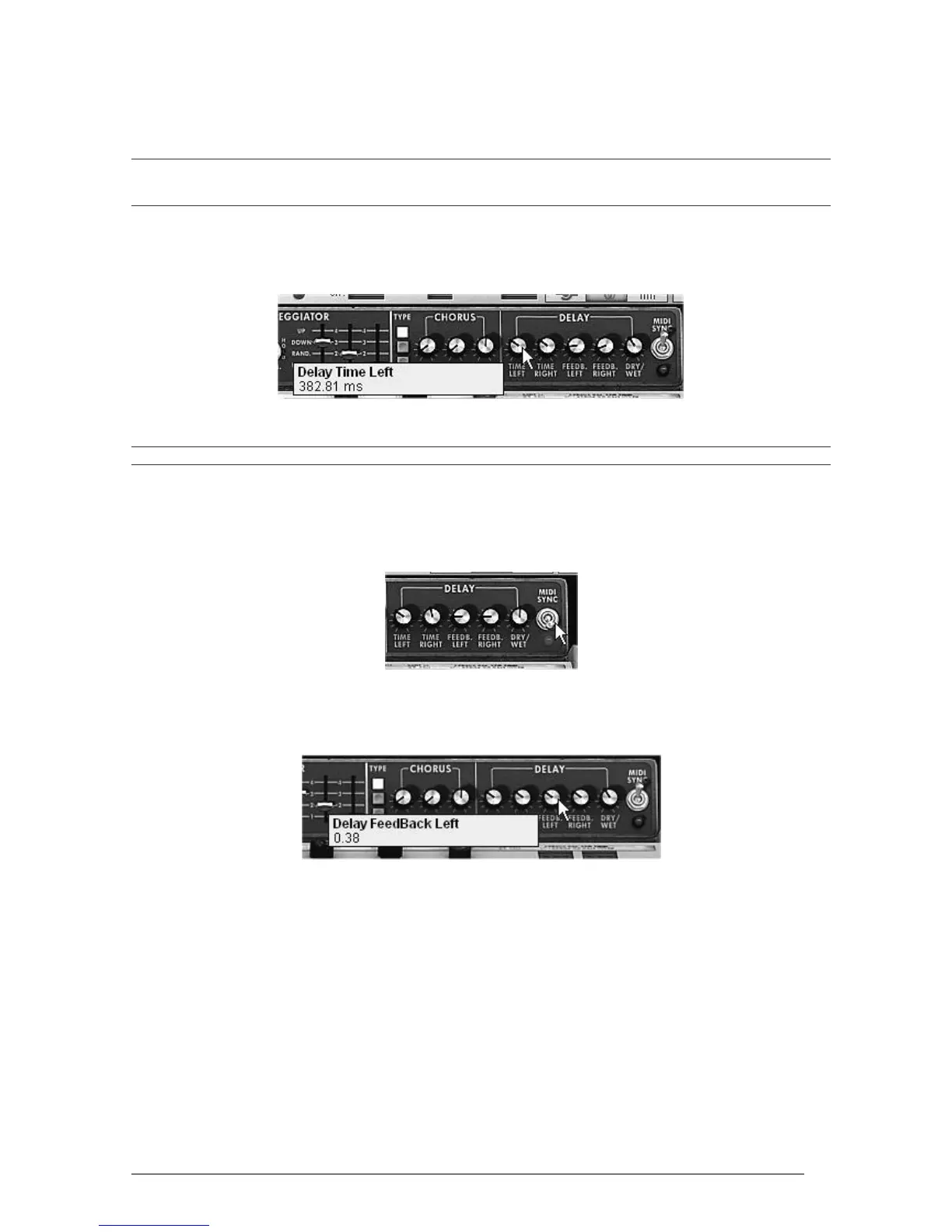
To set the time between the repetitions of the left track turn the “Time Left” knob.
Do the same thing with the “Time Right” knob for the right track.
The “Time Left” knob
To obtain a stereo effect, it is important that the two time settings (Time Left & Right) have different values.
A 2 position “MIDI Sync” switch synchronizes the repetition time with the tempo of the
host application. This will help to quickly find the appropriate timing for each side. Try
for example the values “Tempo” (synchronized to a crotchet) for the left and “Tempo
1.5” (synchronized to a dotted crotchet) for the right side.
Synchronization of delay to MIDI tempo
Now set the number of repetitions for both sides by turning the “Feedback Left &
Right” knobs.
The “Feedback Left” setting
To finish, as for the chorus effect, place the “Dry/Wet” knob to the center
(Dry:50.00%, Wet: 50.00%). You will obtain a balance between the gain setting
applied to the signal without effect (“Dry”) and the gain setting applied to the treated
signal (“Wet”).
These different examples, as you will have noticed, presented different levels of difficulty. We
hope that they will have allowed you to see a few of the possibilities offered by the Mini V.
But don’t hesitate to try your own settings, this is the best way to progress and have more
originality.












 To Next Page