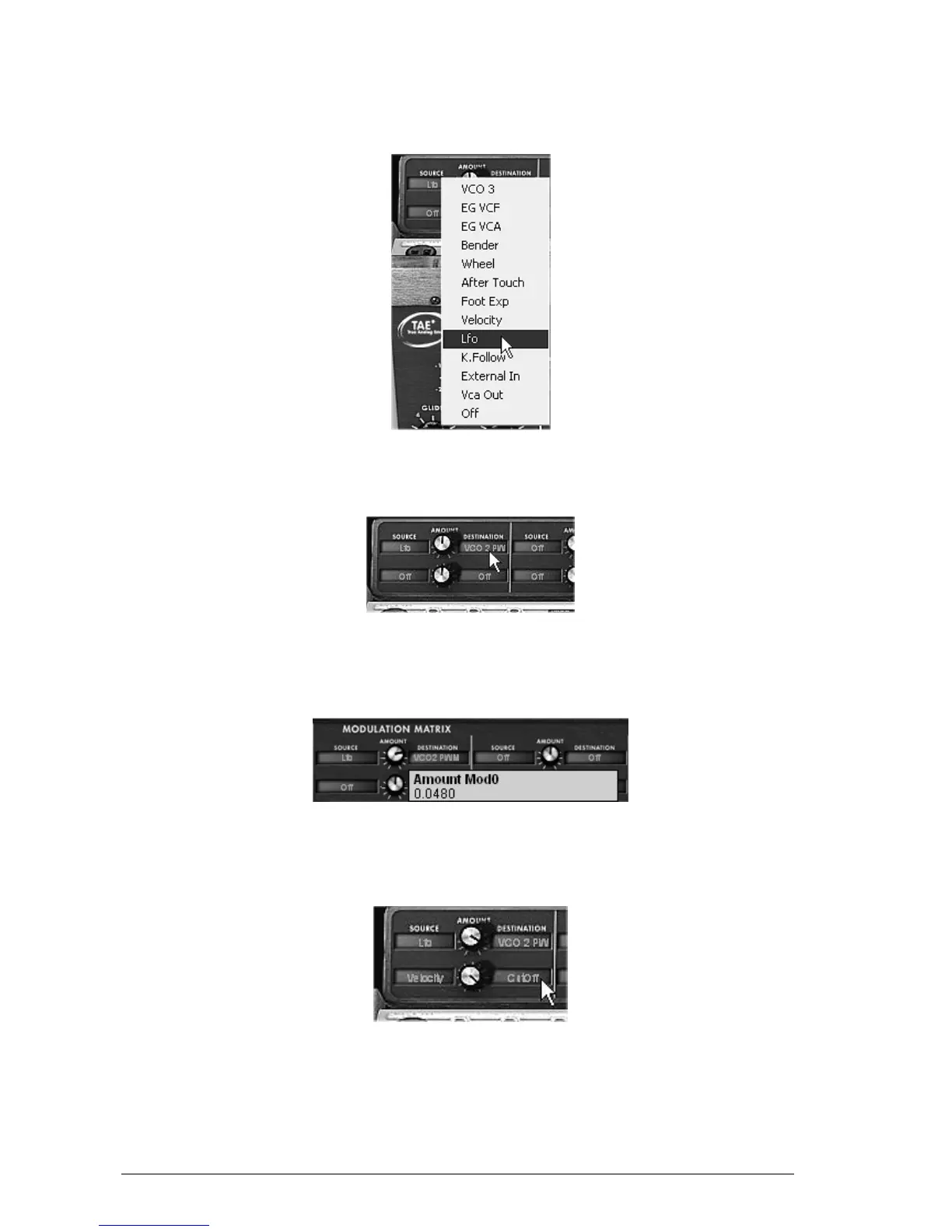
On the matrix, start by choosing the first source of modulation by clicking on the
display on the left of the first line: “LFO” (for Low Frequency Oscillator)
Choice of source
Do the same thing for the first destination by clicking on the display situated on the
right of the first line: choose “VCO2 PW” (square width of oscillator2).
Choice of destination
Increase the rate of modulation by turning the “Amount” knob between the two displays.
Place it at a value of 0.0480. The square width of oscillator2 lightly varies in a manner so as
to create a detuning between the 2 oscillators.
Turn the “Amount” knob
For the 2
nd
source of modulation, choose the “Velocity” to modulate the filter “Cutoff”.
Turn the “Amount” knob to a value of 0.31.
The velocity to modulate the “Cutoff”
Place the “Range” knob of oscillator3 to Low mono (the last position on the left). It will
oscillate in low frequencies (like a LFO)
Lower the tuning to –48 ( -4 octaves) by turning the central knob to the left with a
right click on the mouse. This oscillator will not produce audible sound (if only light












 To Next Page