AS64 series AC servo drive Function codes
-105-
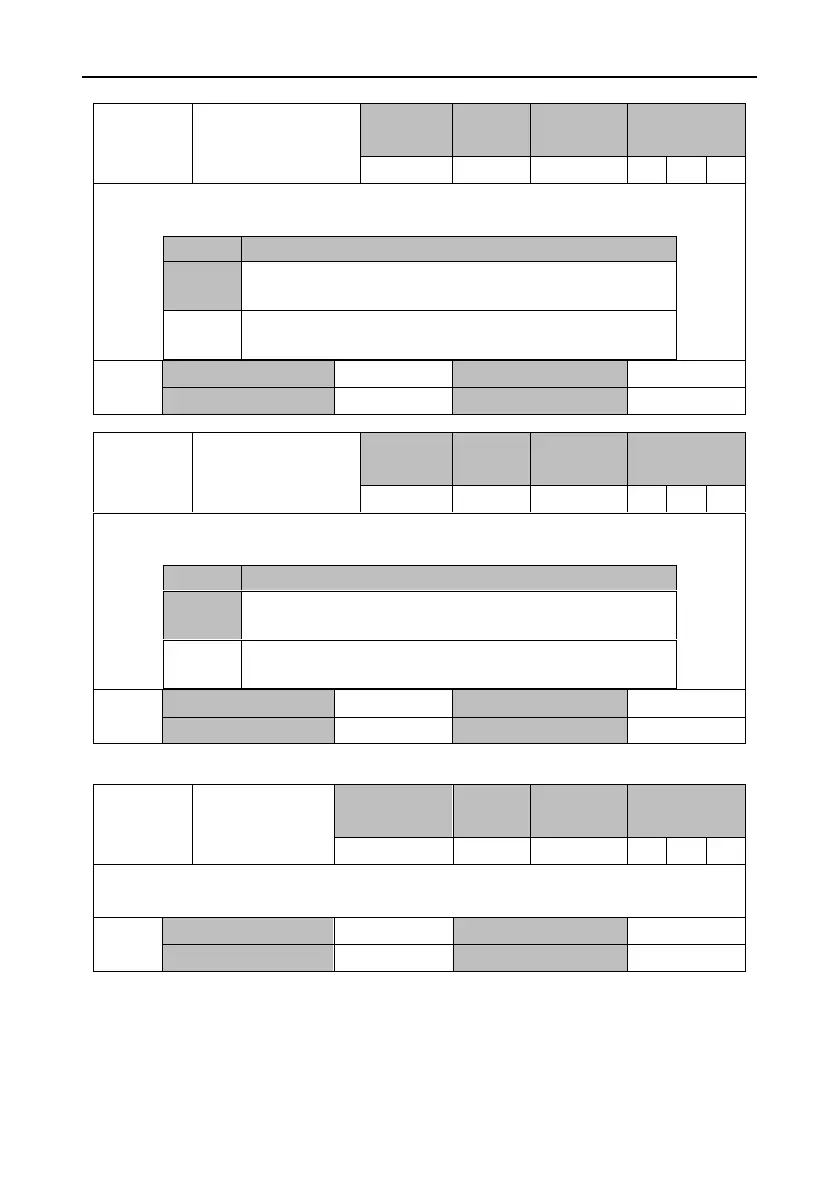
Speed mode switching
exiting mode
This parameter specifies the method for exiting the speed mode when P0.03 [Control mode] is 3
[Position/speed mode] or 5 [Speed/torque mode].
Switch from speed mode to other mode after decelerating to
zero.
Immediately switch to other mode when the control mode
switching command is invalid.
6.1.5 Speed display filter
FIR filter level of
speed detection
The parameter is used to set the FIR filter level displayed by R0.00 [motor speed]. When it is set
to 1 (default value), there is no filter. The larger the set value, the smoother the speed display.
Position mode
switching exiting
method
This parameter specifies the method for exiting the position mode when P0.03 [Control mode] is
3 [Position/speed mode] or 4 [Position/torque mode].
Switch from the position mode to other mode after positioning
is completed.
Immediately switch to other mode when the control mode
switching command is invalid.


 To Next Page