Conguring Client Settings
Conguring Service Access Settings
128
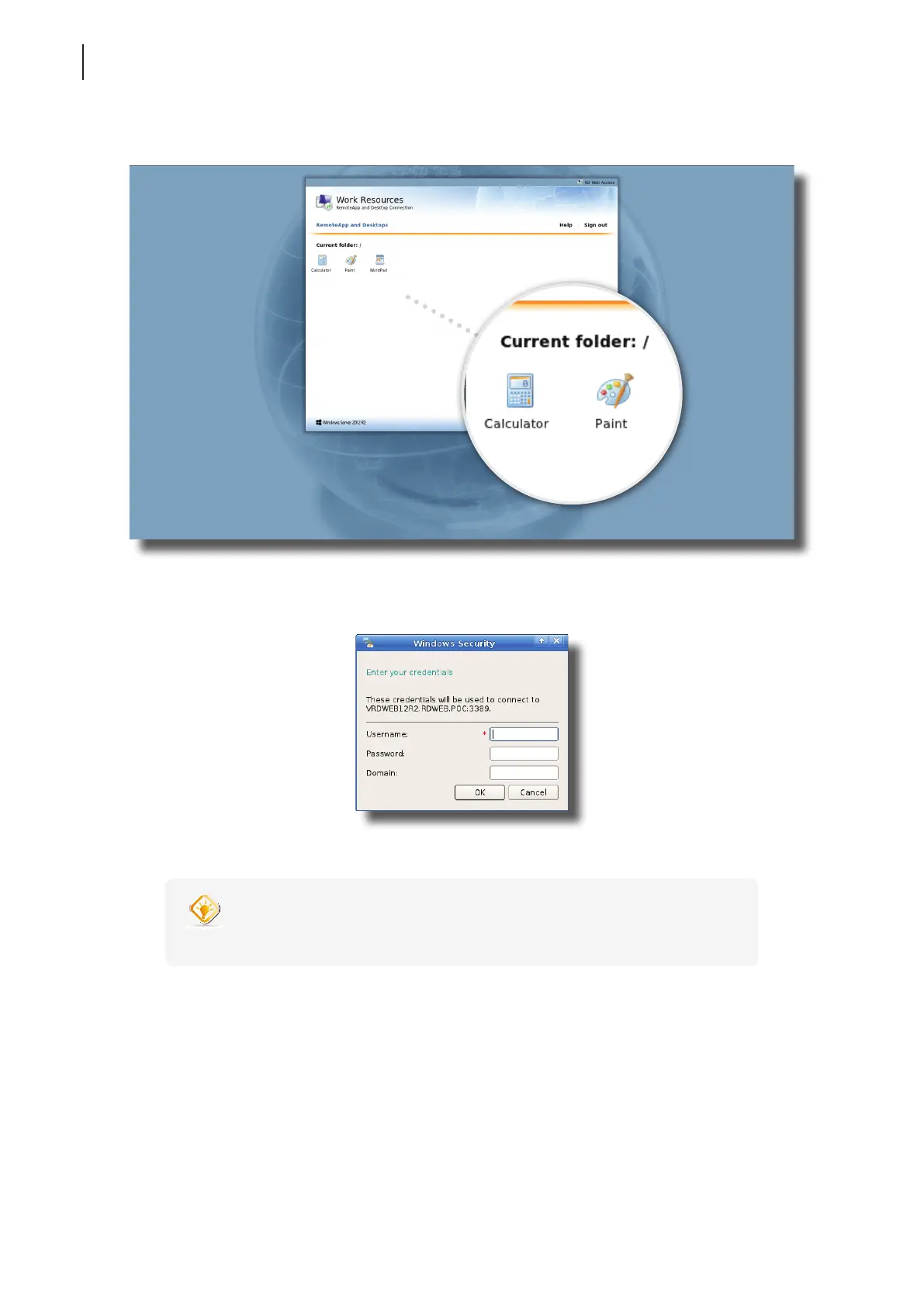
4. Access shortcuts will be shown on the screen.
5. Click or Double-click to select the desired application.
6. A window appears prompting for credentials.
7. Provide your credentials, and then click OK to launch the selected application.
TIP
• Use Alt + Tab to select and restore a hidden or minimized application or desktop.



 To Next Page