Conguring Client Settings
Conguring System Settings
43
4.2.3 Conguring Time Zone and Time Server
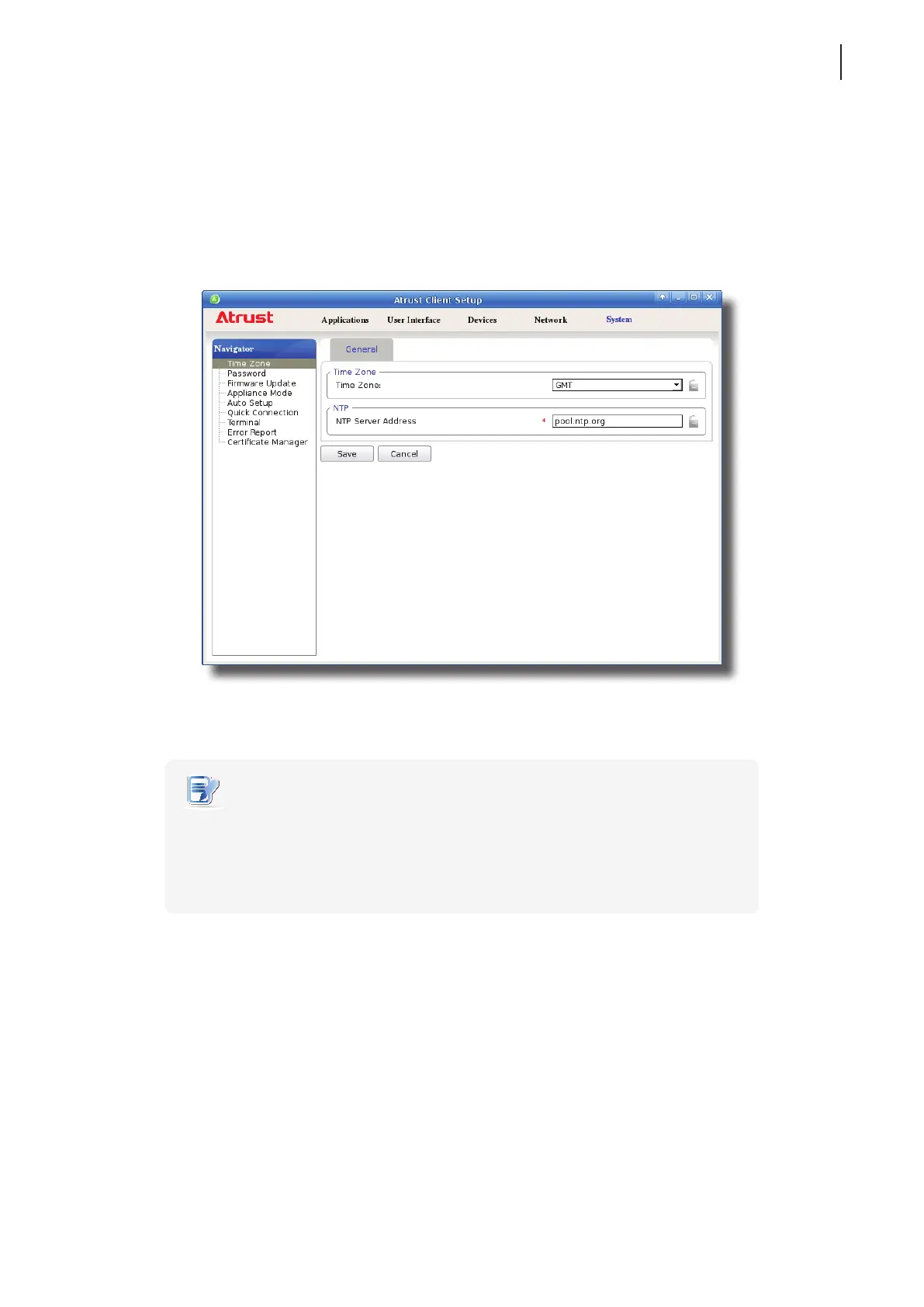
The Time Zone setting allows you to congure the desired time zone and time server to get the accurate system
time for your t180L/t180LB.
To set the desired time zone and time server, please do the following:
1. On Atrust Client Setup, click System > Time Zone.
2. Under the Time Zone section, click the drop-down menu to select the desired time zone.
3. Under the NTP (Network Time Protocol) section, use the default or type in the desired time server.
NOTE
• The IP address of the default time server is pool.ntp.org. For more information on
the default, please refer to the website for the NTP Pool Project at www.pool.ntp.org.
• Ensure the connectivity of your t180L/t180LB to the network or Internet in order to
get accurate time from the time server.
4. Click Save to apply.



 To Next Page