Conguring Client Settings
Conguring Network Settings
103
4.5.8 Conguring the Failover Cluster List
Atrust Client Setup allows you to create the Failover Cluster list, maintaining the high availability of services from
that group of servers (failover cluster).
Creating the Failover Cluster List
To create a Failover Cluster list, please do the following:
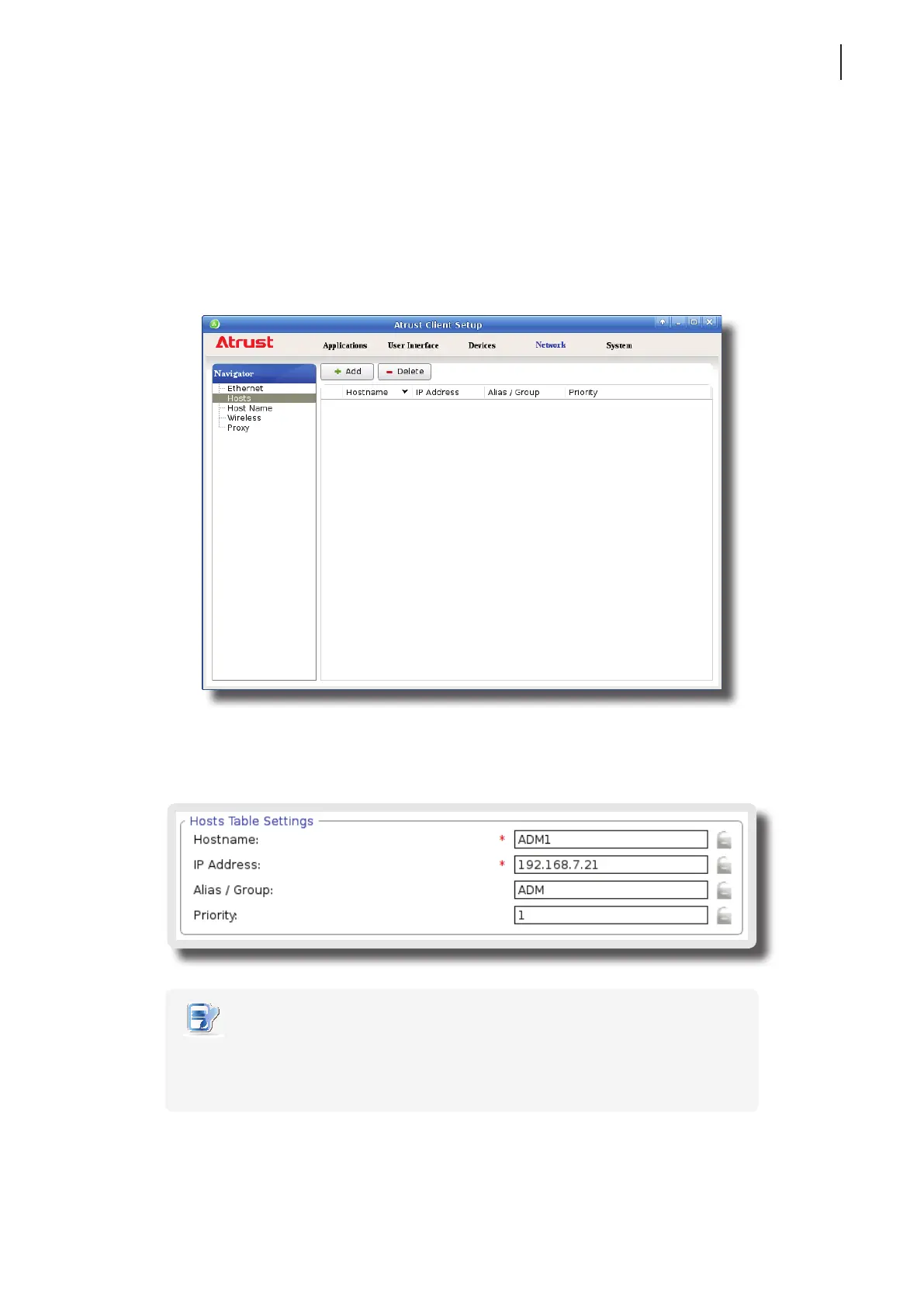
1. On Atrust Client Setup, click Network > Hosts to open the Host list.
2. Click Add to start adding a new host entry.
3. Type in the name, IP address, alias and also cluster (group) name, priority order in the cluster (group), and
then click Save to apply.
NOTE
• If your host belongs to a domain, please don’t enter the FQDN (Fully Qualied
Domain Name) or full computer name in the Hostname eld. Enter only the
computer name of the host in this required eld.



 To Next Page