Conguring Client Settings
Conguring User Interface Settings
77
2. Check or Uncheck Enable Custom Wallpaper to enable or disable the use of a custom wallpaper.
3. Select the way to apply the wallpaper and where to download or get the image le. Three options are
available to get the wallpaper: Auto Setup, Device Manager, and File.
NOTE
• If Auto Setup is selected, your thin client must be in Auto Setup environment and
be well-congured for that environment. Please see “Enabling or Disabling Auto
Setup” on page 54 for more information.
• If Device Manager is selected, your thin client must be managed by Atrust Device
Manager. For details, please refer to the User’s Manual for Atrust Device Manager.
4. Provide other information if required.
NOTE
• If File is selected, you need to specify where to get the image le locally, for
example, a locally attached USB ash drive.
• The maximum allowed size of a custom wallpaper le is 5 MB.
5. Click Save to conrm.
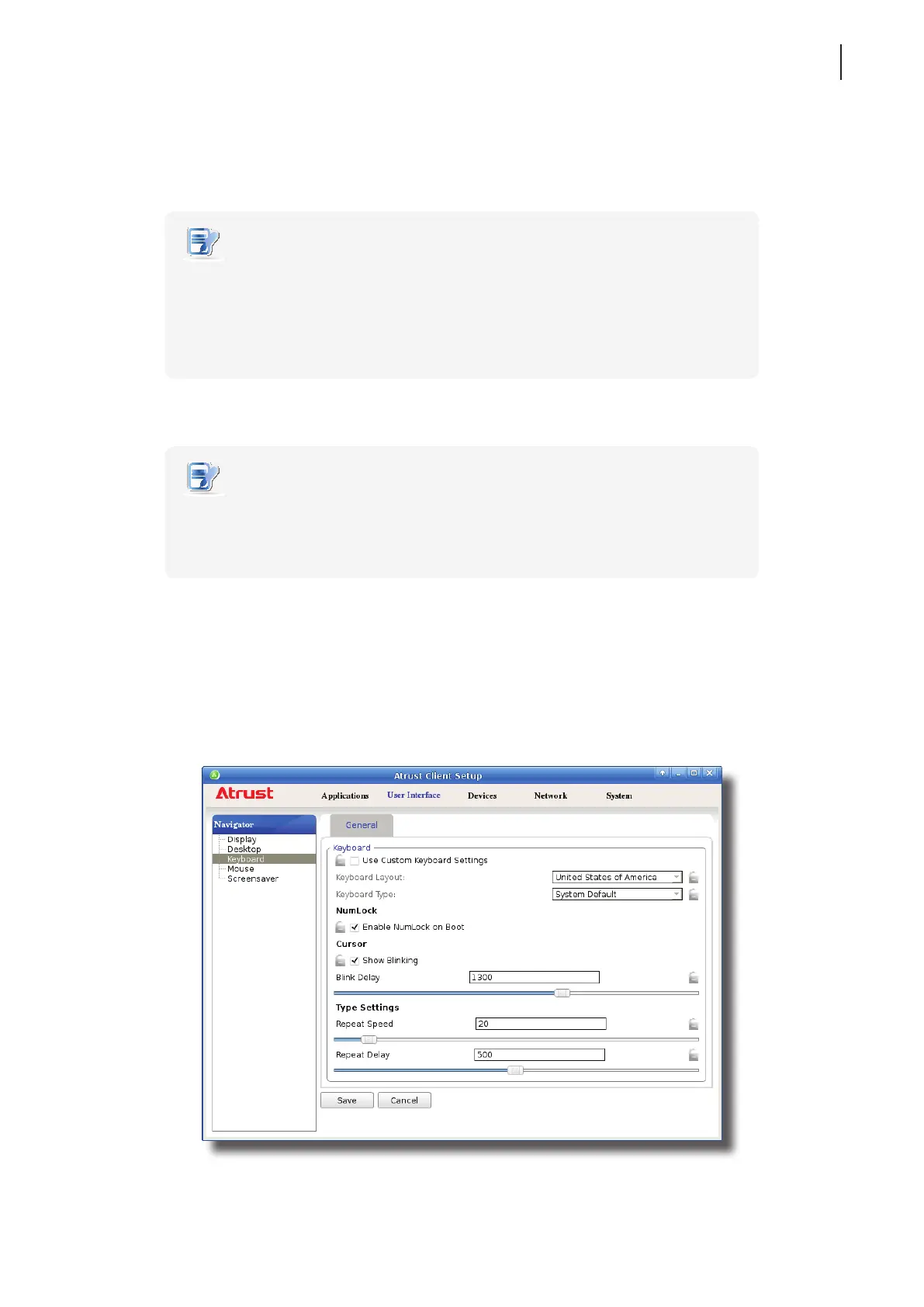
4.3.7 Adjusting Keyboard Settings
To adjust keyboard settings for your t180L/t180LB, please do the following:
1. On Atrust Client Setup, click User Interface > Keyboard.



 To Next Page