Conguring Client Settings
Conguring System Settings
61
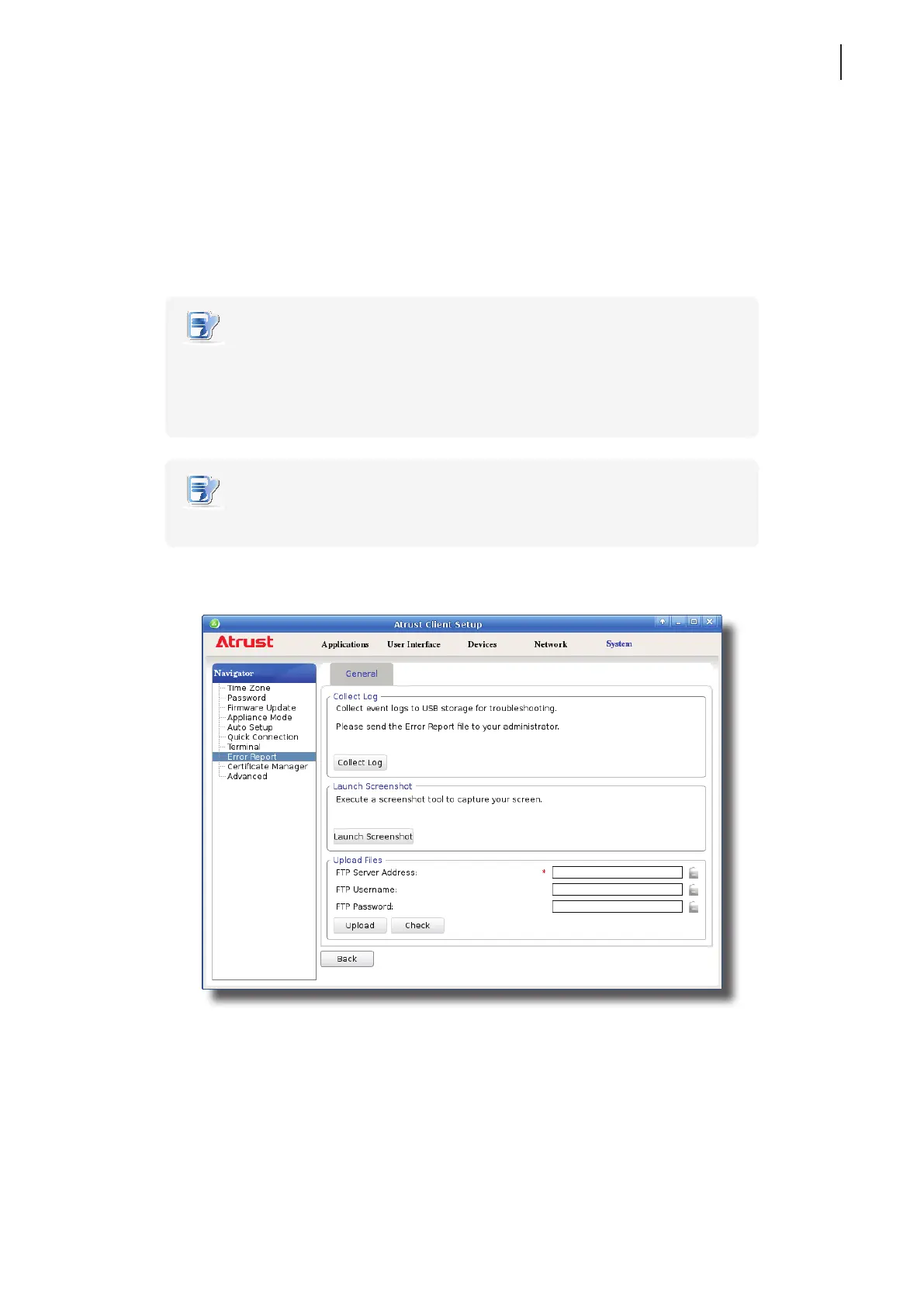
4.2.12 Collecting Event Logs and Capturing Related Screens
The Error Report feature allows you to collect event logs and capture related screens for error reporting.
Collecting Event Logs
To collect event logs of your t180L/t180LB, please do the following:
1. Plug a USB ash drive into your t180L/t180LB.
NOTE
• This USB ash drive will be used for storing the event logs of your t180L/t180LB.
• Ensure that you have enabled the access and automount of USB storage devices.
For detailed instructions, please refer to section “4.4.3 Conguring Settings for USB
Storage Devices” on page 82.
NOTE
• Please note that les saved on the local desktop will be deleted after restart.
2. On Atrust Client Setup, click System > Error Report.



 To Next Page