Conguring Client Settings
Conguring Service Access Settings
159
4.6.7 Switching the Citrix Receiver Version
Two versions of Citrix Receiver are switchable in case that an older version of Citrix Receiver is required for your
Citrix environment.
To change the version of Citrix Receiver, please do the following:
NOTE
• This is a global setting; the change will aect all Citrix connections.
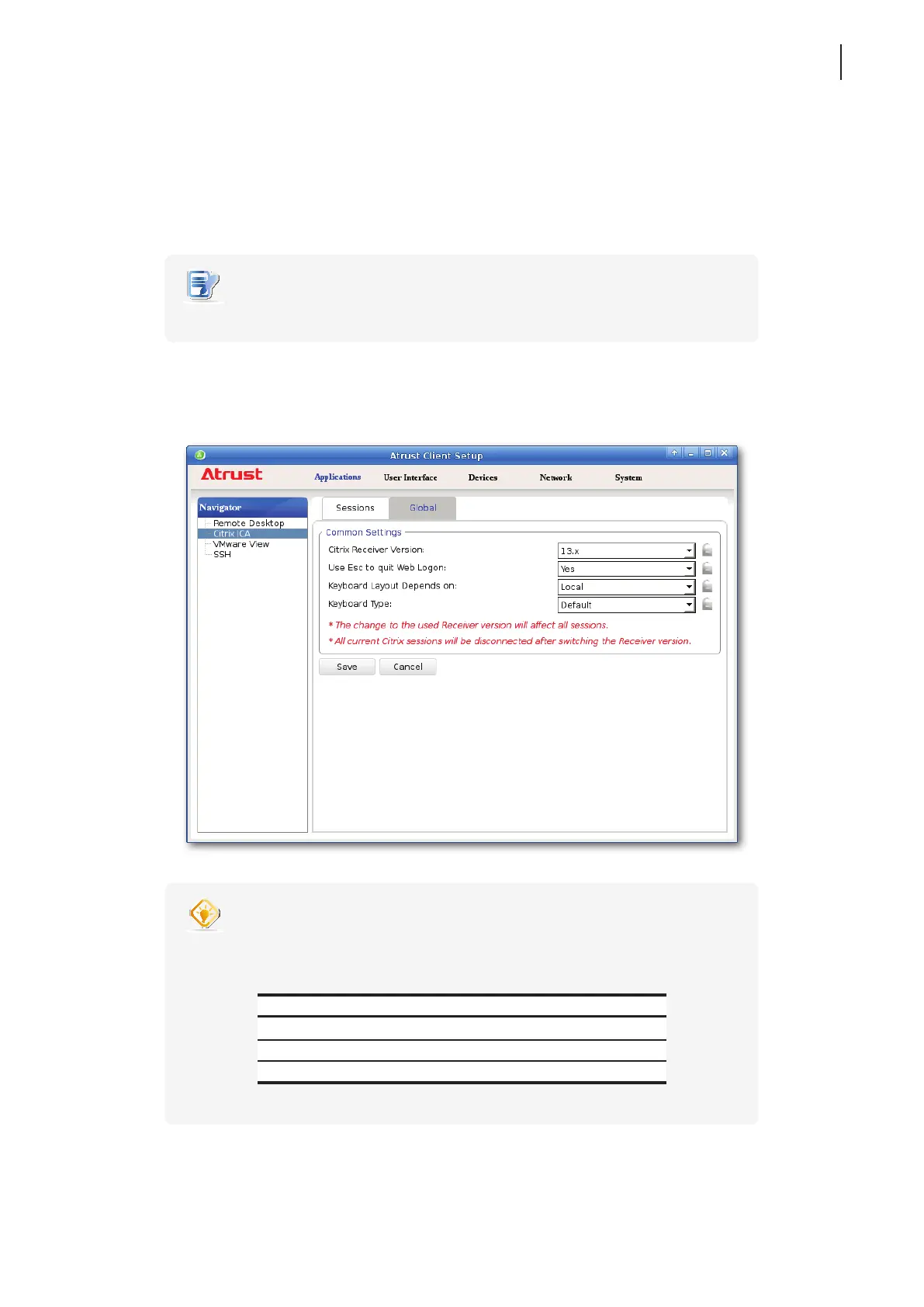
1. On Atrust Client Setup, click Applications > Citrix ICA > Global.
2. Click the drop-down menu to select the desired Citrix Receiver version. Two options are available:
12.x and 13.x.
TIP
• The default Citrix Receiver version is 13.x.
• You can refer to the following table for Citrix products and recommended Citrix
Receiver version:
Citrix Product Recommended Receiver Version
XenApp earlier than 6.5 12.x
XenDesktop earlier than 5.6 12.x
XenApp / XenDesktop 7.x or later 13.x
3. Click Save to apply.



 To Next Page