Conguring Client Settings
Conguring System Settings
46
4.2.5 Conguring Shadow Settings for Remote Assistance
The Shadow feature allows an administrator to remotely assist client users in resolving problems or conguring local
settings. When this feature is enabled, an administrator can monitor and control a client from a remote computer
just like a local user.
NOTE
• To use the Shadow feature on a remote computer, you need to install the Atrust
Device Manager console on that computer, and add your t180L/t180LB into a
managed group under Atrust Device Manager. For details, please refer to the
User’s Manual for Atrust Device Manager.
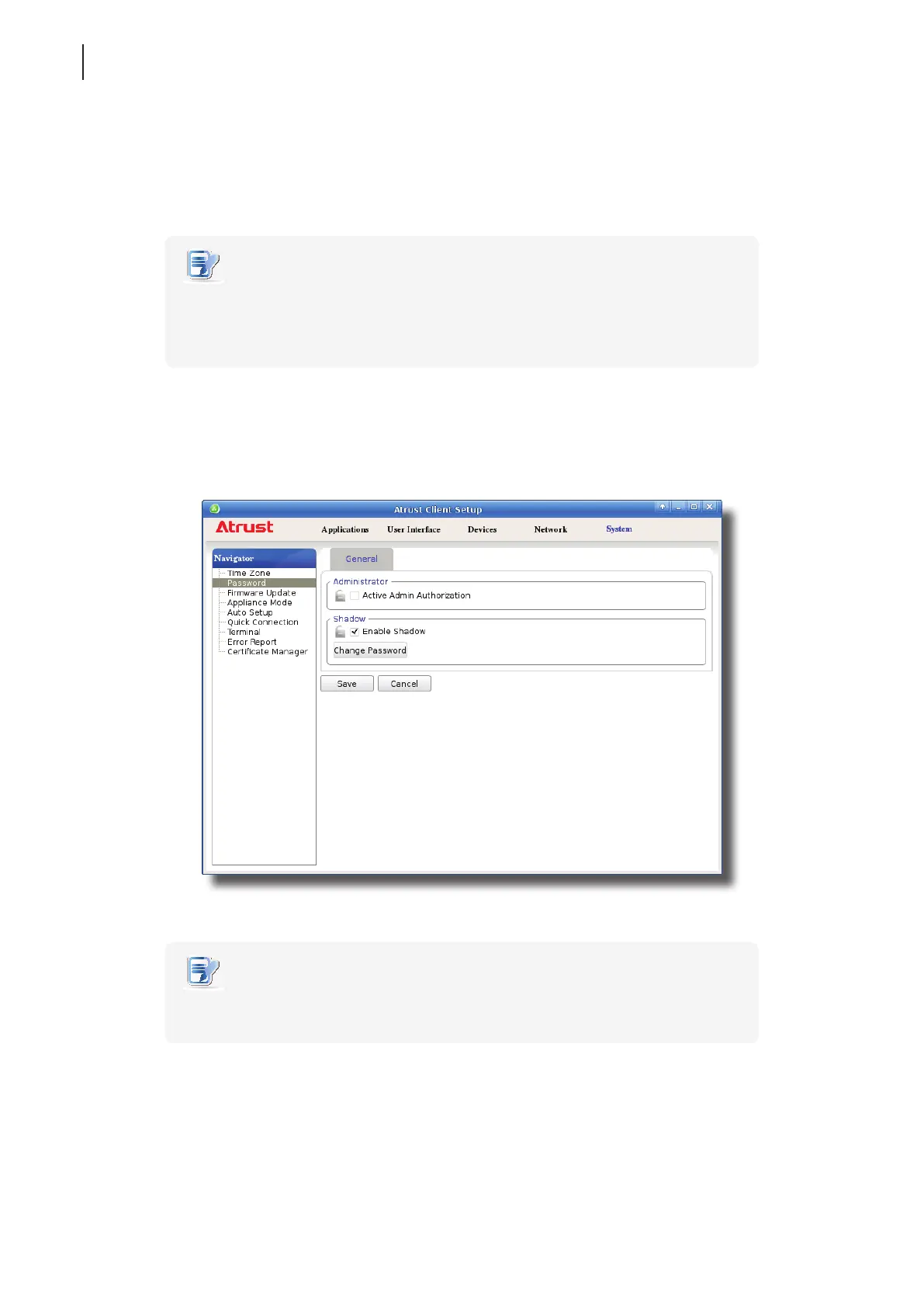
To enable the Shadow feature and set the password for remote assistance, please do the following:
1. On Atrust Client Setup, click System > Password.
2. Under the Shadow section, click to check Enable Shadow if it’s not checked.
NOTE
• By default, the Shadow feature is enabled. Click Change Password, and then follow
the next step to set your password.
3. The Shadow feature is enabled and a window appears for you to set the password for remote assistance.



 To Next Page